Вовед
This manual provides essential information for the setup, operation, and maintenance of your WalkerFit M6 GPS Smart Watch. Designed for active users, this smartwatch features multi-satellite positioning, a durable full-metal body, long battery life, 5ATM water resistance, Bluetooth calling, and a vibrant 1.43-inch AMOLED screen. Please read this manual thoroughly to ensure proper usage and to maximize your device's capabilities.
Содржина на пакетот
Verify that all items listed below are present in your product box:
- 1x WalkerFit M6 GPS Smart Watch
- 1x магнетен полнач за база
- 1x Упатство за употреба
- 1x Black Silicone Band
- 1x Camouflage Band

Image: Contents of the WalkerFit M6 GPS Smart Watch package, showing the watch, magnetic charger, user manual, and two interchangeable bands.
Поставување
Почетно полнење
Before first use, fully charge your WalkerFit M6 GPS Smart Watch. Connect the magnetic charging cable to the charging points on the back of the watch and plug the USB end into a compatible power source. A full charge typically takes approximately 2.5 hours.
Вклучување/исклучување
- За вклучување: Press and hold the power button (typically the top right button) until the screen illuminates.
- За исклучување: Притиснете го и задржете го копчето за вклучување, а потоа изберете ја опцијата „Исклучено“ на екранот.
Video: Instructions on how to power on the WalkerFit M6 GPS Smart Watch.
Преземање и спарување на апликација
To unlock the full functionality of your smartwatch, download the companion app. The app is compatible with both Android and iPhone devices.
- Scan the QR code provided in the user manual or on the watch screen to download the 'FitCloudPro' app from your device's app store.
- Отворете ја апликацијата „FitCloudPro“ и следете ги упатствата на екранот за да креирате сметка или да се најавите.
- Овозможете Bluetooth на вашиот паметен телефон.
- Within the app, navigate to the 'Device' section and select 'Add Device' or 'Scan for Device'.
- Select 'M6 GPS' from the list of available devices to initiate pairing. Confirm the pairing request on both your smartphone and the smartwatch.
Упатства за работа
Навигација и приказ
- Екран на допир: Swipe left, right, up, or down to navigate through menus and features. Tap to select options.
- Физички копчиња: The watch features multiple physical buttons for quick access to functions like Sport mode, Menu, and Back.
- Приспособливи лица на часовникот: Change your watch face directly from the device settings or through the companion app to personalize your display.

Image: The 1.43-inch AMOLED display of the WalkerFit M6 GPS Smart Watch, showcasing different customizable watch faces and the Always-On Display feature.
Multi-Satellite GPS and Outdoor Features
The WalkerFit M6 GPS Smart Watch is equipped with advanced multi-system positioning (GPS, GLONASS, Galileo, BeiDou) for accurate outdoor tracking. It also includes a built-in compass, altimeter, and barometer.
- Снимање на рутата: Activate a sports mode (e.g., hiking, trail running, cycling) to automatically record your route, distance, and other metrics using GPS.
- Еколошка свест: Utilize the compass for real-time directional guidance, the altimeter to track elevation changes, and the barometer to monitor air-pressure trends.

Image: A user wearing the WalkerFit M6 GPS Smart Watch while hiking, demonstrating its multi-satellite GPS tracking capabilities, compass, altimeter, and barometer features.
Спортски режими и следење на здравјето
Access over 170 indoor and outdoor sports modes directly from your watch. The device continuously monitors various health metrics.
- Спортски режими: Select your desired activity (e.g., running, cycling, swimming, strength training) to track performance data such as heart rate, calories burned, and duration.
- Daily Wellness: The watch provides all-day tracking for heart rate, SpO₂, sleep patterns, stress levels, and activity trends. Review detailed insights in the companion app.

Image: A user engaging in water sports while wearing the WalkerFit M6 GPS Smart Watch, highlighting its 5ATM waterproof rating and the availability of over 170 sports modes.
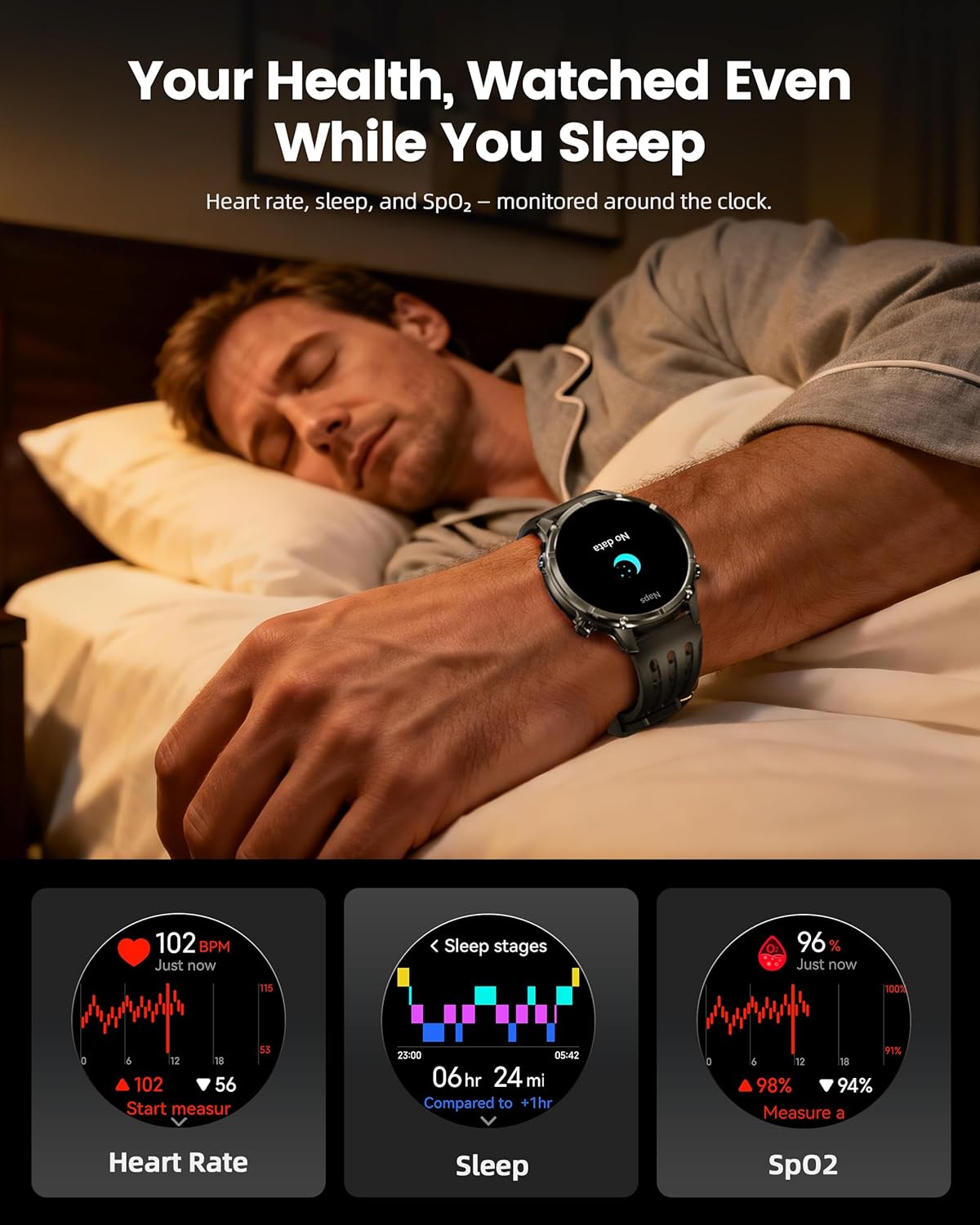
Image: The WalkerFit M6 GPS Smart Watch monitoring health metrics such as heart rate, sleep stages, and SpO₂ levels, even during sleep.
Bluetooth Calling and Smart Notifications
Stay connected with Bluetooth calling and smart notifications directly on your wrist.
- Повици со Bluetooth: Answer or place calls directly from your smartwatch when connected to your smartphone.
- Известувања: Receive alerts for SMS, email, and app notifications (e.g., WhatsApp, Facebook, Instagовен).
- Дополнителни алатки: Access music control, weather updates, world clock, timer, alarm, calculator, flashlight, find-phone, and camera control.
Video: Demonstration of the smartwatch's communication functions, including Bluetooth calls and smart notifications.

Image: The WalkerFit M6 GPS Smart Watch showing smart notifications from various apps and its AI assistant capabilities for calls and messages.
Клучни карактеристики надview
Rugged Design and Display
The WalkerFit M6 GPS Smart Watch is built with a durable full-metal zinc-alloy body and features a 1.43-inch AMOLED display with Always-On Display (AOD) functionality. The screen is designed for clear visibility even under strong sunlight and is protected with 8H hardness.
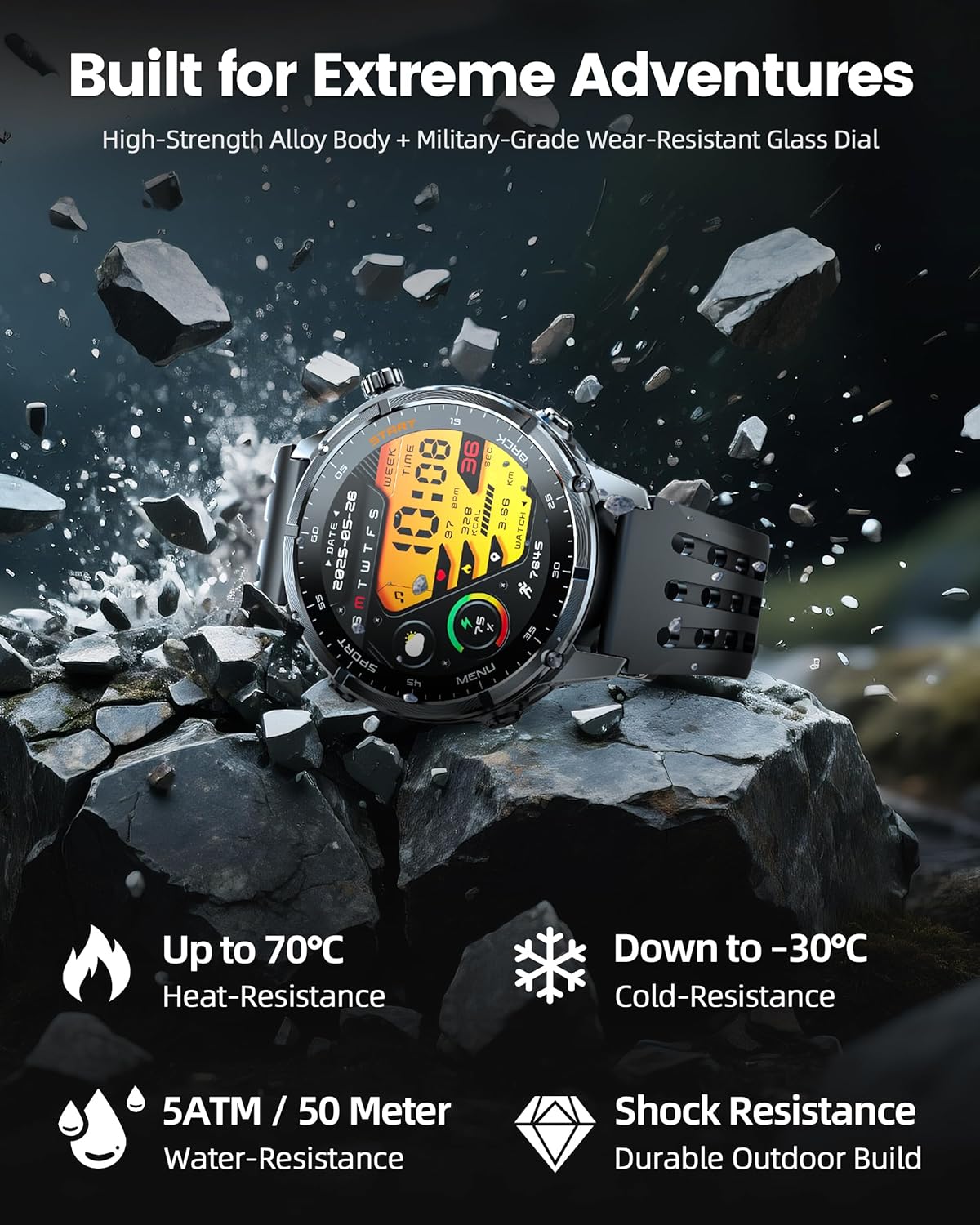
Image: The WalkerFit M6 GPS Smart Watch in a rugged outdoor setting, illustrating its high-strength alloy body, military-grade wear-resistant glass, and resistance to heat, cold, water, and shock.
Долготрајна батерија
Equipped with a 520mAh battery, the smartwatch offers extended usage times:
- Up to 14 days for daily use.
- 7+ days during active outdoor training.
- Up to 60 days in standby mode.
Recharging to full capacity takes approximately 2.5 hours.

Image: The WalkerFit M6 GPS Smart Watch on its magnetic charger, emphasizing its 520mAh battery capacity and multi-day usage capabilities.
Одржување
Чистење и нега
- Regularly clean the watch and bands with a soft, damp крпа.
- Avoid using harsh chemicals or abrasive materials that could damage the watch's finish or sensors.
- Пред полнење, проверете дали контактите за полнење се чисти и суви за да спречите корозија.
Отпорност на вода
The WalkerFit M6 GPS Smart Watch is rated 5ATM, making it suitable for swimming in pools, use in rainy weather, splashes, and sweat during workouts. It is not recommended for diving or high-pressure water activities.
Решавање проблеми
- Часовникот не се вклучува: Ensure the watch is fully charged. If the issue persists, try connecting it to the charger for a few minutes before attempting to power on again.
- Проблеми со спарување: Confirm Bluetooth is enabled on your smartphone and the watch is within range. Restart both devices and try pairing again through the 'FitCloudPro' app.
- Inaccurate Heart Rate/SpO₂ Readings: Уверете се дека часовникот е цврсто носен на вашиот зглоб, не е премногу стегнат или премногу лабав. Исчистете го сензорот на задната страна од часовникот.
- Губење на GPS сигналот: Move to an open area away from tall buildings or dense foliage for better signal reception.
- Краток век на батеријата: Adjust display brightness, reduce the display duration, or disable features like Always-On Display if not needed to extend battery life.
Спецификации
| Карактеристика | Детал |
|---|---|
| Број на модел | М6 GPS |
| Приказ | 1.43 инчи AMOLED, резолуција 466*466 |
| Капацитет на батеријата | 520 милиониamp Часови (520mAh) |
| Поврзување | Bluetooth |
| GPS | Built-in GPS (Multi-Satellite Positioning) |
| Отпорност на вода | 5 банкомат |
| Оперативен систем | Носете OS 1.1 |
| Тежина на ставката | 4.8 унци |
| Материјал | Full Metal Zinc-Alloy Body |
Гаранција и поддршка
For warranty information, technical support, or service inquiries, please refer to the contact details provided on the product packaging or visit the official WalkerFit webлокација. Чувајте ја сметката како доказ за купување за гаранциски побарувања.


