1. Вовед
Welcome to your new Baseus BC1 Open Ear Earbuds. This manual provides detailed instructions for setup, operation, and maintenance to ensure you get the best experience from your device. The Baseus BC1 earbuds feature a comfortable open-ear design, secure tri-curve clip, rich sound with powerful bass, clear calls with 4-mic AI noise reduction, IP55 water resistance, and precise button control.
2. Содржина на пакетот
Проверете ја содржината на пакувањето за да се осигурате дека сите артикли се присутни:
- Baseus BC1 Open Ear Earbuds (Left & Right)
- Случај за полнење
- Упатство за употреба
- Кабел за полнење Type-C

3. Производот завршиview
The Baseus BC1 Open Ear Earbuds are designed for comfort and high-quality audio, allowing you to stay aware of your surroundings. The compact charging case provides extended battery life and convenient storage.

4. Поставување
4.1. Полнење
Пред првата употреба, целосно наполнете ги слушалките и кутијата за полнење.
- Поврзете го испорачаниот кабел за полнење од тип C со приклучокот за полнење на куќиштето и со извор на енергија.
- Целосното полнење на куќиштето трае приближно 1.5 часа.
- The earbuds offer up to 7.5 hours of listening on a single charge, and up to 38 hours total with the fully charged case.

4.2. Вклучување/исклучување
- Вклучување: Отворете ја кутијата за полнење и слушалките автоматски ќе се вклучат.
- Исклучено: Place the earbuds back into the charging case and close the lid; they will power off automatically.
4.3. Bluetooth спарување
- Отворете ја кутијата за полнење. Слушалките автоматски ќе влезат во режим на спарување, што ќе биде означено со трепкачка LED светилка.
- На вашиот уред (паметен телефон, таблет итн.), одете во поставките за Bluetooth и овозможете Bluetooth.
- Пребарај за "Baseus BC1" in the list of available devices and select it to connect.
- Once connected, you will hear a confirmation tone, and the LED indicator on the earbuds will turn off.
4.4. Носење на слушалките
За оптимална удобност и квалитет на звук, следете ги овие чекори за носење на слушалките:
- Gently clip each earbud onto your ear, ensuring the main body rests comfortably behind your earlobe.
- Adjust the earbud to find the most comfortable and secure position. The tri-curve ergonomic clip is designed to adapt to various ear shapes.
- Ensure the sound outlet is aligned with your ear canal to experience the best sound quality.


5. Упатства за работа
5.1. Контроли на копчињата
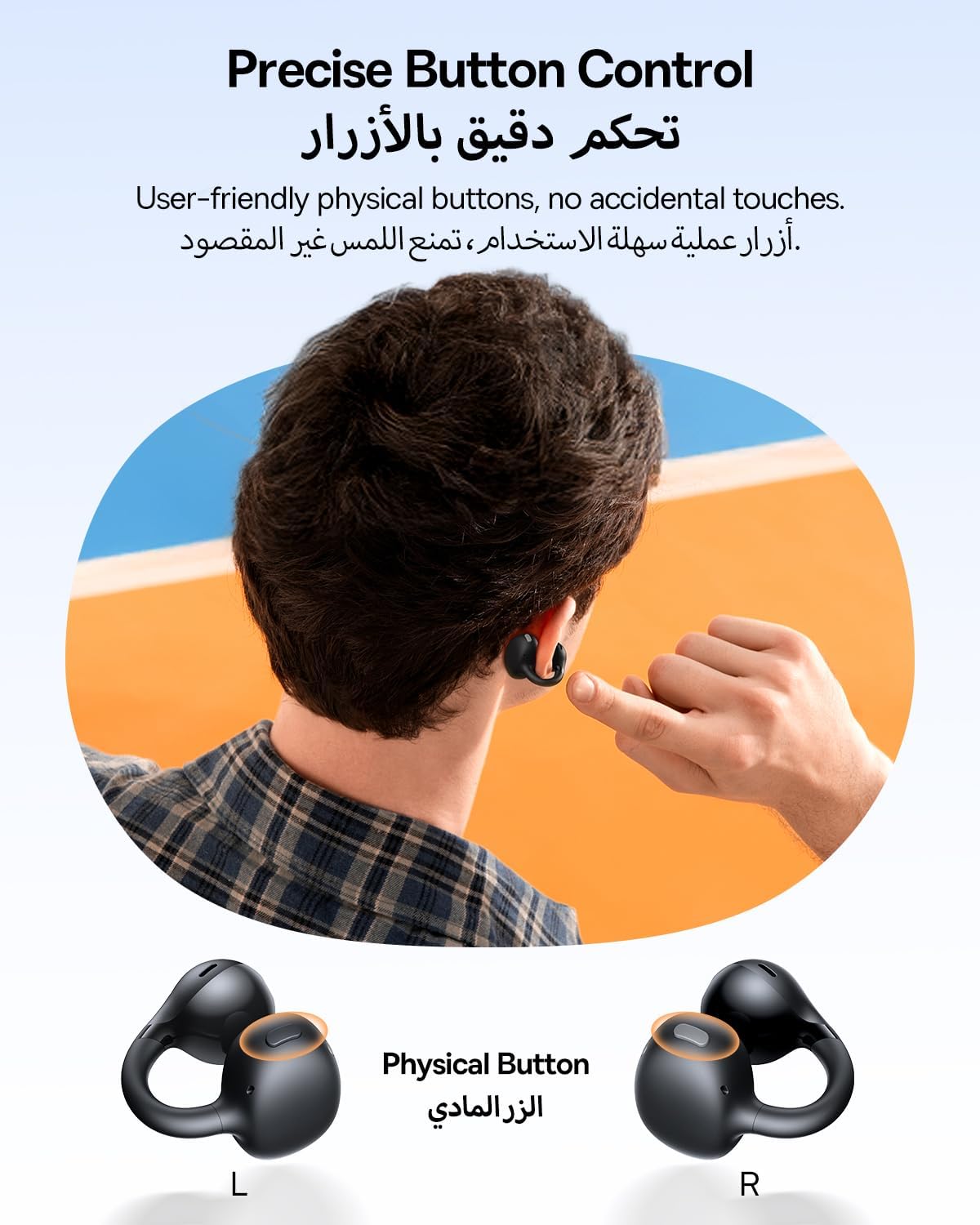
The Baseus BC1 earbuds feature physical buttons for precise control, minimizing accidental touches. The functions are as follows:
- Пушти/Пауза: Еднократно притиснете го копчето на која било слушалка.
- Јачина на звук нагоре: Еднократно притиснете го копчето на десната слушалка.
- Намалување на јачината на звукот: Single press the button on the left earbud.
- Следна песна: Long press the button on the right earbud for 1.5 seconds.
- Претходна песна: Long press the button on the left earbud for 1.5 seconds.
- Одговори/заврши повик: Double press the button on either earbud.
- Одбијте го повикот: Long press the button on either earbud for 1.5 seconds during an incoming call.
- Гласовен асистент: Triple press the button on the right earbud.
- Cycle Modes (Game/Movie/Normal): Triple press the button on the left earbud.
5.2. Прилагодување на апликацијата
Download the official Baseus app from your device's app store to unlock advanced features and personalize your listening experience:
- Приспособлив EQ: Adjust the equalizer settings to fine-tune the audio to your preference.
- Звук проfiles: Изберете од различни претходно поставени звучни професииfiles for different music genres or listening scenarios.
- Touch Control Personalization: Reassign touch control functions to suit your needs.

5.3. Поврзување со повеќе точки
The Baseus BC1 earbuds support simultaneous connection to two devices, allowing seamless switching between them:
- Pair the earbuds with your first device (e.g., smartphone).
- Disconnect the earbuds from the first device's Bluetooth settings. The earbuds will re-enter pairing mode.
- Pair the earbuds with your second device (e.g., tablet or laptop).
- Manually reconnect the earbuds to the first device from its Bluetooth settings.
- The earbuds will now be connected to both devices simultaneously, allowing you to switch audio sources without re-pairing.

6. Одржување
6.1. Чистење
За да обезбедите оптимални перформанси и долготрајност на вашите слушалки:
- Regularly clean the earbuds and the charging contacts inside the case using a clean, dry cotton swab.
- Доколку е потребно, лесно гampen the cotton swab with alcohol for disinfection.
- Avoid issues such as the earbuds being unable to charge or power on due to prolonged lack of cleaning.
6.2. Складирање
- Кога не ги користите, секогаш чувајте ги слушалките во нивната кутија за полнење за да ги заштитите од прашина и оштетување.
- If the earbuds will not be used for an extended period, charge the case at least once every three months to maintain battery health.
7 Смена на проблеми
If you encounter any issues with your Baseus BC1 earbuds, please refer to the following common problems and solutions:
- Слушалките не се спаруваат: Ensure Bluetooth is enabled on your device and the earbuds are in pairing mode. Try forgetting previous pairings on your device and re-pairing.
- Само една слушалка работи: Place both earbuds back in the charging case, close the lid for 10 seconds, then open it again. If the issue persists, perform a factory reset.
- Лош квалитет на звукот: Ensure the earbuds are worn correctly and the sound outlet is aligned with your ear canal. Check the EQ settings in the Baseus app.
- Слушалките не се полнат: Clean the charging contacts on both the earbuds and the case. Ensure the charging cable is properly connected to a working power source.
7.1. Фабрички ресетирање
If the earbuds are not functioning correctly, a factory reset may resolve the issue:
- Remove the pairing information of the earbuds from your device's Bluetooth settings (e.g., "Forget This Device").
- Place both earbuds into the charging case, ensuring they are securely in place.
- Close the charging case for 3 seconds, then reopen it.
- With the charging case open, long press the button on the charging case for 10 seconds until the indicator light flashes white twice. This indicates that the reset is complete.
- After the factory reset, use the initial Bluetooth pairing method (Section 4.3) to reconnect and resume normal use.
8. Спецификации
| Карактеристика | Детал |
|---|---|
| Име на моделот | п.н.е.1 |
| Број на модел на ставка | PM153 |
| Бренд | Басеус |
| Боја | Црното |
| Поставување на увото | Отворено уво |
| Форма фактор за слушалки | Отворено уво |
| Технологија за поврзување | Безжичен |
| Технологија на безжична комуникација | Bluetooth |
| Импеданса | 16 Ом |
| Контрола на бучава | Никој |
| Џек за слушалки | Не Џек |
| Контролен метод | Притиснете го копчето |
| Ниво на отпорност на вода | Отпорен на вода (IP55) |
| Време на полнење | 1.5 часа |
| Тежина на ставката | 111 грама |
| Димензии на пакетот | 13.4 x 8.5 x 4.2 cm |
| Вклучени компоненти | Упатство за употреба |
| Материјал | Пластика |
| Компатибилни уреди | Phones, tablets, desktop computers, laptops, mobile phones, smart speakers, TVs, digital video game players |
9. Информации за безбедност
- Avoid prolonged listening at high volume levels to prevent potential hearing damage.
- Не ги користете слушалките во ситуации каде што неможноста за слушање на звуците од околината може да биде опасна (на пр., возење автомобил, возење велосипед, пешачење во сообраќај).
- Држете ги слушалките и кутијата за полнење подалеку од екстремни температури, директна сончева светлина и влага.
- Do not attempt to disassemble, repair, or modify the product. This may void the warranty and cause damage.
- Keep out of reach of children and pets to prevent accidental ingestion or misuse.
- Отстранете го производот и неговата батерија одговорно во согласност со локалните прописи.
10. Гаранција и поддршка
За информации за гаранцијата, техничка поддршка или какви било прашања поврзани со производот, ве молиме обратете се на официјалниот Baseus. webлокација или контактирајте го вашиот локален дистрибутер.
You can also visit the official Baseus Store for more information: Продавница на Басеус


