Вовед
Thank you for choosing the Vandlion V11B Digital Voice Recorder. This manual provides detailed instructions on how to set up, operate, and maintain your device. Please read it carefully to ensure optimal performance and longevity of your recorder.

Image: The Vandlion V11B Digital Voice Recorder, a compact device shown held in a hand, highlighting its portable design.
Што има во кутијата
Проверете дали сите артикли се присутни во пакувањето:
- 1 x Digital voice recorder
- 1 x USB-C кабел за податоци
- 1 x слушалки
- 1 x Упатство за употреба (овој документ)

Image: A visual representation of the package contents, including the digital voice recorder, USB-C cable, headphones, lanyard, and user manual.
Уредот завршиview
Familiarize yourself with the physical components of your Vandlion V11B recorder.

Слика: Детална view of the Vandlion V11B digital voice recorder, showing its display, control buttons (REC, SAVE, POWER, RESET), and integrated carabiner clip.

Image: The Vandlion V11B digital voice recorder shown attached to a backpack and a belt loop, illustrating its compact size and ease of carrying.
Главните карактеристики вклучуваат:
- Екран за прикажување: Shows recording status, time, battery level, and file информации.
- REC/SAVE Switch: Лизнете нагоре за да започнете со снимање, лизнете надолу за да зачувате.
- Копче POWER: Притиснете и задржете за да се вклучи/исклучи.
- Копче RESET: Small pinhole button for factory reset if needed.
- USB-C порта: За полнење и пренос на податоци.
- Jackек за слушалки: 3.5mm port for audio playback.
- Интегриран клип: За лесна преносливост.
Поставување
1. Полнење на уредот
Before first use, fully charge the recorder. Connect the supplied USB-C cable to the device's USB-C port and the other end to a computer or a USB power adapter (not included).
- Целосното полнење трае приближно 1.5 часа.
- A fully charged device provides up to 20 часа of continuous recording.
- Екранот ќе го покаже статусот на полнење.

Image: The Vandlion V11B digital voice recorder connected to a laptop via its USB-C port for charging and data transfer.
2. Вклучување/исклучување
- За вклучување: Притиснете и држете го МОЌ копчето додека не се осветли екранот.
- За исклучување: Притиснете и држете го МОЌ копчето додека не се исклучи екранот.
Упатства за работа
1. One-Button Recording
The device features a simple slide switch for quick recording.
- To start recording: Slide the REC/SAVE switch upwards to the "REC" position. The device will begin recording immediately.
- To save recording: Slide the REC/SAVE switch downwards to the "SAVE" position. The current recording will be saved, and the device will stop recording.

Image: An illustration demonstrating the one-button recording function, showing a finger sliding the REC/SAVE switch to initiate recording.
2. Намалување на шумот со вештачка интелигенција
The Vandlion V11B incorporates an advanced AI chip to enhance audio clarity by reducing background noise.
- This feature automatically identifies and minimizes distracting sounds, focusing on human speech.
- It is active during recording to provide high-fidelity voice capture.

Image: A graphic illustrating how AI noise reduction works, showing various types of noise (wind, static, hum) being filtered out to produce clear sound.
3. Voice Activated Recording (VOR)
The Voice Activated Recording function allows the device to record only when sound is detected, conserving memory and battery life.
- To enable VOR: Access the device's menu by long pressing the Пушти/Пауза/Потврди button when not recording, then navigate to the VOR settings. Set VOR to "ON".
- Once enabled, slide the REC/SAVE button to "REC". The recorder will start recording when sound above a set threshold (e.g., >65dB) is detected and pause when sound falls below the threshold (e.g., <65dB).
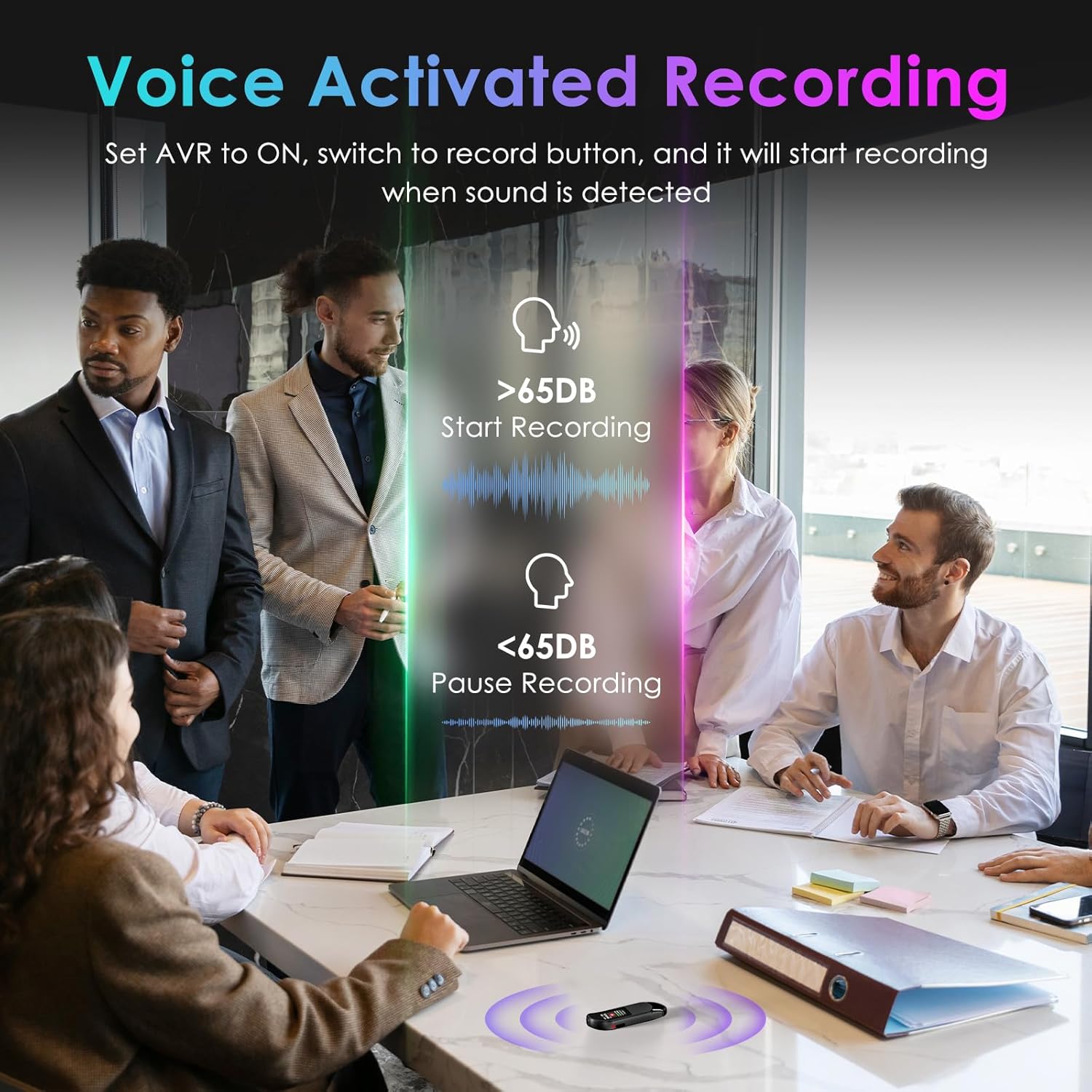
Image: A visual demonstrating voice-activated recording in a meeting, showing the device starting to record when sound is above 65dB and pausing when below.
4. Репродукција
You can listen to your recordings directly from the device using headphones or by transferring files to a computer or Android phone.
- Користење на слушалки: Connect the included headphones to the 3.5mm jack. Use the control buttons (Vol+, Vol-, Previous, Next, Play/Pause/Confirm) on the headphone cable to navigate and play recordings.
- Connecting to Computer/Phone: Трансфер files as described in the "File Management" section below.

Image: A diagram showing various playback methods: using wired headphones, connecting to a computer, and connecting to an Android phone. The image also illustrates the control buttons on the headphone cable for navigation.
5. Заштита со лозинка
To protect your recordings, you can set a 4-digit password.
- To set a password: Access the device's menu (long press the Пушти/Пауза/Потврди button when not recording) and navigate to the "Password" settings. Follow the on-screen prompts to set your 4-digit code.
- Once enabled, the password will be required to access the device's files.

Image: A visual representation of the password protection feature, showing the device screen prompting for a 4-digit password.
6. File Управување и трансфер
Recordings are saved with timestamps for easy organization. You can transfer files to a computer (Windows/Mac) or an Android phone.
- Connect the device to your computer or Android phone using the supplied USB-C cable.
- Уредот ќе се појави како отстранлив диск за складирање.
- You can then drag and drop recording files (MP3 or WAV format) to your desired location.
- Забелешка: This device is not compatible with iPhones for direct file трансфер.

Image: The Vandlion V11B connected to a laptop via USB-C, demonstrating file transfer and showing example filenames with timestamps.
Одржување
- Чувајте го уредот сув и подалеку од екстремни температури.
- Чистете го уредот со мека, сува крпа. Не користете течни средства за чистење.
- Избегнувајте да го испуштате уредот или да го изложувате на силни удари.
- Редовно правете резервна копија од вашите снимки за да спречите губење на податоци.
- If the device becomes unresponsive, use a small pin to press the РЕСЕТИРАЈ копче.
Решавање проблеми
| Проблем | Можна причина | Решение |
|---|---|---|
| Уредот не се вклучува. | Слаба батерија. | Полнете го уредот најмалку 1.5 часа. |
| Не може да се снима. | Memory full; device frozen. | Трансфер files to a computer to free up space. Press the RESET button. |
| Лош аудио квалитет. | Microphone obstructed; excessive background noise. | Ensure microphone is clear. Use AI Noise Reduction in appropriate environments. |
| Не може да се префрли files to iPhone. | Device is not compatible with iPhone for direct transfer. | Трансфер files to a computer (Windows/Mac) or Android phone instead. |
| Ја заборавивте лозинката. | Лозинката е изгубена. | Contact customer support for assistance. A factory reset might be required, which will erase all data. |
Спецификации
| Карактеристика | Детал |
|---|---|
| Број на модел | V11B |
| Капацитет за складирање на меморија | 64 GB (up to 900 hours of recording) |
| Формат за снимање | MP3 аудио, WAV |
| Аудио квалитет | 1536Kbps Crystal Audio |
| Намалување на бучавата | Поништување на шум со вештачка интелигенција |
| Траење на батеријата (снимање) | До 20 часа |
| Време на полнење | Прибл. 1.5 часа |
| Компатибилни уреди | Personal Computer (Windows/Mac), Smartphone (Android) |
| Хардверски интерфејс | USB тип C |
| Форма фактор на микрофон | Вграден |
| Џек за слушалки | 3.5 милиметри |
| Димензии на производот | 0.39"Д x 0.86"Ш x 2.99"В (10мм x 22мм x 76мм) |
| Тежина на ставката | 1.41 унци (40 грама) |
| Видлива дијагонала на екранот | 1" / 3 см |
Гаранција и поддршка
Vandlion products are built for performance and durability. For warranty information or technical support, please refer to the contact details provided with your purchase or visit the official Vandlion webсајт.
For common issues, please consult the Troubleshooting section of this manual.
Производител: Вандлион
Важни забелешки
- Always ensure the device is fully charged before important recording sessions.
- Regularly transfer and back up your recordings to avoid data loss.
- The device does not have a built-in speaker; headphones or external playback devices are required to listen to recordings.