1. Вовед
This manual provides detailed instructions for the assembly, installation, operation, and maintenance of your JONSBO D400 Black ATX Mid-Tower PC Case. Please read this manual thoroughly before beginning installation to ensure proper setup and safe operation.
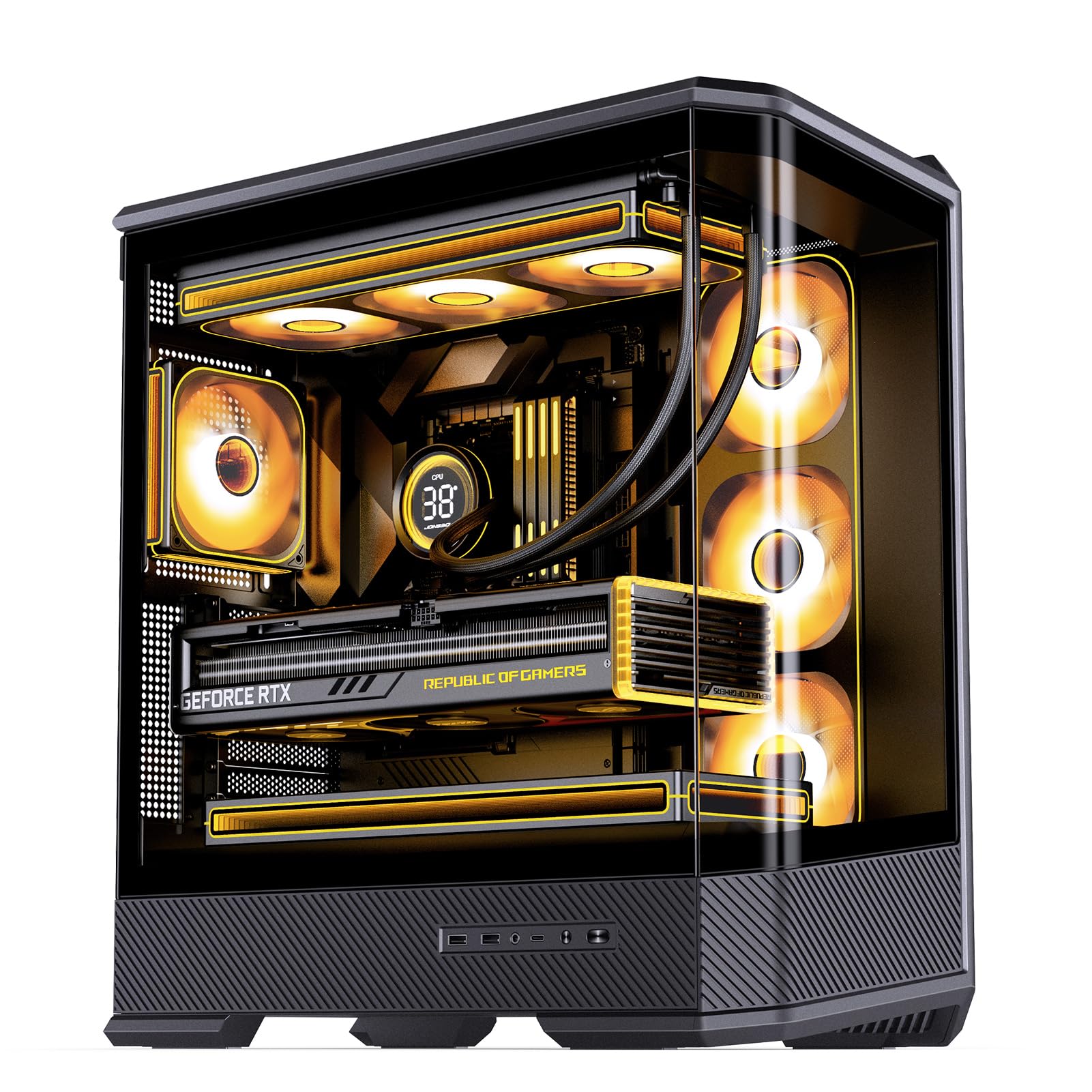
Figure 1: JONSBO D400 Black ATX Mid-Tower PC Case with internal components.
2. Карактеристики на производот
- Димензии: 488mm (L) x 239mm (W) x 514mm (H) (including feet).
- Дизајн: Three-dimensional, beveled, curved glass design for clear visibility of internal hardware.
- Поддршка за матична плоча: Compatible with ATX, Micro-ATX, and Mini-ITX BTF motherboards.
- GPU Compatibility: Supports graphics cards up to 450mm in length.
- Поддршка на PSU: ATX PS2 power supplies, up to 200mm in length.
- Опции за ладење:
- Air Cooling: CPU cooler height up to 169mm.
- AIO Support: Top 240mm / 280mm / 360mm (optional); Side 360mm (optional).
- Fan Positions: Top (3x 120mm or 2x 140mm), Side (3x 120mm), Rear (1x 120mm), Power Compartment (3x 120mm).
- Погони за возење: 2x 2.5" SSD or 1x 3.5" HDD + 1x 2.5" SSD; 1x 2.5" SSD or 1x 3.5" HDD in PSU compartment.
- Предни влезни/излезни порти: 1x USB 3.2 Gen2 Type-C, 2x USB 3.0, 1x Audio + 1x Mic (2-in-1).
- Слотови за проширување: 7.
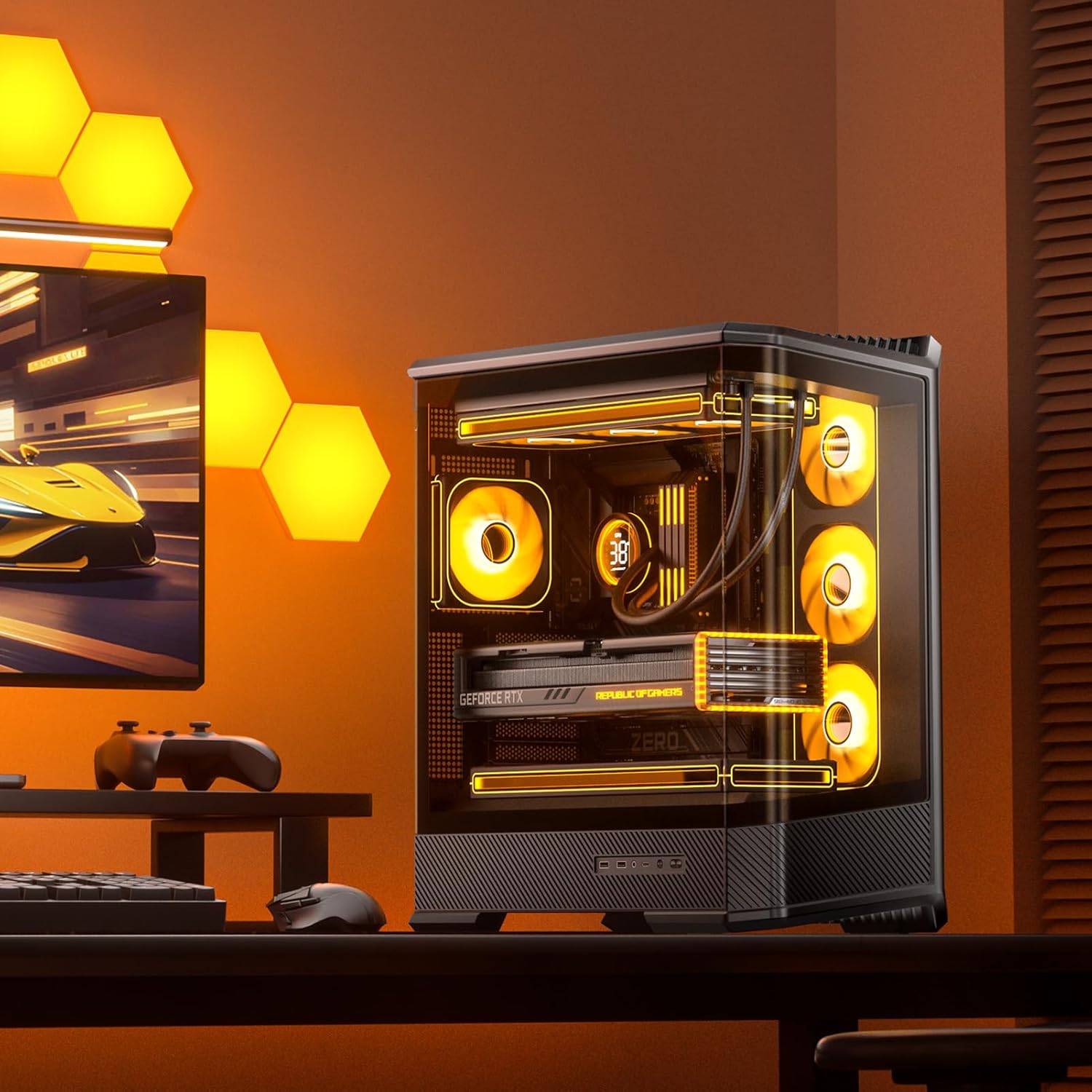
Слика 2: Предна страна view of the JONSBO D400 PC Case highlighting the curved glass design.
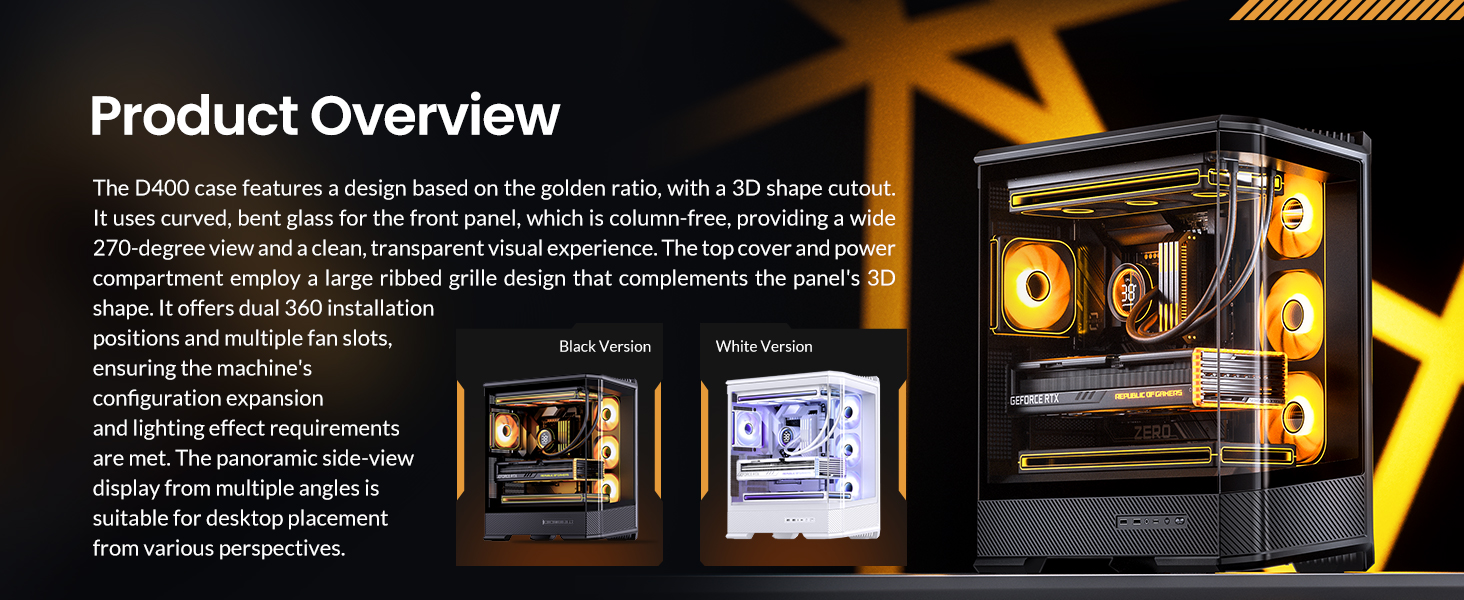
Слика 3: Производ надview highlighting the D400's design and features.
3. Поставување и инсталација
3.1 Инсталација на матична плоча
The JONSBO D400 supports ATX, Micro-ATX, and Mini-ITX BTF motherboards. Ensure your motherboard is compatible with the case's mounting points. The case is designed to support through-hole for most back-connect motherboards, which helps in reducing visible cables inside the case for a cleaner aesthetic.
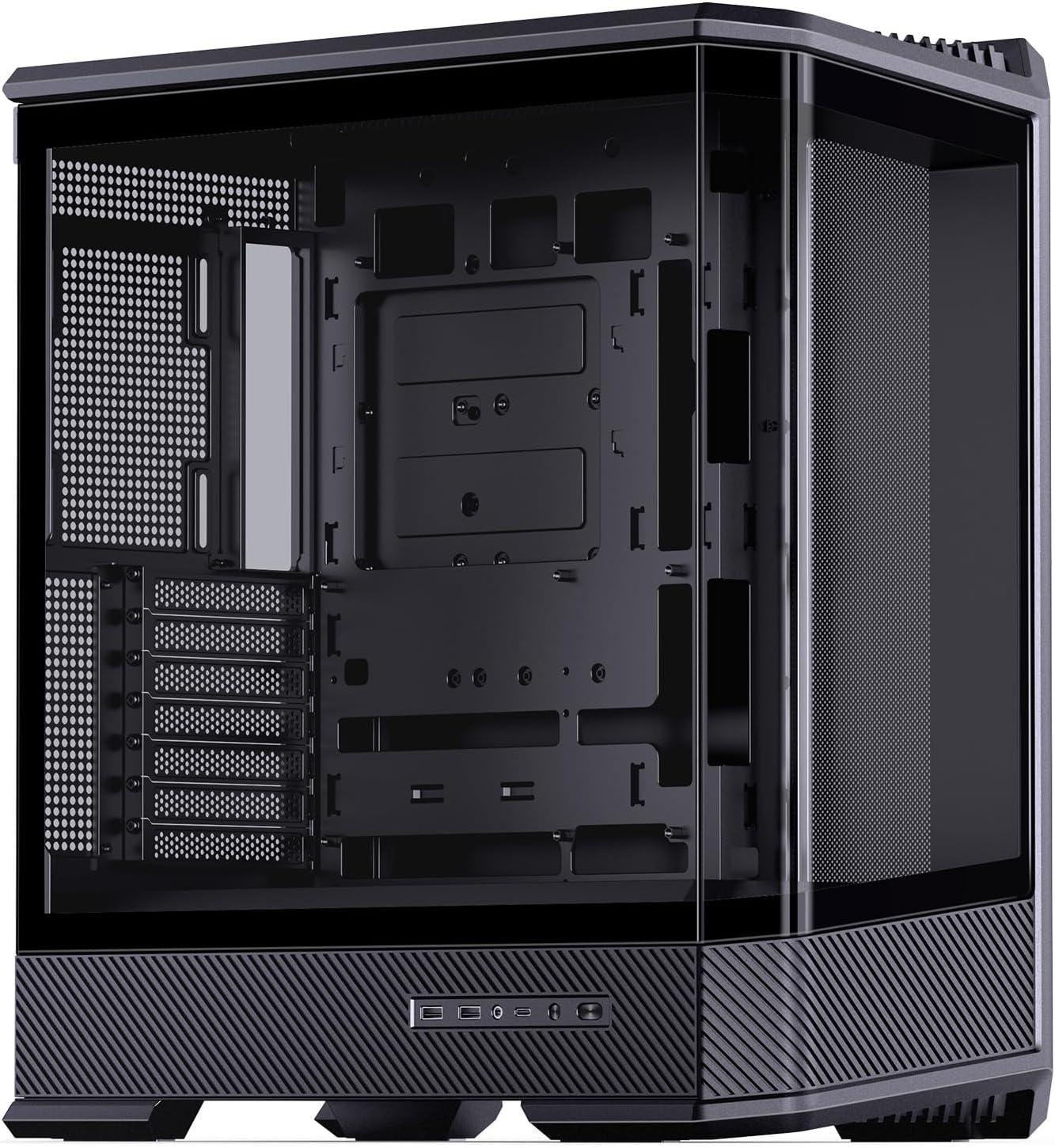
Figure 4: Internal layout of the D400 case, ready for motherboard installation.
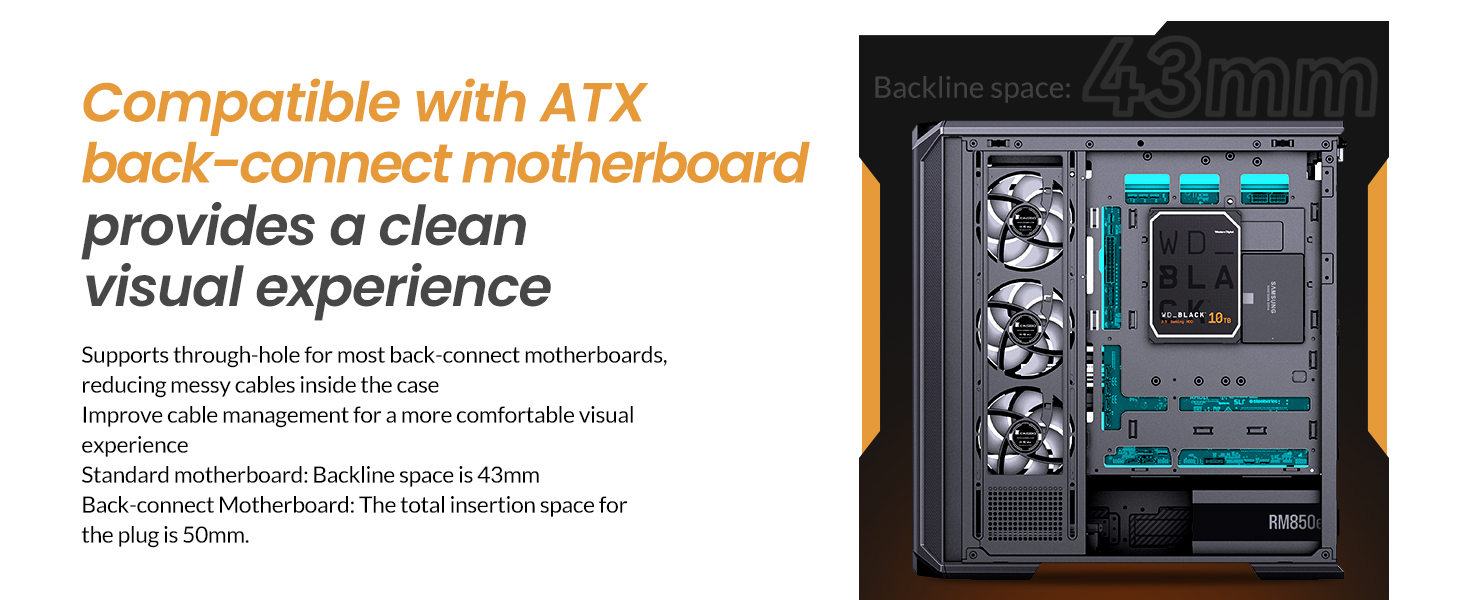
Figure 5: Illustration of BTF motherboard compatibility and cable management space.
3.2 Инсталација на графичкиот процесор
The case accommodates GPUs up to 450mm in length. It features 7 PCI slots and supports vertical GPU installation (cable not supplied, requires a third-party adapter bracket).
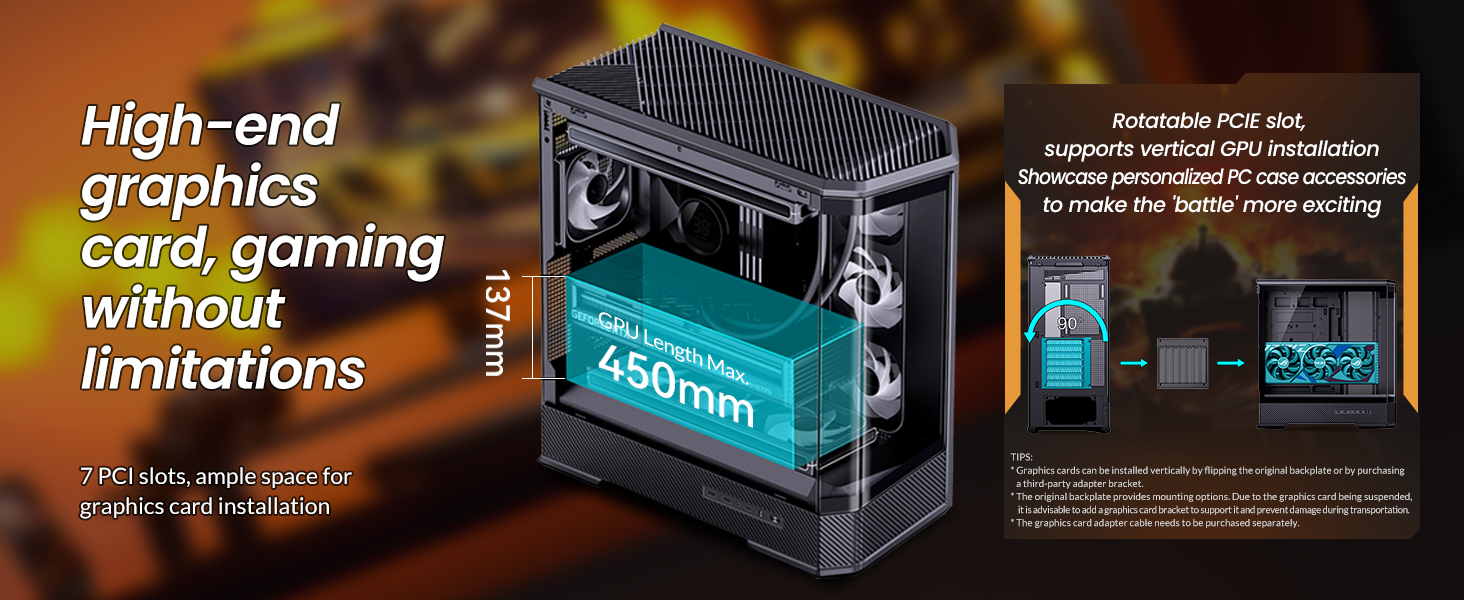
Figure 6: GPU installation options and length compatibility.
3.3 Инсталација на единицата за напојување (PSU).
The JONSBO D400 supports ATX PS2 power supplies up to 200mm in length. The power supply is located at the bottom of the case with independent airflow channels to ensure stable chassis temperatures.
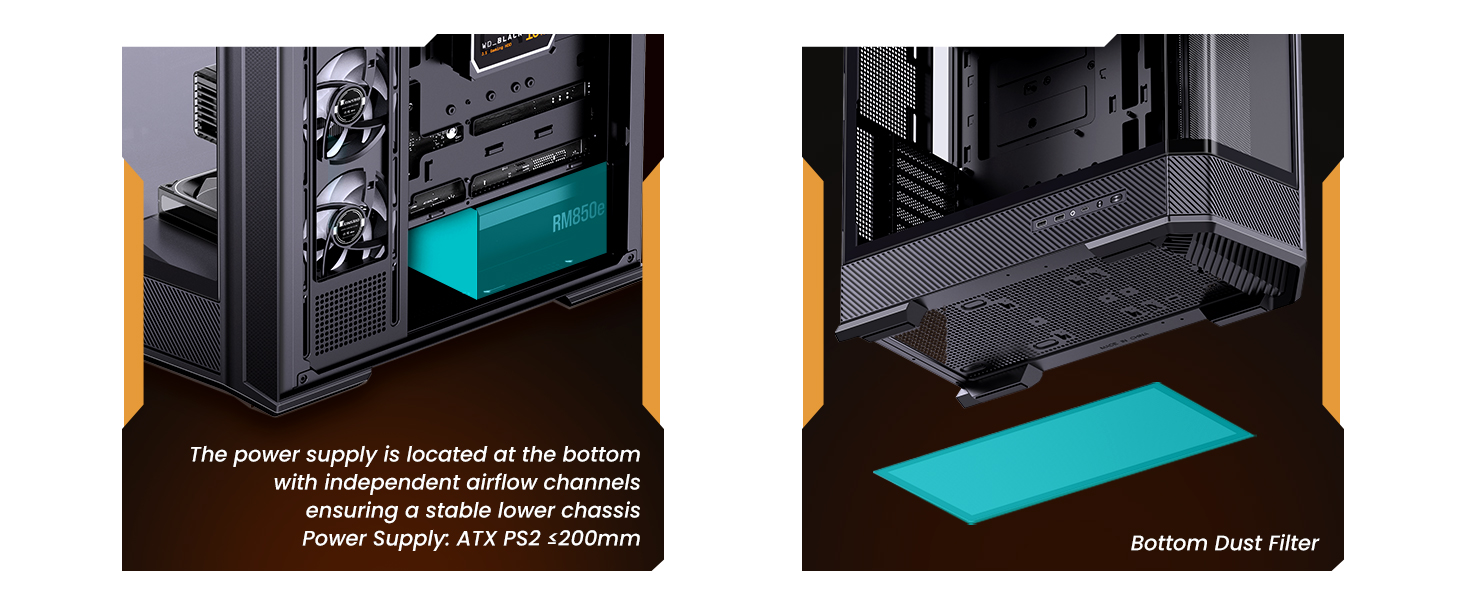
Figure 7: PSU mounting location and dust filter access.
3.4 Инсталација на систем за ладење
The case offers extensive cooling support with 10 fan positions and dual AIO radiator support. CPU air coolers up to 169mm in height are supported.
- Top: 3x 120mm or 2x 140mm fans (optional) / 240mm, 280mm, or 360mm AIO radiator (optional).
- Side: 3x 120mm fans (optional) / 360mm AIO radiator (optional).
- Rear: 1x 120mm fan (optional).
- Power Compartment: 3x 120mm fans (optional).
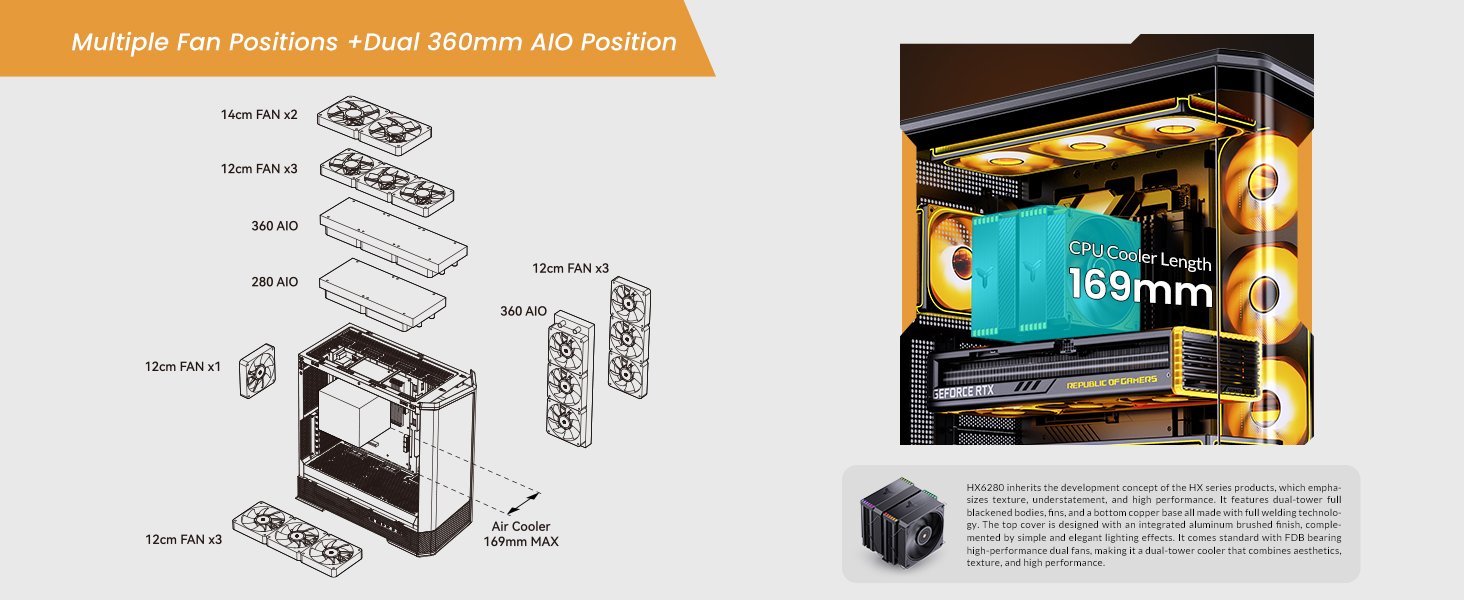
Figure 8: Fan and AIO radiator placement options.
3.5 Drive Bay Configuration
The case provides flexible storage options:
- Back Side: 2x 2.5" SSD or 1x 3.5" HDD + 1x 2.5" SSD.
- PSU Compartment: 1x 2.5" SSD or 1x 3.5" HDD.
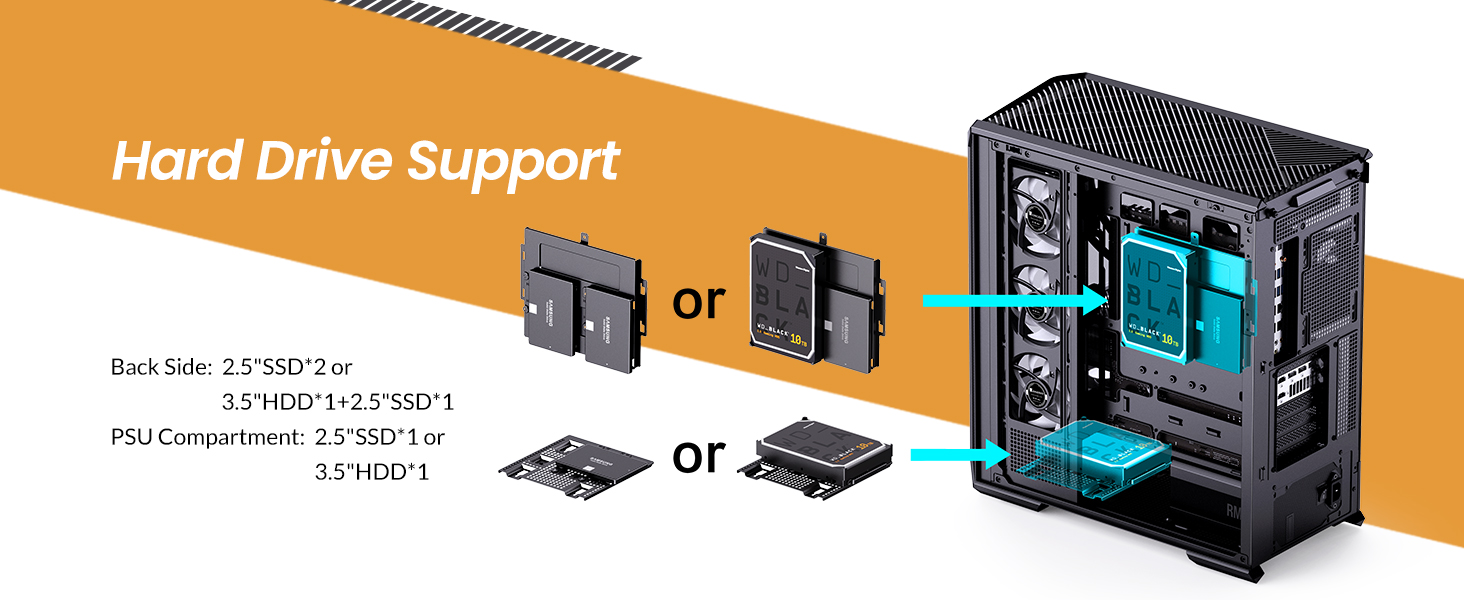
Figure 9: Hard drive and SSD mounting locations.
3.6 Предни влезно/излезни порти
The front I/O panel includes:
- 1x USB 3.2 Gen2 Type-C
- 2x USB 3.0
- 1x Audio + 1x Mic (2-in-1)
4. Упатства за работа
After successful assembly, connect all necessary peripherals and power cables. Press the power button on the front I/O panel to start your system. Refer to your motherboard and component manuals for specific operating instructions related to your installed hardware.
Video 1: JONSBO D400 ATX PC case overview, demonstrating internal layout and features.
5. Одржување
5.1 Чистење
Regular cleaning is essential for maintaining optimal performance and longevity of your PC components. Use compressed air to remove dust from fans, radiators, and internal components. Ensure the system is powered off and unplugged before cleaning.
5.2 Филтри за прашина
The JONSBO D400 includes a bottom dust filter. Regularly remove and clean this filter to prevent dust buildup and maintain good airflow. The grille-shaped top cover also allows for multi-angle quick disassembly for cleaning and customization.
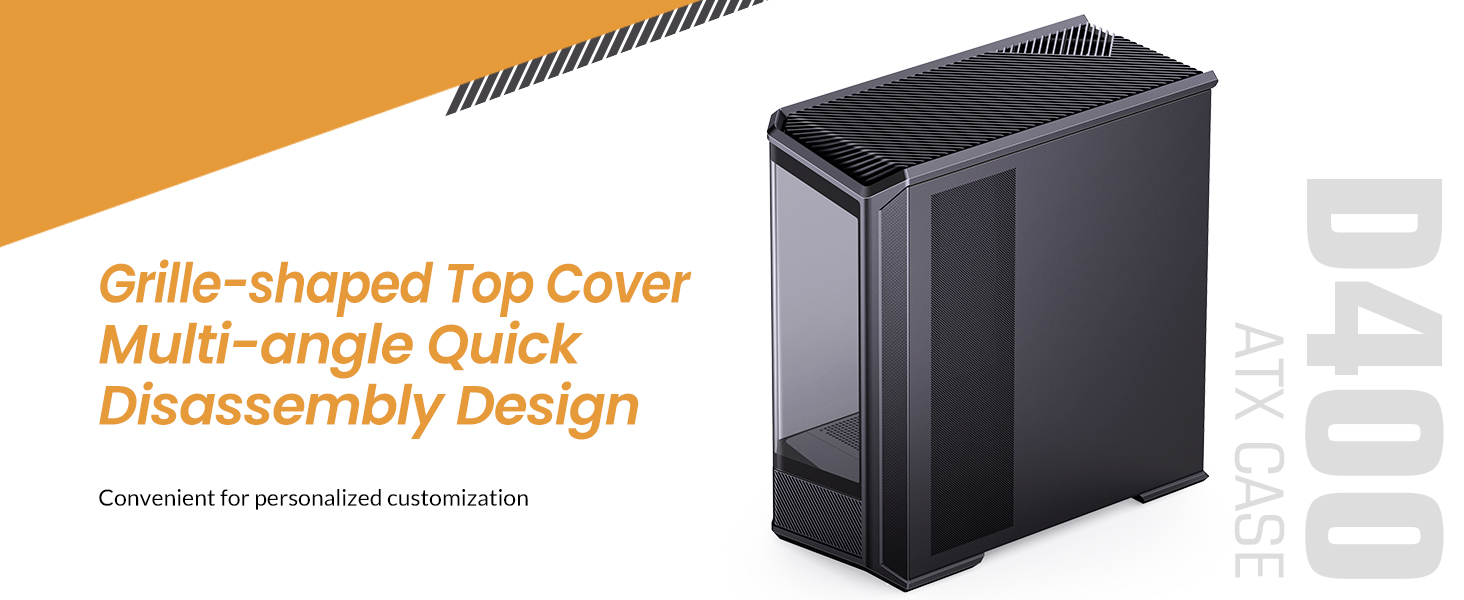
Figure 10: Top cover disassembly for maintenance and customization.
6 Смена на проблеми
Доколку наидете на проблеми, извршете ги следниве основни проверки:
- Без моќност: Ensure all power cables (PSU, motherboard, GPU) are securely connected. Check the power switch on the PSU.
- Нема приказ: Verify that your monitor cable is connected to the graphics card (not the motherboard's integrated graphics ports, unless you are using integrated graphics). Reseat the GPU and RAM modules.
- Прегревање: Check fan connections and ensure they are spinning. Clean dust filters and internal components. Verify AIO pump operation if installed.
- Компонентата не е откриена: Reseat the component (e.g., RAM, GPU, SSD). Check power and data connections.
For more complex issues, consult the manuals for your individual components (motherboard, GPU, PSU, etc.) or contact JONSBO customer support.
7. Спецификации
| Карактеристика | Спецификација |
|---|---|
| Бренд | Џонсбо |
| Име на моделот | D400 |
| Тип на случај | Mid Tower |
| Боја | Црното |
| Материјал | Метал |
| Димензии на производот (ДxШxВ) | 488 x 239 x 514 mm (19.21 x 9.21 x 20.43 инчи) |
| Тежина на ставката | 23.5 фунти |
| Компатибилност со матична плоча | ATX, Micro-ATX, Mini-ITX (BTF Motherboard Support) |
| GPU Length (Max) | 450 мм |
| CPU Cooler Height (Max) | 169 мм |
| Поддршка на PSU | ATX PS2 (up to 200mm) |
| Поддршка за радијатор AIO | Top: 240/280/360mm (Optional); Side: 360mm (Optional) |
| Позиции на навивачите | Top: 3x 120mm / 2x 140mm; Side: 3x 120mm; Rear: 1x 120mm; Power Compartment: 3x 120mm |
| Диск Бејс | 2.5" SSD*2 or 3.5" HDD*1+2.5" SSD*1; 2.5" SSD*1 or 3.5" HDD*1 (PSU Compartment) |
| Предни влезни порти | USB3.2 Gen2 Type-C*1 / USB3.0*2 / AUDIO*1+MIC*1 (2 in 1) |
| Слотови за проширување | 7 |

Figure 11: Visual representation of JONSBO D400 dimensions and key specifications.
8. Гаранција и поддршка
For warranty information, technical support, or further assistance, please refer to the official JONSBO webлокација или контактирајте го вашиот продавач. Чувајте ја сметката како доказ за купување за гаранциски барања.
JONSBO is committed to providing high-quality products and customer satisfaction. If you have any questions or require support, please do not hesitate to reach out.
Visit the Jonsbo Store: Jonsbo Official Store


