1. Вовед
This user manual provides comprehensive instructions for the FAAC XT02 SLH-DS 787030 remote control. This device is a 2-channel radio transmitter designed for controlling gates, garage doors, and other automated systems. It operates at 868.35 MHz and supports both SLH (Self Learning Hopping) and DS (Dual System / Omnidec) protocols, offering enhanced security and compatibility.
Please read this manual carefully before installation and use to ensure proper function and to maximize the lifespan of your remote control.
2. Производот завршиview
2.1. Клучни карактеристики
- Reference 787030: Compact and reliable bi-channel remote control, operating at 868.35 MHz.
- Напредна безбедност: Features SLH (Self Learning Hopping – evolving rolling code) and DS (Dual System / Omnidec) protocols for anti-cloning protection.
- Широка компатибилност: Directly replaces models XT2 868 SLH white (ref. 787009), XT2 868 SLH black (ref. 7870091), and TM2 868 DS.
- Simplified Programming: Designed for quick and easy setup.
- Компактен дизајн: Easy to carry and discreet.
2.2. Компоненти на производот
The FAAC XT02 SLH-DS 787030 remote control is a black unit with two black buttons. It is designed for intuitive use.

Слика 1: Предна страна view of the FAAC XT02 SLH-DS 787030 remote control.

Слика 2: Страна view of the FAAC XT02 SLH-DS 787030 remote control, showing its slim profile.
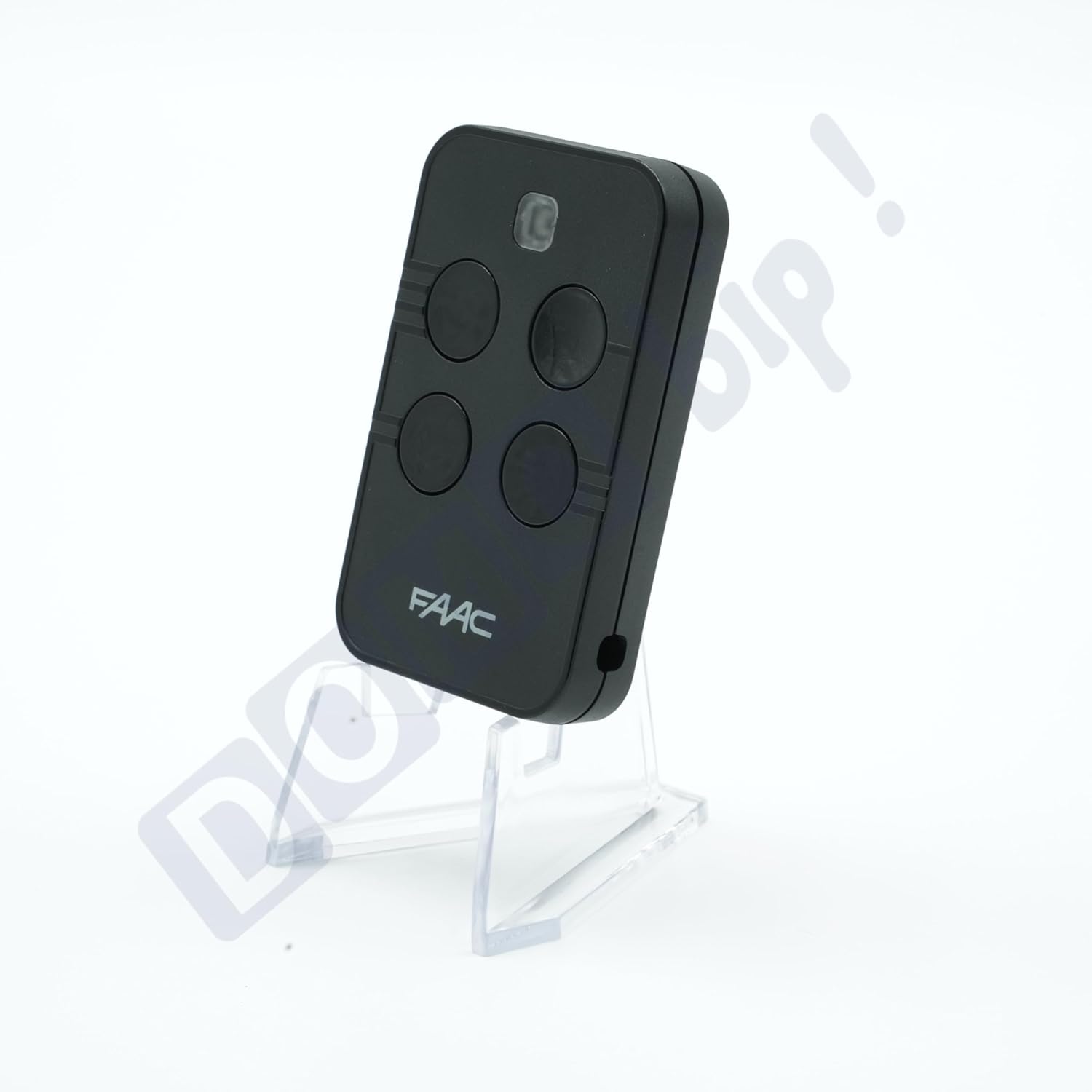
Figure 3: Comparison image showing the new FAAC XT02 SLH-DS remote alongside older FAAC remote models it replaces.

Figure 4: Information graphic highlighting the multi-coding capabilities (SLH, SL, DS, RC) and frequency options (433.92 MHz or 868.35 MHz) of the FAAC XTO series.

Figure 5: Important announcement detailing the FAAC XTO model's ability to group multiple protocols (SLH, RC, SL, DS) into a single transmitter, available in 433 MHz and 868 MHz versions.
3. Спецификации
| Референца на производот | 787030 |
| Радио фрекфенција | 868.35 MHz |
| Протоколи | SLH (Self Learning Hopping - rolling code) and DS (Omnidec) |
| Број на канали | 2 independent buttons |
| Напојување | 1 x CR2032 lithium battery (3 V), included |
| Димензии (Д x Ш x В) | Приближно 63 x 40 x 10 mm (2.48 x 1.57 x 0.39 инчи) |
| Тежина | Приближно 20 g (0.7 oz) |
| Боја | Black casing with black buttons |
| Опсег | Up to 100 m (328 ft) in open field (varies by environment) |
| Индикатор | LED emission indicator |
| Безбедност | Dynamic encryption, anti-copy rolling code |
| Производител | FAAC |

Слика 6: Назад view of the remote control, showing model number, frequency, and manufacturer details.
4. Setup & Programming
The FAAC XT02 SLH-DS remote control features simplified programming. For detailed, step-by-step instructions, it is highly recommended to refer to the official programming notice provided by the manufacturer. This notice often includes specific procedures for different receiver types and protocols (SLH, DS).
4.1. Accessing Detailed Programming Instructions
A digital version of the programming manual can typically be accessed by scanning the QR code provided with your product or found on the manufacturer's webсајт.

Figure 7: Programming notice with a QR code. Scan this code to access the full programming instructions, which cover multi-protocol setup (SLH / SL / DS / RC).
4.2. General SLH Self-Learning Procedure (Exampле)
This is a general guide for the SLH self-learning function. Specific steps may vary. Always consult the detailed programming notice.
- Prepare the Existing Remote: Take an already programmed and working FAAC SLH remote control (the "master" remote).
- Activate Master Remote: Press and hold one of the buttons on the master remote. The LED on the master remote will flash slowly, then steadily.
- Prepare New Remote: While the master remote's LED is steady, take your new XT02 SLH-DS remote.
- Започнете со учење: Press and hold the corresponding button on the new XT02 SLH-DS remote that you wish to program. The LED on the new remote will flash slowly.
- Код за пренос: Bring the master remote very close to the new remote (within 5 cm). The LED on the new remote should flash rapidly, then turn off, indicating successful code reception.
- Тест: Release both buttons. Test the new remote control with your gate or garage door system.
Note: If the new remote's LED does not flash rapidly or the programming fails, repeat the steps. Ensure the master remote is transmitting correctly and the new remote's battery is functional.
4.3. DS Protocol Programming
Programming for DS (Dual System / Omnidec) protocol typically involves setting dip switches on the receiver or a specific sequence of button presses on the receiver unit itself, followed by transmitting from the new remote. Refer to the detailed programming notice or your receiver's manual for precise instructions.
5. Упатства за работа
The FAAC XT02 SLH-DS remote control is designed for straightforward operation once programmed.
- Функционалност на копчињата: Each of the two buttons on the remote control corresponds to a specific function or channel on your automated system (e.g., opening a gate, opening a garage door).
- Activating a Function: To activate a function, simply press the corresponding button firmly for approximately one second. The LED indicator on the remote will illuminate during transmission.
- Опсег: Ensure you are within the operational range of your receiver (up to 100 meters in open field, but this can be reduced by obstacles like walls, vehicles, or other radio interference).
- LED индикатор: The LED illuminates when a button is pressed, indicating that the remote is transmitting a signal. If the LED does not light up or is dim, the battery may need replacement.
6. Одржување
6.1. Замена на батеријата
The remote control is powered by one CR2032 lithium battery (3V). When the LED indicator becomes dim or the remote's range decreases significantly, it is time to replace the battery.
- Отворете го Цasing: Внимателно отворете го далечинскиот управувач casing. This usually involves using a small flat-head screwdriver to gently pry open the two halves of the casing, often at a small notch or seam.
- Отстранете ја старата батерија: Locate the CR2032 battery. Note its polarity (+/-). Gently remove the old battery.
- Вметнете нова батерија: Insert a new CR2032 battery, ensuring the correct polarity. The positive (+) side typically faces upwards.
- Затвори Casing: Carefully snap the two halves of the remote control casing back together until it is securely closed.
- Тест: Test the remote control to ensure it functions correctly after battery replacement.
Забелешка: Отстранете ги старите батерии одговорно во согласност со локалните прописи.
6.2. Чистење
Чистете го далечинскиот управувач со мека, сува крпа. Не користете абразивни средства за чистење или растворувачи, бидејќи тие можат да го оштетат уредот.asing или внатрешни компоненти.
7 Смена на проблеми
| Проблем | Можна причина | Решение |
|---|---|---|
| Remote does not work / LED does not light up. | Потрошена или ниска батерија. | Replace the CR2032 battery (see Section 6.1). |
| Remote works intermittently or has reduced range. | Low battery; interference; remote too far from receiver; environmental obstacles. | Replace battery; move closer to receiver; check for sources of interference (e.g., other radio devices, metal structures); ensure clear line of sight. |
| Remote programmed but system does not respond. | Incorrect programming; receiver issue; remote not compatible with receiver. | Re-program the remote carefully following the manufacturer's instructions (Section 4); check the receiver unit for power and functionality; confirm compatibility with your specific receiver model. |
| LED lights up but system does not respond. | Remote is transmitting, but receiver is not receiving or recognizing the signal. | Verify programming; check receiver antenna; ensure receiver is powered on and functioning correctly. |
8. Информации за гаранцијата
Specific warranty details for the FAAC XT02 SLH-DS 787030 remote control are not provided in the product information. Please refer to your purchase documentation or contact the retailer/manufacturer directly for warranty terms and conditions.
9. Поддршка за корисници
For technical assistance, troubleshooting beyond this manual, or inquiries regarding your FAAC XT02 SLH-DS 787030 remote control, please contact the retailer from whom you purchased the product or visit the official FAAC webсајт за ресурси за поддршка.


