Вовед
Thank you for choosing the Pamray 32 Inch Computer Desk. This manual provides detailed instructions for the assembly, operation, and maintenance of your new desk. Please read this manual thoroughly before assembly and retain it for future reference.

Image: The Pamray 32 Inch Computer Desk, fully assembled, featuring a black desktop and four integrated fabric drawers on the left side.
Информации за безбедност
Ве молиме почитувајте ги следниве безбедносни мерки за да спречите повреда или оштетување на производот:
- Пред да започнете со склопување, проверете дали сите делови се присутни и неоштетени.
- Склопете ја масата на мека, чиста површина за да спречите гребнатини.
- Не ги затегнувајте премногу завртките за време на склопувањето, бидејќи тоа може да го оштети материјалот.
- Чувајте ги малите делови подалеку од деца за да избегнете опасност од гушење.
- Не стојте или не седете на бирото.
- Distribute weight evenly across the desktop and within drawers. The maximum weight recommendation for the desktop is 150 pounds. Each drawer supports up to 10 pounds.
- Редовно проверувајте ги сите сврзувачки елементи за да бидете сигурни дека се цврсто прицврстени.
Содржина на пакетот
Before starting assembly, verify that all components listed below are included in your package. Refer to the included accessory bag for specific hardware.
- Панел на работната површина
- Left Support Frame (with drawer housing)
- Десна рамка за поддршка
- Cross Braces (X-shape)
- Прилагодливи влошки за нозете
- Fabric Drawers (x4)
- Хардвер за склопување (завртки, шестоаголен клуч, итн.)
- Упатство за употреба
Инструкции за склопување
Assembly is required for this product. Clear instructions and all necessary tools are provided in the accessory bag. For a visual guide, scan the QR code on the packaging to access comprehensive installation videos.
Чекор 1: Подгответе ги компонентите
Unpack all components and lay them out on a clean, soft surface to prevent damage. Identify each part using the provided labels and the parts list.
Step 2: Attach Support Frames
Secure the left and right support frames to the desktop panel using the designated screws. Ensure the drawer housing on the left frame is correctly oriented.

Image: An assembled Pamray desk in a home office setting, illustrating the overall structure and placement of the drawer unit.
Step 3: Install Cross Braces
Attach the "X" shaped back braces between the support frames. These braces enhance the desk's stability. Do not overtighten.

Слика: Детална view of the X-shaped metal cross brace, providing structural support to the desk frame.
Step 4: Attach Adjustable Leg Pads
Screw the adjustable leg pads into the bottom of each leg. These pads protect your floor and allow for minor leveling adjustments on uneven surfaces.
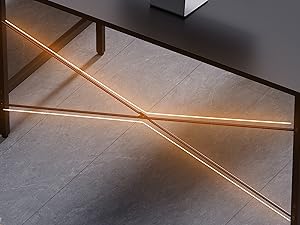
Image: A close-up of the desk's legs, showing the adjustable leg pads designed to protect flooring and stabilize the desk.
Step 5: Insert Fabric Drawers
Unfold the four fabric drawers and insert them into the designated slots within the left support frame. Ensure they slide smoothly.

Слика: Крупен план view of the four fabric drawers, partially pulled out to show their storage capacity.

Image: The fabric drawers shown with various items stored inside, demonstrating their practical use for organization.
Упатства за употреба
This desk is designed for use as a computer desk, office desk, study table, or vanity. Its compact size makes it suitable for small spaces.
- Употреба на работна површина: Place your computer, monitor, and other work essentials on the desktop. The surface is designed to be waterproof.
- Складирање во фиока: Utilize the four fabric drawers for organizing office supplies, documents, or personal items. Each drawer can hold up to 10 lbs.
- Израмнување: If the desk wobbles, adjust the leg pads at the bottom of each leg until the desk is stable.

Image: Water droplets on the desk surface, illustrating its waterproof property for easy cleaning and spill resistance.
Одржување
To ensure the longevity and appearance of your Pamray desk, follow these maintenance guidelines:
- Чистење: Избришете ја работната површина и металната рамка со мека, дamp cloth. Avoid harsh chemicals or abrasive cleaners. For the fabric drawers, spot clean with a mild detergent if necessary.
- Заштита: Avoid placing hot items directly on the desktop. Use coasters for drinks.
- Прицврстувачи: Периодично проверувајте ги сите завртки и болтови за да се осигурате дека се стегнати. Затегнете ги повторно доколку е потребно.
- Животна средина: Keep the desk in a dry environment and avoid prolonged exposure to direct sunlight or extreme temperatures.
Решавање проблеми
| Проблем | Можна причина | Решение |
|---|---|---|
| Бирото е нестабилно. | Нерамен под или лабави сврзувачки елементи. | Прилагодете ги перничињата за нозе додека бирото не се стабилизира. Проверете ги и затегнете ги сите завртки за склопување. |
| Фиоките не се лизгаат непречено. | Improper installation or obstruction. | Ensure drawers are fully unfolded and correctly inserted. Check for any items obstructing the drawer path. |
| Делови што недостасуваат. | Грешка во пакувањето. | Contact Pamray customer service immediately with your purchase details. |
Спецификации
- Бренд: Pamray
- Модел: S12
- Димензии на производот (Ш x Д x В): 31.5" x 15.7" x 29.2" (80 см x 40 см x 74.2 см)
- Боја: Црното
- Основен материјал: Метал
- Врвен тип на материјал: FSC-Certified Wood
- Тежина на ставката: 16.4 фунти (7.44 кг)
- Број на фиоки: 4 (Ткаенина)
- Maximum Desktop Weight Recommendation: 150 фунти (68 кг)
- Maximum Drawer Weight Recommendation: 10 Pounds (4.5 kg) per drawer
- Потребно собрание: Да
- Посебни карактеристики: Compact design, X-shape back brace for stability, adjustable leg pads, waterproof desktop.

Image: A diagram illustrating the precise dimensions of the Pamray 32 Inch Computer Desk and its drawers.
Услуга и поддршка за клиенти
Your satisfaction is our priority. If you encounter any issues regarding the desk's quality or during use, please do not hesitate to contact us. We are committed to providing prompt and effective solutions.
For assistance, please visit the Pamray store on Amazon or use the messaging assistant feature. You can typically find contact options on the product's Amazon page under the seller information.
Како да контактирате со службата за корисници:
- Одете на страницата на производот на Amazon.
- Click on the seller's name (e.g., "Xstone" or "Pamray Store").
- Look for a "Ask a question" or "Contact Seller" option.

Image: A visual guide demonstrating the process of contacting Pamray customer service through the Amazon platform.


