1. Вовед
Welcome to the user manual for your AWOW Mini PC AMD Ryzen 5 7430U. This guide provides essential information for setting up, operating, and maintaining your new mini PC. Please read this manual thoroughly before using the device to ensure optimal performance and longevity.
2. Производот завршиview
The AWOW Mini PC BA7 is a compact and powerful computing solution designed for various applications, from daily tasks to light gaming and multi-display setups. It features an AMD Ryzen 5 7430U processor, ample memory, and fast storage.
Клучни карактеристики:
- Процесор: AMD Ryzen 5 7430U (6 јадра, 12 нишки, до 4.3 GHz)
- Графика: Интегрирана AMD Radeon графика
- Меморија: 16GB DDR4 RAM (може да се прошири до 64GB)
- Складирање: 512GB PCIe 3.0 SSD (expandable up to 2TB M.2 NVMe)
- Оперативен систем: Windows 11 Pro
- Поддршка за прикажување: Triple 4K display output via HDMI 2.0, DisplayPort 1.2, and USB-C
- Поврзување: WiFi 6, Bluetooth 5.2, 1000Mbps RJ45 LAN
- Компактен дизајн: Small footprint with efficient cooling.
Детали за процесорот
The AWOW Mini PC is equipped with an AMD Ryzen 5 7430U processor, offering 6 cores and 12 threads for efficient multitasking and performance. It boasts a turbo frequency of up to 4.3 GHz and includes 16 MB of cache.
Слика: Детална view of the AMD Ryzen 5 7430U processor, highlighting its 6 cores, 12 threads, 4.3GHz turbo frequency, and 16MB cache.
Интерфејси и порти
The mini PC provides a comprehensive set of ports for various connections, including multiple USB ports, display outputs, and network connectivity.

Слика: Преден и заден дел views of the AWOW Mini PC, illustrating the location of the Power Button, Type-C Full Function port, USB3.2*2, CLR CMOS, 3.5mm Audio Jack, DC IN, DP1.2, HDMI2.0, USB 2.0*2, and RJ45 LAN 1000 Mbps port.
3. Водич за поставување
3.1 Распакување и содржина на пакувањето
Пред да започнете, проверете дали сите компоненти се присутни во пакувањето:
- AWOW BA7 Mini PC
- Адаптер за напојување
- Завртки
- Планината ВЕСА
- HDMI кабел
- Упатство за употреба (овој документ)

Image: Contents of the AWOW Mini PC package, including the mini PC unit, power adapter, screws, VESA mount, HDMI cable, and user manual.
3.2 Поврзување на периферни уреди
- Поврзување на дисплеј: Use the provided HDMI cable or a DisplayPort/USB-C cable to connect your monitor(s) to the corresponding ports on the mini PC.
- Поврзете ја тастатурата и глувчето: Приклучете ја вашата USB тастатура и глушец во достапните USB порти.
- Поврзете напојување: Plug the power adapter into the DC IN port on the mini PC, then connect the adapter to a power outlet.
- Мрежна конекција (опционално): For a wired connection, connect an Ethernet cable from your router to the RJ45 LAN port.
3.3 Почетно подигање
Press the Power Button on the front of the mini PC. The system will boot up, and you will see the Windows 11 Pro operating system. Follow any on-screen instructions for initial setup.
4. Упатства за работа
4.1 Вклучување/исклучување
- Вклучување: Притиснете го копчето за напојување еднаш.
- Исклучено: Click the Windows Start button, then select Power > Shut down. Alternatively, press and hold the Power Button for 5 seconds to force a shutdown (use only when necessary).
4.2 Конфигурација на екранот
The AWOW Mini PC supports up to three 4K displays simultaneously. Connect your monitors to the HDMI, DisplayPort, and USB-C ports. Windows will automatically detect the displays. You can configure display settings (resolution, orientation, extended/duplicated desktop) via the Windows Display Settings.
4.3 Проширување на просторот за складирање
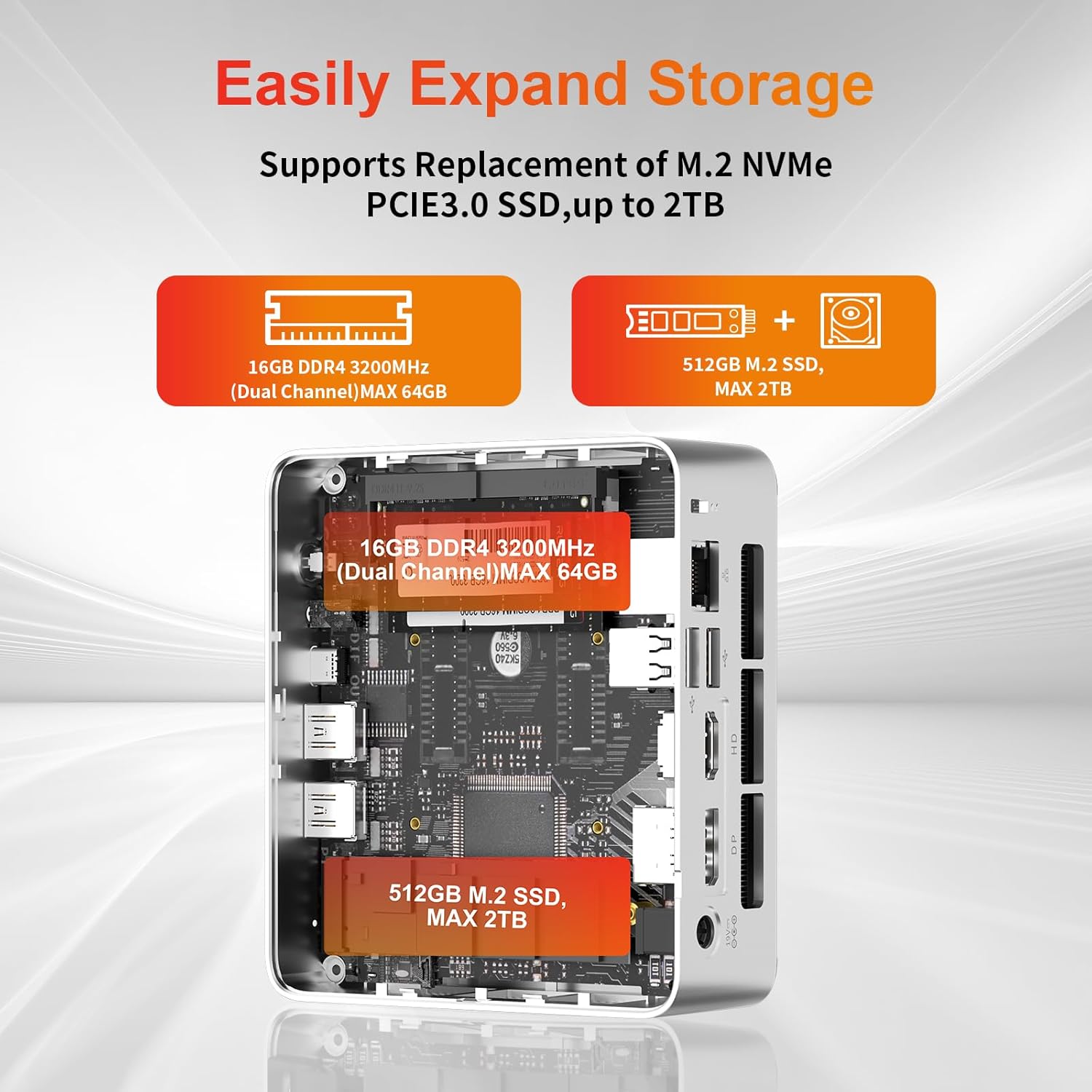
The mini PC allows for easy storage expansion. You can replace the existing M.2 NVMe PCIe 3.0 SSD with a larger one (up to 2TB) or add a 2.5-inch SATA SSD/HDD.

Слика: Внатрешна view of the AWOW Mini PC showing the locations for the 16GB DDR4 RAM (expandable to 64GB) and the 512GB M.2 SSD (expandable to 2TB).
4.4 Мрежна и безжична поврзаност
- WiFi 6: Connect to wireless networks via the built-in WiFi 6 module. Access network settings through Windows.
- Bluetooth 5.2: Pair Bluetooth devices such as keyboards, mice, or headphones.
- RJ45 LAN: For a stable wired connection, use the 1000Mbps Ethernet port.
5. Одржување
5.1 Чистење
- Уверете се дека уредот е исклучен и исклучен од струја пред да го чистите.
- Use a soft, dry cloth to wipe the exterior of the mini PC.
- Keep the ventilation openings clear of dust and debris to maintain optimal airflow.
5.2 Систем за ладење
The AWOW Mini PC features an efficient cooling system with a low-noise fan to dissipate heat effectively, ensuring stable performance.
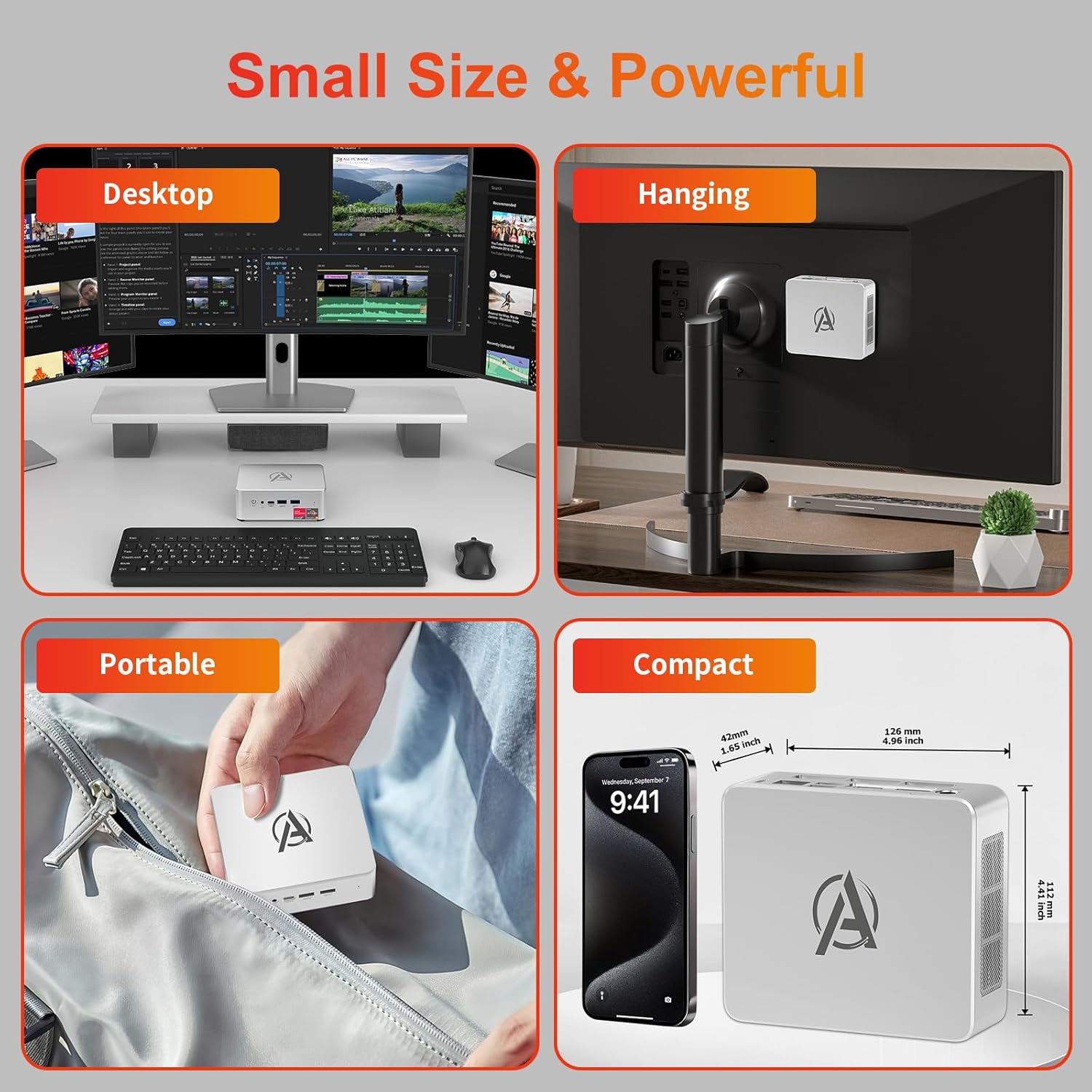
Image: Diagram illustrating the internal cooling system of the AWOW Mini PC, showing the fan and heat sink working to dissipate hot air.
5.3 Ажурирања на софтверот
Regularly update your Windows operating system and drivers to ensure security, stability, and performance. Windows Update can be accessed through the Settings menu.
6 Смена на проблеми
If you encounter issues with your AWOW Mini PC, refer to the following common troubleshooting steps:
- Без моќност:
- Осигурајте се дека адаптерот за напојување е безбедно поврзан и со мини-компјутерот и со функционален штекер.
- Проверете дали штекерот е функционален со вклучување на друг уред.
- Нема приказ:
- Check that the HDMI, DisplayPort, or USB-C cable is firmly connected to both the mini PC and the monitor.
- Проверете дали вашиот монитор е поставен на точниот влезен извор (на пр., HDMI 1, DisplayPort).
- Обидете се да се поврзете со друг екран или да користите друг кабел.
- Проблеми со мрежната поврзаност:
- For WiFi, check if the WiFi adapter is enabled in Windows settings and ensure you are connected to the correct network.
- For wired LAN, ensure the Ethernet cable is properly connected and your router is functioning.
- Restart your router and the mini PC.
- Бавни перформанси:
- Затворете ги непотребните апликации што работат во позадина.
- Check available storage space on your SSD.
- Осигурајте се дека Windows и драјверите се ажурирани.
- Системот не реагира:
- Press and hold the Power Button for 5 seconds to force a shutdown, then restart the PC.
7. Спецификации
| Карактеристика | Спецификација |
|---|---|
| Бренд | АУУ |
| Број на модел | БА7 |
| Процесор | AMD Ryzen 5 7430U (6 јадра, 12 нишки, до 4.3 GHz) |
| Графика | Интегрирана AMD Radeon графика |
| RAM меморија | 16GB DDR4 (Max 64GB) |
| Складирање | 512GB PCIe 3.0 SSD (Max 2TB M.2 NVMe) |
| Оперативен систем | Windows 11 Pro |
| Излез на екранот | 3x 4K (HDMI 2.0, DP 1.2, USB-C) |
| Безжично поврзување | WiFi 6, Bluetooth 5.2 |
| Iredичен LAN | 1000Mbps RJ45 |
| USB порти | 2x USB 3.2, 2x USB 2.0, 1x Type-C (Full Function) |
| Аудио пристаниште | 1 x 3.5 мм аудио приклучок |
| Други пристаништа | 1x DC IN, 1x CLR CMOS |
| Димензии (Д x Ш x В) | 126 mm x 112 mm x 42 mm (4.96 x 4.41 x 1.65 инчи) |
| Тежина | 398 гр |
8. Гаранција и поддршка
8.1 Информации за гаранцијата
Please refer to your purchase documentation or contact AWOW customer support for specific warranty details regarding your Mini PC. Warranty terms may vary by region and retailer.
8.2 Поддршка за корисници
For technical assistance, product inquiries, or further support, please visit the official AWOW website or contact their customer service department. Contact information can typically be found on the AWOW webна локацијата или во пакувањето на вашиот производ.


