Вовед
This manual provides detailed instructions for the setup, operation, and maintenance of your Zebronics Juke Bar 4120 200W Soundbar. Please read this manual thoroughly before using the product to ensure proper functionality and to maximize your audio experience. Keep this manual for future reference.

Image: The Zebronics Juke Bar 4120 Soundbar system, including the soundbar unit, subwoofer, wireless microphone, and remote control.
Што има во кутијата
Внимателно распакувајте ја содржината и проверете дали сите предмети се присутни:
- Sound Bar - 1 unit
- Subwoofer - 1 Unit
- Wireless Mic - 1 Unit
- Remote Control - 1 Unit
- Input Cable - 1 Unit
- Wall Mount Fasteners - 1 Unit
- QR Code Guide - 1 Unit
Клучни карактеристики
- Моќен излез: Delivers an impressive total output power of 200W RMS, with 120W from the subwoofer and 80W (40W x 2) from the soundbar.

Image: A soundbar and subwoofer setup in a modern living room, illustrating the powerful 200W RMS output with visual sound waves.
- Неверојатно аудио: The soundbar features two (5 cm x 9 cm) drivers that provide balanced audio across a wide range of frequencies. Complementing this, the subwoofer houses a single 13.33 cm driver, specially designed to deliver deep, powerful bass that enhances the overall sound experience.
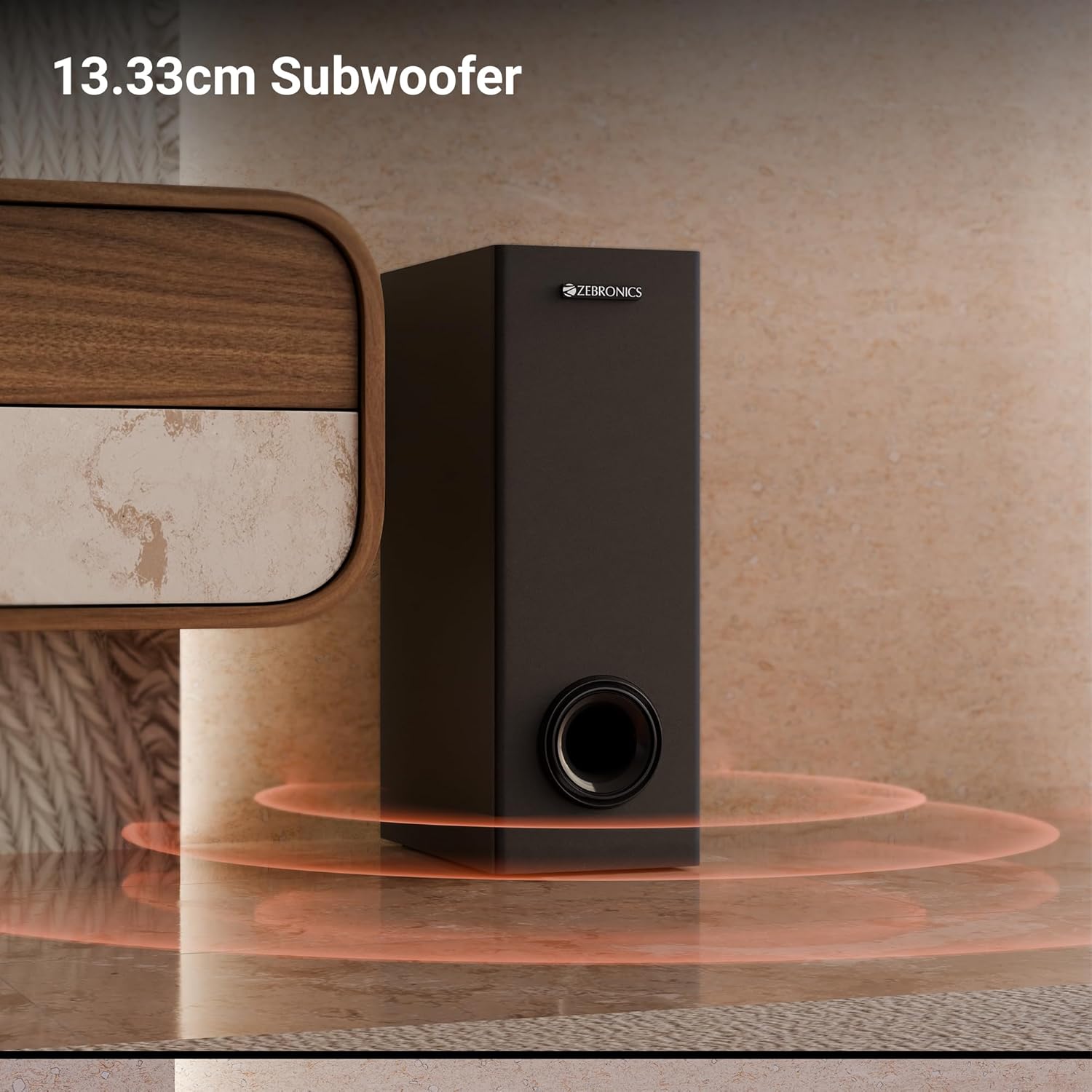
Слика: Крупен план view of the 13.33cm subwoofer, highlighting its design and bass output.

Image: The soundbar mounted below a television, with visual cues indicating sound projection from its dual drivers.
- Виртуелен 5.1 опкружувачки звук: To elevate your audio experience, this soundbar features virtual 5.1 surround sound, simulating multi-channel audio for immersive, cinematic sound.
- Мулти-поврзување: The soundbar comes with multi-connectivity, such as BT v5.3 support, and options like TV (ARC), USB, and AUX inputs.
- Монтирање на ѕид: Designed for space efficiency, this soundbar is wall-mountable, which allows you to save floor space and maintain a clean, organized look in your living areas.
- Лед екран: The LED display shows real-time information such as power status, volume levels, and connectivity modes, offering clarity and convenience.
- Караоке функција: Enjoy fun sing-alongs with the wireless mic and built-in karaoke function, perfect for parties, gatherings, or solo performances.
Поставување
1 Поставување
Position the soundbar centrally below your television for optimal sound projection. The subwoofer can be placed on the floor near the soundbar, ideally in a corner for enhanced bass response.
2. Монтирање на Wallид
The soundbar can be wall-mounted to save space. Use the provided wall mount fasteners and follow these steps:
- Mark the desired mounting position on the wall, ensuring it is level and centered with your TV.
- Дупчете пилот-дупки на означените позиции.
- Insert wall anchors (if necessary) and secure the mounting brackets using the screws.
- Внимателно прикачете го саундбарот на монтираните држачи.
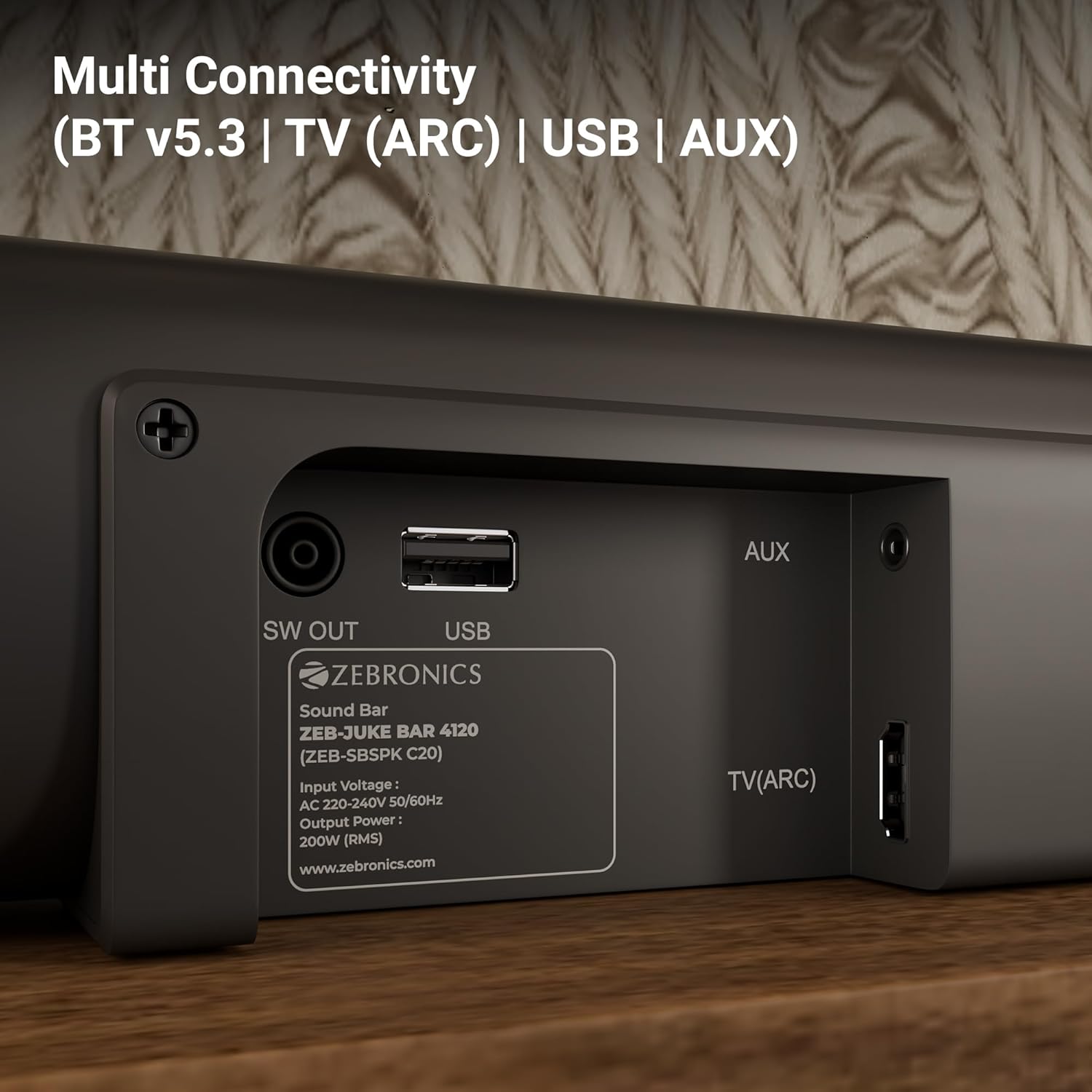
Image: The soundbar is shown securely mounted on a wall beneath a television, demonstrating its space-saving design.
3. Поврзување за напојување
Connect the power cable to the soundbar and then plug it into a suitable power outlet. Ensure the subwoofer is also connected to its power source.
Поврзување
The Zebronics Juke Bar 4120 offers multiple connectivity options:
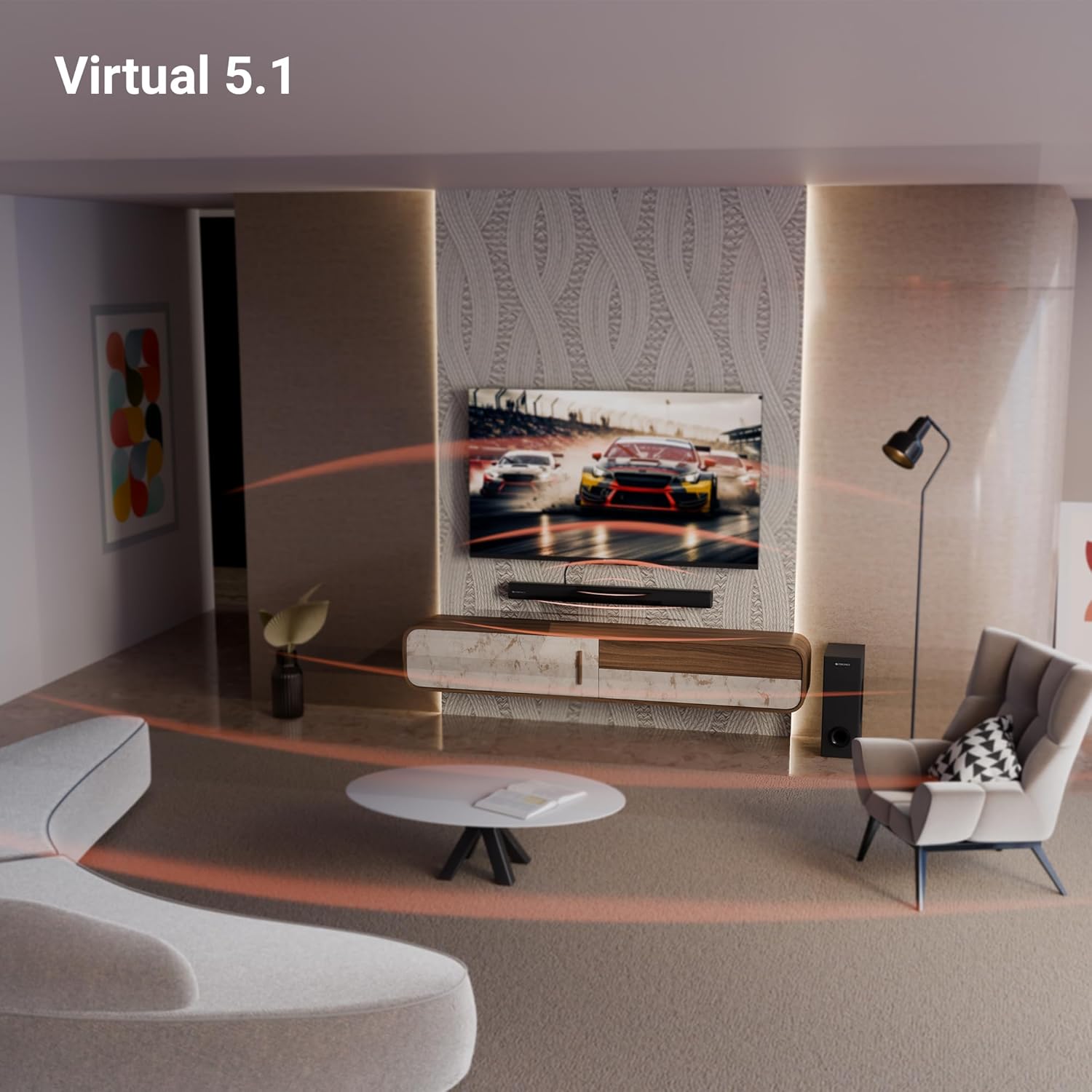
Image: A close-up of the soundbar's rear panel, displaying the SW OUT, USB, AUX, and TV (ARC) input ports for various connections.
1. Bluetooth (BT v5.3)
За да се поврзете преку Bluetooth:
- Turn on the soundbar and select Bluetooth mode using the remote or unit controls.
- Овозможете Bluetooth на вашиот уред (паметен телефон, таблет итн.).
- Пребарај за "ZEB-JUKE BAR 4120" in your device's Bluetooth list and pair.
- Откако ќе се спари, саундбарот ќе означи успешна врска.
2. TV (ARC)
For optimal audio quality and control, connect your TV using the HDMI ARC port:
- Connect an HDMI cable from the TV (ARC) port on the soundbar to the HDMI ARC port on your television.
- Select the HDMI ARC input on the soundbar.
- Ensure your TV's audio output settings are configured for HDMI ARC.
3. УСБ
To play media from a USB drive:
- Insert a USB drive into the USB port on the soundbar.
- Select USB mode using the remote or unit controls.
- The soundbar will automatically detect and play compatible audio files.
4. AUX
To connect via an auxiliary cable:
- Connect a 3.5mm audio cable from your device's audio output to the AUX input on the soundbar.
- Select AUX mode using the remote or unit controls.
Упатства за работа
1. Вклучување/исклучување
Притиснете го копчето за вклучување на саундбарот или на далечинскиот управувач за да го вклучите или исклучите уредот.
2. Контрола на јачината на звукот
Користете ги копчињата за зголемување на јачината на звукот (+) и намалување на јачината на звукот (-) на саундбарот или на далечинскиот управувач за да го прилагодите нивото на звукот.
3. Избор на влез
Press the 'Input' or 'Mode' button on the soundbar or remote control to cycle through available input sources (BT, TV ARC, USB, AUX).
4. LED дисплеј
The integrated LED display provides visual feedback on the current status of the soundbar, including selected input mode, volume level, and other settings.

Слика: Детална view of the soundbar's LED display, showing a clear indicator for current status or mode.
5. Караоке функција
The soundbar includes a wireless microphone for karaoke. Simply power on the microphone, and it will automatically connect to the soundbar. Use the remote control to adjust microphone volume and echo effects.

Image: The wireless microphone, designed for use with the soundbar's karaoke function.
6. Далечински управувач
The included remote control provides full functionality for the soundbar, allowing you to power on/off, switch inputs, adjust volume, control playback, and manage karaoke settings.

Image: The remote control for the Zebronics soundbar, showing various buttons for function control.
7. Virtual 5.1 Surround Sound
The soundbar's virtual 5.1 surround sound technology creates an immersive audio experience, simulating multi-channel sound without the need for additional speakers. This enhances movie watching and gaming by providing a wider soundstage.

Image: A living room scene with the soundbar and subwoofer, visually representing the expansive sound field created by virtual 5.1 surround sound.
Одржување
За да се обезбеди долготрајност и оптимални перформанси на вашиот саундбар:
- Чистете ги површините со мека, сува крпа. Избегнувајте употреба на абразивни средства за чистење или растворувачи.
- Keep the soundbar and subwoofer away from direct sunlight, heat sources, and excessive moisture.
- Обезбедете соодветна вентилација околу уредите за да спречите прегревање.
Решавање проблеми
Доколку наидете на било какви проблеми, погледнете ги следните вообичаени проблеми и решенија:
| Проблем | Можно решение |
|---|---|
| Нема моќ | Check if the power cable is securely connected to both the soundbar/subwoofer and the power outlet. Ensure the power outlet is functional. |
| Нема звук | Verify the correct input source is selected. Check volume levels on both the soundbar and the connected device. Ensure all audio cables are properly connected. |
| Bluetooth не се поврзува | Ensure the soundbar is in Bluetooth pairing mode. Turn off and on Bluetooth on your device. Move your device closer to the soundbar. |
| Далечинскиот управувач не работи | Check the remote control batteries and replace if necessary. Ensure there are no obstructions between the remote and the soundbar. |
Спецификации
| Карактеристика | Детал |
|---|---|
| Име на моделот | ZEB-JUKE BAR |
| Тип на звучник | Звучна лента |
| Специјална карактеристика | Вграден микрофон |
| Компатибилни уреди | Television, mobile |
| Конфигурација на каналот за опкружувачки звук | 2.1 (Virtual 5.1) |
| Боја | Црното |
| Димензии на производот | 7.7D x 86W x 7.7H сантиметри |
| Тежина на ставката | 5300 Grams (5 kg 300 g) |
| Контролен метод | Далечински |
| Технологија на безжична комуникација | Bluetooth |
| Големина на звучникот | 13.33 Centimetres (Subwoofer) |
| Извор на енергија | Електричен со кабел |
| Сооднос на сигнал до бучава | 66 dB |
| Вуфер со дијаметар | 13.33 сантиметри |
| Тип на драјвер за аудио | Динамичен драјвер |
| Големина на драјвер за аудио | 5 Centimetres (Soundbar) |
| Стил | ZEB-JUKE BAR 4120 |
| Bluetooth верзија | 5.3 |
| Говорник AmpТип на лификација | Активен |
| Ватtage | 200 вати |
| Тип на монтирање | Монтирање на ѕид |
| Технологија за поврзување | Помошен, Bluetooth, HDMI, Оптички, USB |
Гаранција и поддршка
This product comes with a standard brand warranty. For specific warranty details, claims, or technical support, please refer to the warranty card included in the packaging or visit the official Zebronics webсајт. Можете исто така да ја посетите ZEBRONICS Store on Amazon за повеќе информации.


