Вовед
Thank you for choosing the FLEXISPOT ErgoX-PRO Ergonomic Office Chair. This manual provides essential information for the proper assembly, operation, maintenance, and troubleshooting of your new chair. Please read these instructions carefully before use and retain them for future reference.
Важни безбедносни информации
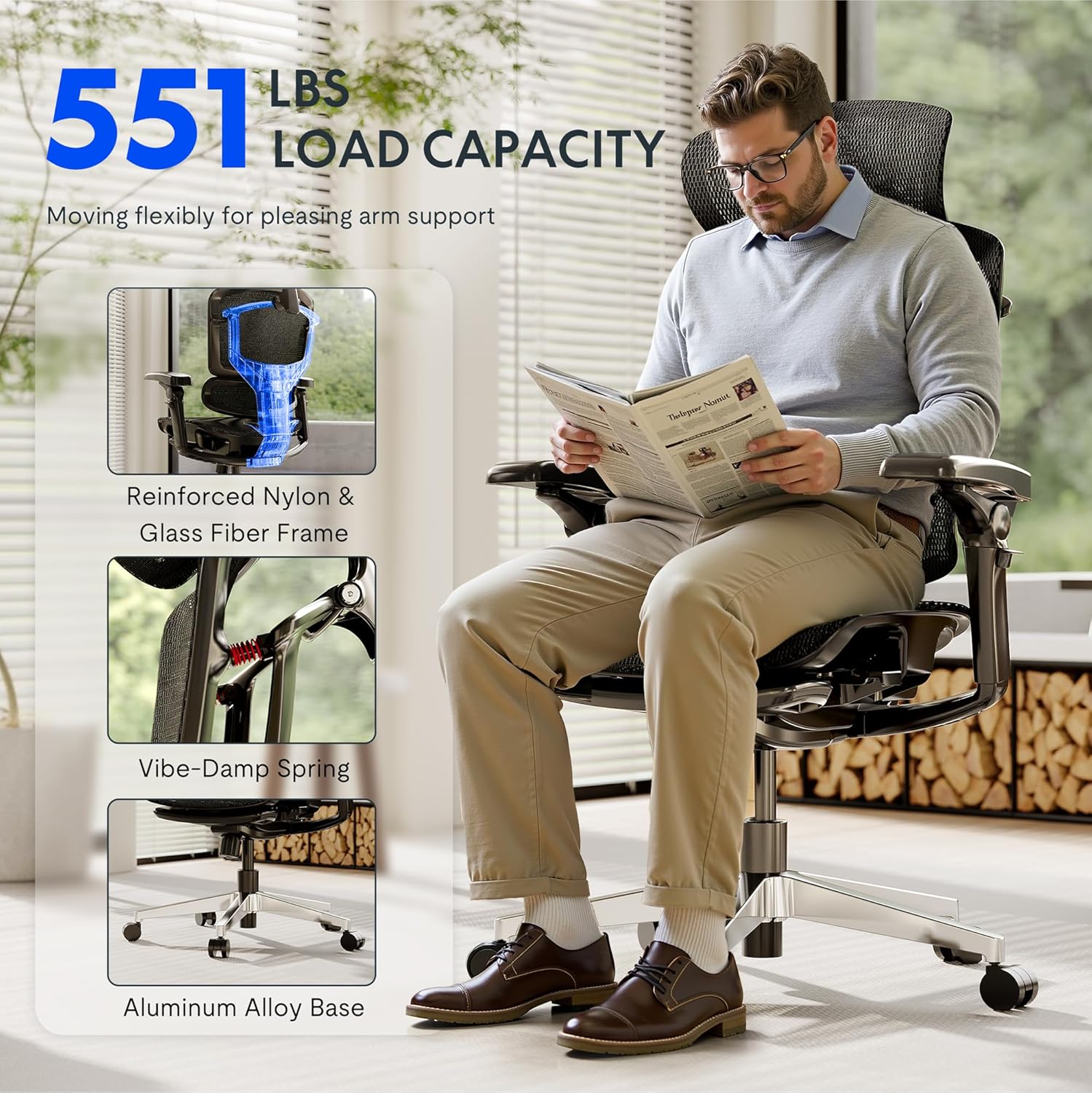
- Не го надминувајте максималниот капацитет на тежина од 551 фунти.
- Ensure proper assembly following the provided instructions. Incorrect assembly can lead to instability and injury.
- Use adjustable features carefully to avoid misuse and ensure stability during use.
- Држете ги рацете и прстите подалеку од подвижните делови за време на прилагодувањето.
- Не стојте на столот.
- Only use the chair on a stable, level surface.
Поставување и склопување
The FLEXISPOT ErgoX-PRO chair requires assembly. Please follow the steps below and refer to the assembly video for visual guidance. All necessary tools are included.
Чекори на склопување:
- Отпакувајте ги компонентите: Carefully remove all parts from the packaging and lay them out. Verify all components are present against the parts list in the included user manual.
- Прикачете ги тркалата на основата: Insert the five casters into the holes at the end of each leg of the aluminum alloy base. Press firmly until they click into place.
- Вметнете гасен лифт: Ставете го цилиндарот за подигнување на гас во централната дупка на склопената основа на столот.
- Прикачете го механизмот на седиштето: Secure the control mechanism to the underside of the seat cushion using the provided screws. Ensure the front of the mechanism aligns with the front of the seat.
- Прикачете потпирачи за раце: Fasten the 7D linkage armrests to the sides of the seat mechanism using the designated screws.
- Поврзете го потпирачот за грб: Прицврстете го потпирачот за грб на механизмот на седиштето користејќи ги испорачаните завртки.
- Инсталирајте го потпирачот за глава: Secure the 4D adjustable headrest to the top of the backrest.
- Assemble Footrest (if applicable): Attach the footrest assembly to the designated points on the chair frame.
- Поврзете го седиштето со гасниот лифт: Внимателно поставете го склопеното седиште и потпирачот за грб на цилиндарот за гасно подигнување, осигурувајќи се дека е центриран и стабилен.
Видео за склопување:
Video: How to install FlexiSpot Ergox-Pro? This video demonstrates the step-by-step assembly process for the ErgoX-PRO chair, from unboxing to final setup.
Упатства за работа
The FLEXISPOT ErgoX-PRO chair offers multiple adjustment options to customize your seating experience for optimal comfort and support.
Прилагодувања на столот:
- Прилагодување на висината на седиштата: Locate the lever on the right side beneath the seat. Pull the lever up to raise the seat; release to lock. To lower, pull the lever up while seated.
- Прилагодување на длабочината на седиштата: Use the lever on the left side beneath the seat to slide the seat forward or backward by 2.8 inches (7cm), accommodating different thigh lengths.
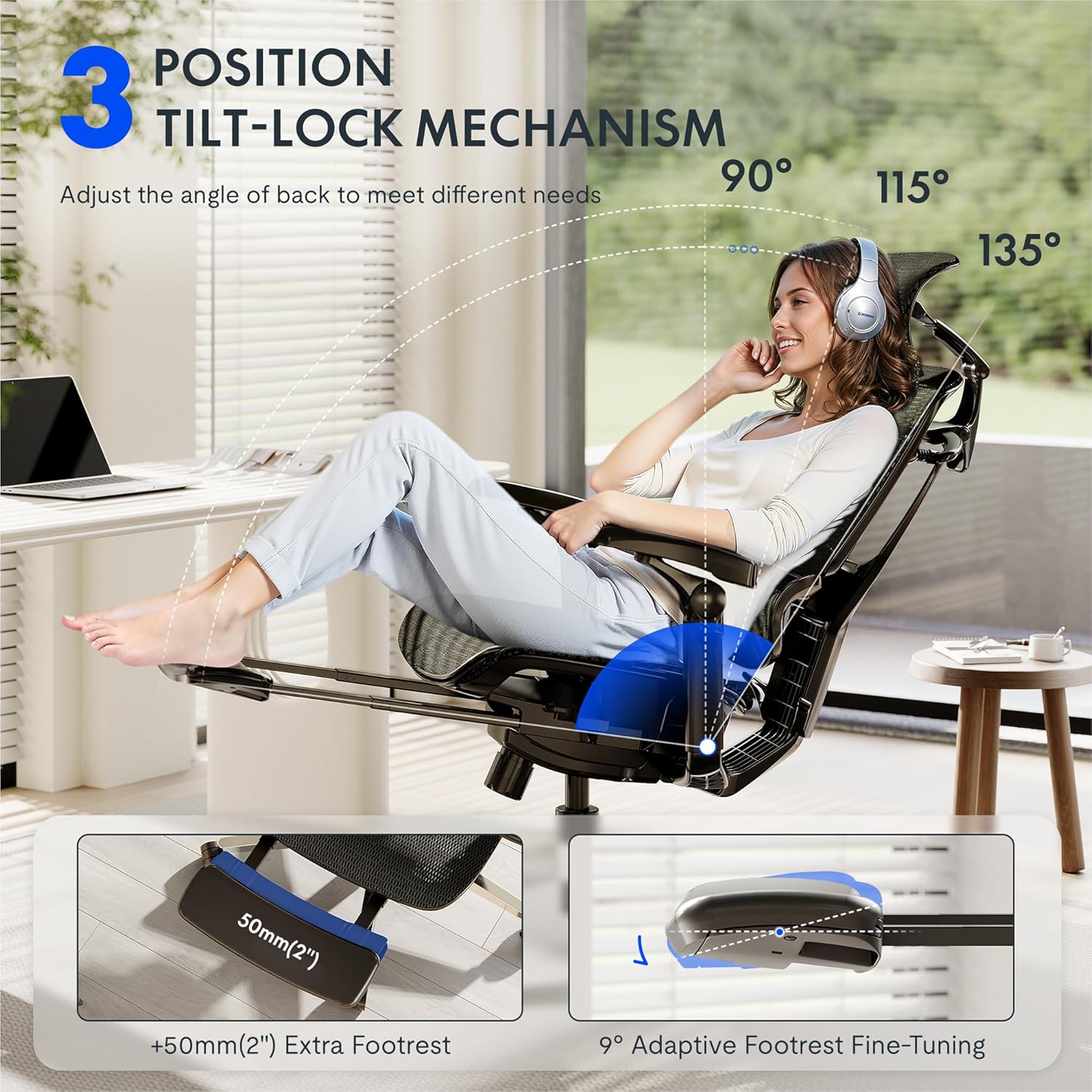
- Backrest Recline and Tilt Lock: The chair features a 3-position tilt base (90°/115°/135°). Use the recline lever to adjust the angle and lock it into your desired position. The 12-level fine-tuned backrest with spring cushioning ensures natural movement.
- 5D Dynamic Lumbar Support: The lumbar support is designed to adapt to your posture. It can be adjusted for height and depth to provide targeted support to your lower back.
- 4D прилагодлив потпирач за глава: The headrest can be adjusted for height, angle (45°, 160°, 120° rotation), and front/back position (1.8 inches) to support your head and neck. It can also function as a back cushion.
- 7D Linkage Armrests: These full-motion armrests move with your body. Adjust them for height (3 inches up/down), rotation (40°), left/right movement (360°), and front/back (2.4 inches) to provide continuous support for various activities.
- Footrest (if applicable): Extend the footrest from beneath the seat for additional relaxation. It offers 9° adaptive fine-tuning.
Adjustment Demonstration Video:
Video: Set Up & Adjust the ErgoX Pro Chair for Maximum Comfort. This video illustrates how to effectively use the various adjustment features of your ErgoX-PRO chair.
Клучни карактеристики Визуелни елементи:



Одржување
To ensure the longevity and optimal performance of your FLEXISPOT ErgoX-PRO chair, regular maintenance is recommended.
- Чистење: За општо чистење, користете мека, дamp cloth. For the mesh components, само хемиско чистење. Avoid harsh chemicals or abrasive cleaners.
- Инспекција: Периодично проверувајте ги сите завртки и клинови за да се осигурате дека се стегнати. Затегнете ги повторно доколку е потребно.
- Грижа за тркала: Држете ги тркалата без коса и остатоци за да обезбедите непречено движење.
Решавање проблеми
Доколку наидете на било какви проблеми со вашиот стол, погледнете ги следниве вообичаени решенија:
- Столот не се прилагодува висината: Ensure the gas lift lever is fully engaged or disengaged as required. Check if the gas lift cylinder is properly seated in the base and mechanism.
- Backrest Tilt Not Working: Verify that the tilt lock mechanism is disengaged. Some users report needing to apply more force or adjust the tension knob (if present) to achieve desired tilt.
- Armrests Move Too Easily: The 7D armrests are designed for dynamic movement. If they feel excessively loose, ensure all assembly screws are securely tightened.
- Звуци на чкрипење: Check all connection points and tighten any loose screws. Applying a small amount of silicone lubricant to moving parts (e.g., gas lift, tilt mechanism) can help.
- Столот се чувствува нестабилен: Re-check all assembly steps to ensure all components are correctly installed and tightened. Ensure the chair is on a flat, even surface.
If these steps do not resolve the issue, please contact FLEXISPOT customer support for further assistance.
Спецификации
| Бренд | ФЛЕКСИСПОТ |
| Име на моделот | Ergonomic Task Chair (ErgoX PRO-Mesh+FT) |
| Боја | Црн обсидијан |
| Димензии на производот | 28.3" Д x 28.3" Ш x 55.9" В |
| Препорака за максимална тежина | 551 фунти |
| Назад стил | 12-L High-back, Mesh |
| Посебни карактеристики | Adjustable Headrest, Adjustable Height, Ergonomic, Adjustable Armrest, Dynamic Lumbar Support, Tilt, Back Support, Adjustable Recliner |
| Материјал | AeroWeave 5.0 Mesh |
| Вклучени компоненти | Armrest, Headrest, Wheels, Backrest, Seat, User manual, Assembly tools |
| UPC | 840521507332 |
Димензионален преклопview:

Гаранција и поддршка
For warranty information, product support, or to purchase replacement parts, please refer to the official FLEXISPOT website or contact their customer service directly. Contact details are typically provided in the packaging or on the brand's official support pages.
Поддршка преку Интернет: Посетете го FLEXISPOT Store on Amazon за дополнителни ресурси и опции за контакт.


