1. Вовед
Welcome to the OnePlus 15 user manual. This guide provides essential information for setting up, operating, maintaining, and troubleshooting your new smartphone. The OnePlus 15 is designed for high performance and extended battery life, featuring a Snapdragon 8 Elite Gen 5 processor, a 7300mAh battery, and a triple 50 MP camera system. Please read this manual thoroughly to ensure optimal use of your device.
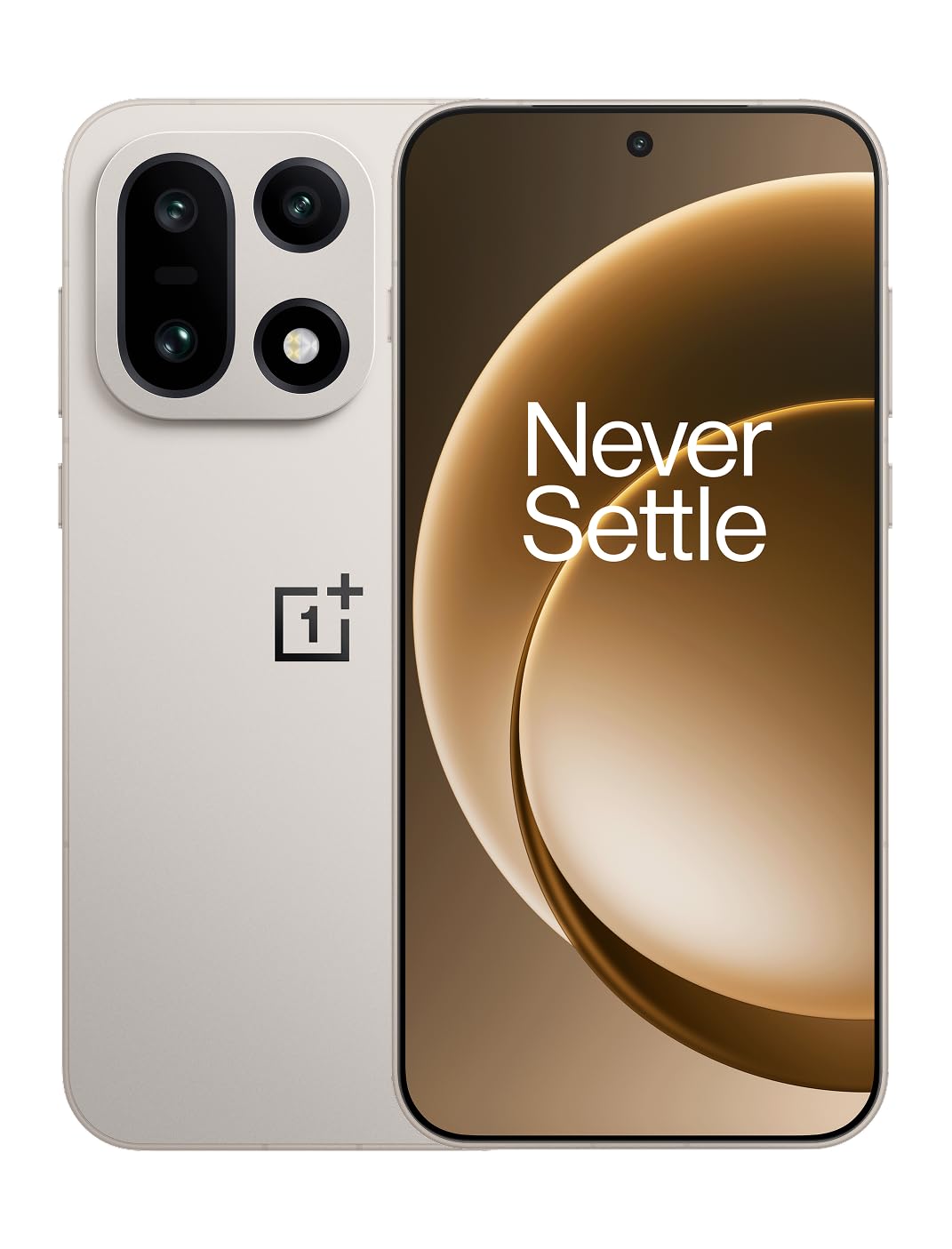
Слика 1: Предна страна view of the OnePlus 15 smartphone.
2. Што има во кутијата
Проверете дали сите артикли се присутни во пакувањето на вашиот производ:
- OnePlus 15 Smartphone (x1)
- Полнач (x1)
- USB Data Cable (x1)
- SIM Ejector Tool (x1)
- Краток водич (x1)
- Safety Guide (x1)

Figure 2: Included items in the OnePlus 15 package.
3. Поставување
3.1. Инсталација на SIM картичка
The OnePlus 15 supports Dual-SIM functionality. To install your SIM card(s):
- Пронајдете го држачот за SIM-картичка на страната од уредот.
- Вметнете ја алатката за исфрлање на SIM картичката во малата дупка до фиоката и цврсто притиснете додека фиоката не испадне.
- Ставете ја/ги вашата/ите нано-СИМ/СИМ картичка/и во лежиштето со златните контакти свртени надолу. Проверете дали се правилно поставени.
- Внимателно вратете го лежиштето на SIM-картичката во телефонот.

Слика 3: Страна view of the OnePlus 15, highlighting the SIM card tray.
3.2. Првично вклучување и поставување
За да го вклучите вашиот уред за прв пат:
- Притиснете и задржете го копчето за вклучување (се наоѓа од десната страна) додека не се појави логото на OnePlus.
- Следете ги упатствата на екранот за да го завршите почетното поставување, вклучувајќи го изборот на јазик, Wi-Fi конекцијата, најавувањето на сметката на Google и безбедносните поставки.
3.3. Полнење на батеријата
The OnePlus 15 is equipped with a 7300mAh battery. To charge your device:
- Wично полнење: Connect the provided USB Data Cable to the Type-C port on the bottom of the phone and the other end to the charger. Plug the charger into a power outlet.
- Безжично полнење: Place the phone on a compatible wireless charging pad. Ensure the phone is centered on the pad for efficient charging.
A full charge provides approximately 68.7 hours of talk time.

Figure 4: Illustration of the 7300mAh battery capacity.
4. Ракување со вашиот уред
4.1. Приказ
The OnePlus 15 features a 6.78-inch AMOLED display with a 2772x1272 resolution and a 165 Hz refresh rate. This provides smooth visuals and vibrant colors. Adjust display settings such as brightness, color mode, and refresh rate in the device settings menu.
4.2. Изведба
Powered by the Snapdragon 8 Elite Gen 5 processor and 16GB of RAM, the OnePlus 15 delivers fast and efficient performance for multitasking, gaming, and demanding applications. The Tri-Chip System, combining the Snapdragon 8 Elite Gen 5 with a dedicated Wi-Fi chip and CPU scheduler, optimizes for speed, connectivity, and power efficiency.
Видео 1: Надview of the OnePlus 15's performance capabilities and user experience.
4.3. Систем на камери
The device is equipped with a Triple 50 MP camera system, offering wide, ultra-wide, and telephoto lenses for versatile photography. The DetailMax Engine enhances photo quality in various lighting conditions, including day, night, and motion shots. Both front and rear cameras are available for capturing images and videos.

Слика 5: Заден дел view of the OnePlus 15, showcasing the triple camera system.

Figure 6: DetailMax Engine for stunning photos.
4.4. Поврзување
The OnePlus 15 supports a range of connectivity options:
- Безжичен: Wi-Fi, Bluetooth, NFC, Infrared.
- Wичен: USB тип-C.
- Навигација: Dual-band GPS (L1+L5) and Galileo (E1+E5a).
- СИМ: Dual SIM support for managing multiple networks.
4.5. Оперативен систем
The device runs on Android 16 with OxygenOS 16, providing a fast and smooth user experience. Regular software updates will be provided to enhance features and security.
5. Одржување
5.1. Издржливост и заштита
The OnePlus 15 is built with IP66/IP68/IP69 and IP19K ratings, offering resistance against dust and water. While designed to be durable, avoid exposing the device to extreme conditions or prolonged submersion in water.

Figure 7: OnePlus 15 demonstrating water resistance.
5.2. Чистење на вашиот уред
Use a soft, lint-free cloth to clean the screen and body of your phone. Avoid using abrasive materials or harsh chemicals, which can damage the display or finish.
5.3. Софтверски ажурирања
Periodically check for software updates in the device settings. Keeping your software up-to-date ensures you have the latest features, security patches, and performance improvements.
6 Смена на проблеми
This section addresses common issues you might encounter with your OnePlus 15.
6.1. Уредот не се вклучува
- Проверете дали батеријата е наполнета. Поврзете го телефонот со полначот и почекајте неколку минути пред повторно да се обидете да го вклучите.
- Притиснете го и држете го копчето за вклучување најмалку 10-15 секунди за да го рестартирате.
6.2. Слаба мрежна поврзаност
- Проверете дали вашата SIM картичка е правилно вметната.
- Verify that airplane mode is not enabled.
- Рестартирајте го уредот.
- Доколку проблемите продолжат, контактирајте го вашиот мрежен оператор.
6.3. Паѓање или замрзнување на апликациите
- Затворете ја и повторно отворете ја апликацијата.
- Clear the app's cache and data in device settings.
- Осигурајте се дека апликацијата е ажурирана на најновата верзија.
- If the issue is widespread, consider restarting the phone.
6.4. Брзо празнење на батеријата
- Намалете ја осветленоста на екранот и времетраењето на истекот на времето на екранот.
- Disable unused features like Wi-Fi, Bluetooth, or GPS when not needed.
- Identify and close power-intensive applications running in the background.
- Check for recent software updates, as they often include battery optimizations.
7. Спецификации
Detailed technical specifications for the OnePlus 15 (Model: CPH2749).
| Карактеристика | Детал |
|---|---|
| Име на моделот | OnePlus 15 |
| Број на модел на ставка | CPH2749 |
| Димензии на производот | 6.36 x 3.02 x 0.32 инчи |
| Тежина на ставката | 1.28 фунти |
| Оперативен систем | Андроид 16 |
| Модел на процесорот | Snapdragon 8 Elite Gen 5 |
| Брзина на процесорот | 4.61 GHz |
| Големина на инсталирана RAM меморија | 16 GB |
| Капацитет за складирање на меморија | 512 GB |
| Големина на приказ на стоечки екран | 6.78 инчи |
| Резолуција | 2772*1272 г |
| Стапка на освежување | 165 Hz |
| Капацитет на батеријата | 7300 милиониamp Часови (7300mAh) |
| Време за разговор на телефон | 68.7 часа |
| Технологии за поврзување | Infrared, NFC, USB, Wi-Fi, Bluetooth |
| GPS | Dual band: GPS(L1+L5) Galileo(E1+E5a) |
| Посебни карактеристики | Dual SIM, Wireless Charging |
| Аудио Џек | Type-C headphones: supported Type-C digital headphones & Type-C analog headphones |
| Други карактеристики на камерата | Front, Rear (Triple 50 MP Camera System) |
| Оценка за IP | IP66/IP68/IP69 and IP19K rated |
| Боја | Sand Storm |
8. Информации за гаранцијата
Your OnePlus 15 device is covered by a limited manufacturer's warranty. Please refer to the included Safety Guide or visit the official OnePlus website for detailed warranty terms and conditions, including coverage duration and service procedures. Keep your proof of purchase for warranty claims.
9. Поддршка
For further assistance, technical support, or to access additional resources, please visit the official OnePlus support website or contact customer service. You can find contact details and FAQs on the OnePlus webсајт.
Онлајн ресурси: www.oneplus.com/support