Вовед
This manual provides detailed instructions for the setup, operation, and maintenance of your Zebronics Pixaplay 35 Android Smart LED Projector. Please read this manual thoroughly before using the product to ensure proper functionality and to prevent damage.
Важни безбедносни информации
- Не ги блокирајте отворите за вентилација. Обезбедете соодветен проток на воздух околу проекторот.
- Избегнувајте директно изложување на очите на леќата на проекторот кога е lamp е вклучено.
- Користете го само адаптерот за напојување испорачан со уредот.
- Држете го проекторот подалеку од вода, влага и екстремни температури.
- Не обидувајте се сами да го расклопите или поправите проекторот. За сите сервиси обратете се на квалификуван персонал.
Производот завршиview
The Zebronics Pixaplay 35 is a compact Android Smart LED Projector designed for versatile home entertainment. It features 4K UHD support, 4000 lumens brightness, and a 240° tilt mechanism for flexible projection.
Содржина на пакетот
- Projector - 1 Unit
- Далечински управувач
- Power Adapter - 1 Unit
- HDMI кабел
- QR Code Guide - 1 Unit
- Cotton Swab Pack - 1 Unit
Компоненти на проекторот

Слика 1: Од напред до горе view of the Zebronics Pixaplay 35 projector with its remote control.
The projector features a compact design with a lens at the front, ventilation grilles on the sides, and various ports at the rear for connectivity. The included remote control allows for easy navigation and settings adjustment.
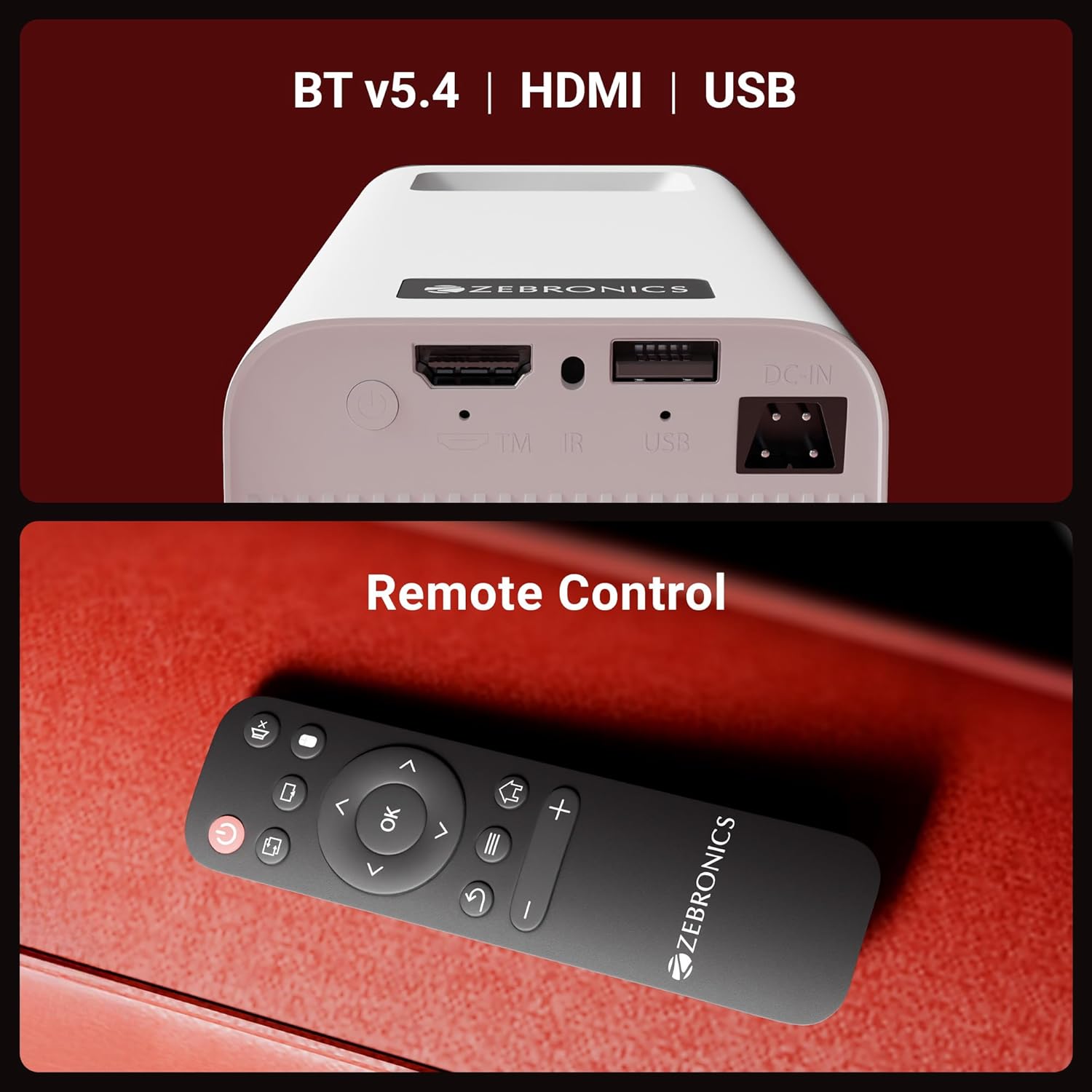
Слика 2: Заден дел view of the projector highlighting the connectivity ports (DC-IN, USB, HDMI) and the remote control.
The rear panel includes a DC-IN port for power, a USB port for media playback, and an HDMI port for connecting external devices. An IR receiver is also present for remote control operation.
Инструкции за поставување
1 Поставување
Position the projector on a stable, flat surface. The 240° tilt mechanism allows you to adjust the projection angle for optimal viewing on a wall or screen. Ensure there are no obstructions in front of the lens or around the ventilation areas.

Слика 3: The projector's 240° tilt mechanism allows for flexible positioning and projection angles.
For best results, project onto a smooth, light-colored surface. The projector can create a screen size of up to 254cm (100 inches).

Слика 4: The projector can display images up to 254cm (100 inches) diagonally, creating a large viewискуство.
2. Поврзување за напојување
Connect the provided power adapter to the DC-IN port on the projector and then plug it into a power outlet.
3. Првично вклучување
Press the power button on the projector or the remote control to turn on the device. The projector will boot up and display the Android smart interface.
Упатства за работа
Далечински управувач
Use the included remote control to navigate the projector's interface, adjust settings, and control media playback. Ensure batteries are correctly inserted.
Прилагодување на фокусот
Rotate the focus wheel located near the lens to achieve a clear and sharp image on your projection surface.
Автоматска адаптација на Keystone
The projector features automatic vertical keystone correction. This function automatically adjusts the image to be rectangular even if the projector is placed at an angle. Manual adjustment may be available in settings for fine-tuning.
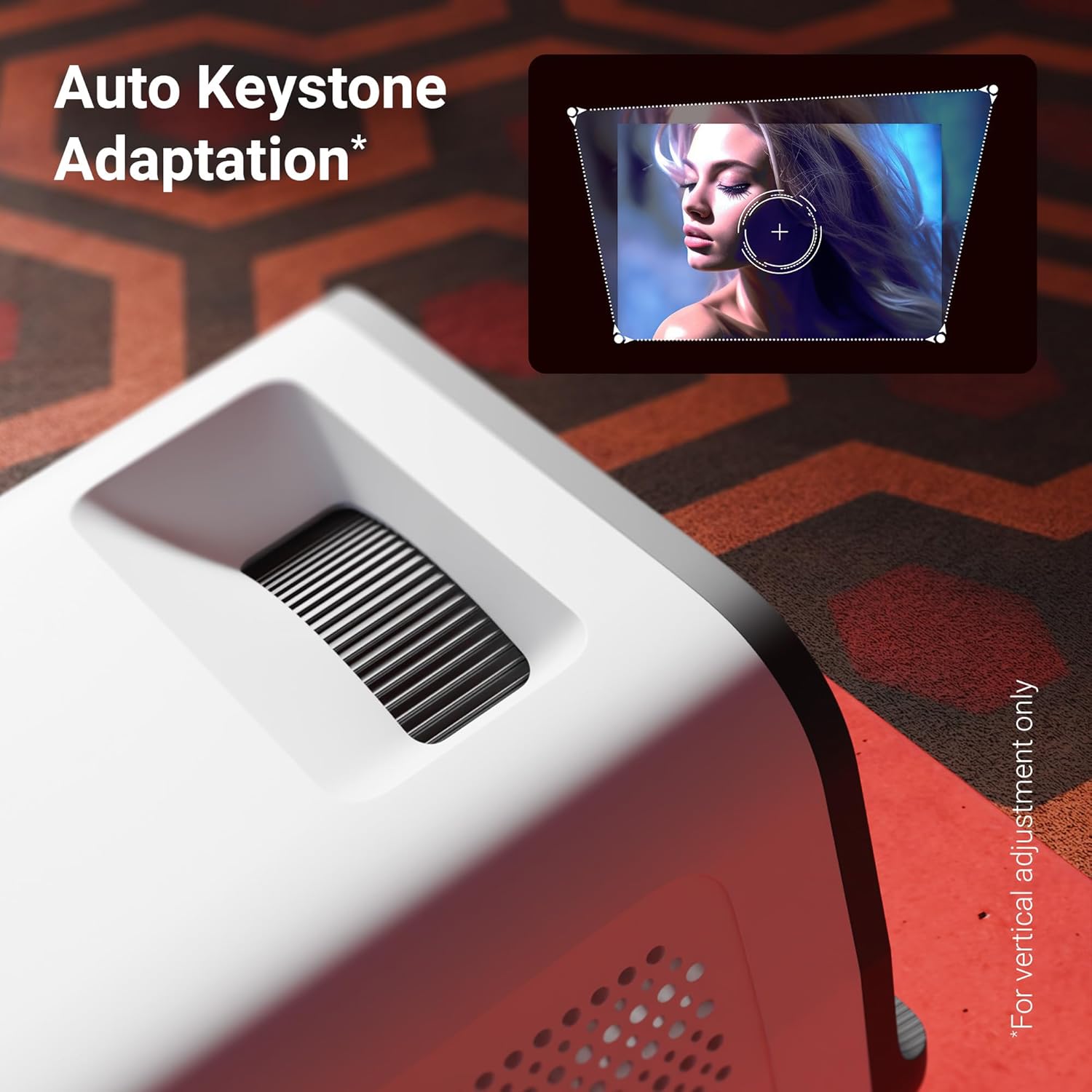
Слика 5: The auto keystone adaptation feature corrects vertical image distortion automatically.
Поврзување
- HDMI: Connect external devices such as laptops, gaming consoles, or Blu-ray players using an HDMI cable. Select the HDMI input source from the projector's menu.
- USB: Вметнете USB-уред во USB-портата за репродукција на медиуми files (photos, videos, music) directly from the drive.
- Bluetooth v5.4: Pair Bluetooth audio devices like speakers or headphones for enhanced sound. Access Bluetooth settings in the Android interface.
- Wi-Fi (2.4 GHz и 5 GHz): Connect the projector to your home Wi-Fi network to access online content, streaming apps, and firmware updates.
- Miracast & iOS Screen Mirroring: Wirelessly mirror the screen of your Android or iOS smartphone/tablet to the projector. Follow the on-screen instructions for pairing.
Паметни функции (Android OS)
The projector runs on an Android operating system, allowing you to download and use various OTT (Over-The-Top) applications like Netflix and Prime Video directly on the device. Navigate the app store to install desired applications.
Клучни карактеристики
- 4K UHD Support: Experience high-resolution content with support for 4K Ultra HD input, delivering sharp and detailed images.
- 4000 лумени осветленост: LED lamp provides 4000 lumens, ensuring bright and clear visuals for an immersive viewискуство.
- Up to 254cm (100") Screen Size: Project large images suitable for home theater setups.
- 240° Tilt Mechanism: Offers flexible projection angles, reducing glare and improving viewудобност
- Auto Keystone Adaptation: Automatically corrects vertical image distortion for a perfectly rectangular picture.
- Вграден звучник: Integrated speaker provides audio output for convenience. External audio can be connected via Bluetooth or other ports.
- 30,000-hour LED Lamp Животот: Долготрајниот LED lamp ensures extended usage without frequent replacement.
- Четиријадрен процесор: Enhances performance and responsiveness for smooth operation of the Android OS and applications.
- Wi-Fi со двоен опсег: Supports both 2.4GHz and 5GHz Wi-Fi for stable and fast wireless connectivity.
- Miracast & iOS Screen Mirroring: Seamlessly cast content from Android and iOS devices.

Слика 6: Во текот наview of key features including brightness, connectivity, and processing power.

Слика 7: The projector includes a built-in speaker for integrated audio playback.
Одржување
- Чистење леќи: Use a soft, lint-free cloth or the provided cotton swab to gently clean the projector lens. Do not use abrasive cleaners.
- Вентилација: Regularly check and clean the ventilation grilles to prevent dust buildup, which can affect performance and lifespan.
- Складирање: Кога не го користите подолго време, чувајте го проекторот на ладно и суво место, заштитено од прашина и директна сончева светлина.
Решавање проблеми
| Проблем | Можна причина | Решение |
|---|---|---|
| Нема прикажана слика | Power not connected; Incorrect input source; Lens cap on. | Ensure power is connected and unit is on. Select correct HDMI/USB input. Remove lens cap. |
| Сликата е матна | Фокусот не е прилагоден; проекторот е предалеку/блиску до екранот. | Прилагодете го тркалото за фокусирање. Преместете го проекторот за оптимално растојание. |
| Нема звук | Јачината на звукот е прениска; Звукот е исклучен; Надворешниот аудио уред не е поврзан/спарен. | Increase volume. Unmute. Check Bluetooth connection or external audio cable. |
| Далечинскиот управувач не работи | Batteries low/incorrectly inserted; Obstruction between remote and projector. | Replace batteries. Ensure clear line of sight to IR receiver. |
| Проблеми со Wi-Fi конекцијата | Неточна лозинка; Рутерот е предалеку; Мрежни пречки. | Verify Wi-Fi password. Move projector closer to router. Try connecting to 2.4GHz or 5GHz band. |
Спецификации
| Бренд | ЗЕБРОНИКА |
| Модел | Zeb-Pixa Play 35 |
| Технологија на прикажување | LED |
| Тип на дисплеј | 4K UHD Support |
| Мајчин резолуција | 1280 x 720 пиксели |
| Осветленост на сликата | 4000 лумени |
| Сооднос на контраст на слика | 1000:1 |
| Сооднос на аспект | 16:10 |
| Технологија за поврзување | Bluetooth v5.4, HDMI, USB, Dual-band Wi-Fi (2.4GHz & 5GHz) |
| Компатибилни уреди | Laptops, Smartphones, Tablets, Gaming Consoles, Blu-ray Players, Media Streaming Devices |
| Димензии на производот | 10.5 x 8.8 x 16.5 cm |
| Тежина на ставката | 355 гр |
| Тип на монтирање | Монтирање на маса |
Гаранција и поддршка
The Zebronics Pixaplay 35 Projector comes with a 1 година гаранција from the date of purchase. For warranty claims, technical support, or service inquiries, please contact Zebronics customer service. Refer to the QR Code Guide included in your package for contact details or visit the official Zebronics webсајт.
Производител: Zebronics India Private Limited


