Вовед
Thank you for choosing the Altec Lansing Comfort Pro Over Ear Bluetooth Headphones. These headphones are designed to provide a high-quality audio experience with advanced features such as Active Noise Cancellation (ANC), Environmental Noise Cancellation (ENC), Spatial Audio, and a long-lasting battery. This manual will guide you through the setup, operation, and maintenance of your new headphones.
Што има во кутијата
- Altec Lansing Comfort Pro Wireless Headphones
- USB-C Charging Cable (not explicitly listed but implied for charging)
- Audio Cable (not explicitly listed but common for wired use)
- Carrying Case (implied by images)
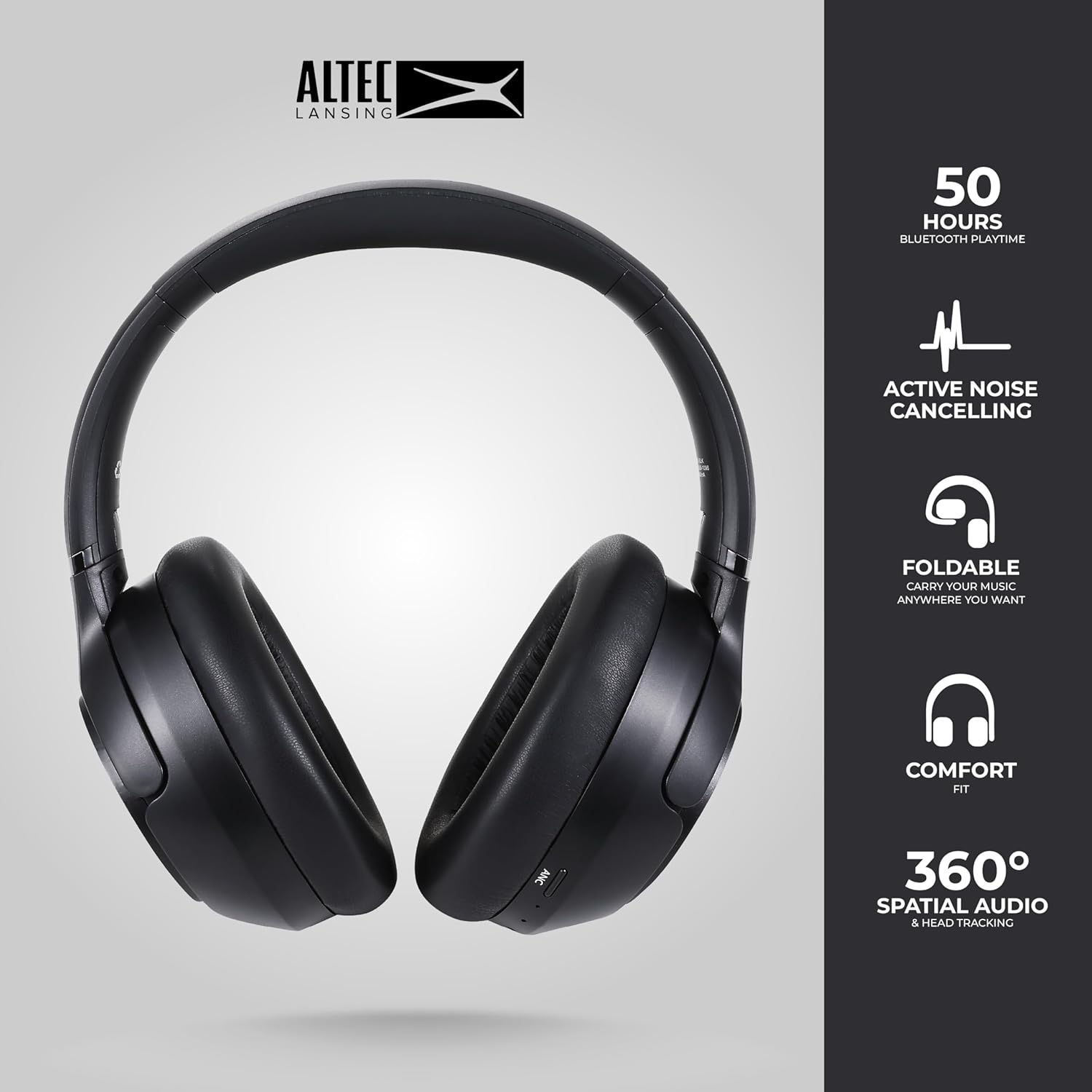
Image: The Altec Lansing Comfort Pro headphones, showcasing their sleek design and key features like 50 hours Bluetooth playtime, Active Noise Cancelling, foldable design, comfort fit, and 360° Spatial Audio & Head Tracking.
Поставување
1. Полнење на слушалките
Before first use, fully charge your headphones. Connect the provided USB-C charging cable to the charging port on the headphones and the other end to a USB power source. The LED indicator will show charging status and turn off or change color when fully charged. A full charge typically takes approximately two hours.
2. Вклучување/исклучување
- За вклучување: Притиснете и задржете го копчето за вклучување приближно 3 секунди додека не светне LED индикаторот.
- За исклучување: Притиснете го и задржете го копчето за вклучување приближно 3 секунди додека LED индикаторот не се исклучи.
3. Bluetooth спарување
The headphones support Bluetooth 5.4 for stable connectivity and multipoint pairing for connecting to two devices simultaneously.
- Проверете дали слушалките се исклучени.
- Press and hold the Power button for approximately 5-7 seconds until the LED indicator flashes rapidly (usually blue and red), indicating pairing mode.
- On your device (smartphone, laptop, tablet), go to Bluetooth settings and enable Bluetooth.
- Пребарај за available devices and select "Altec Lansing Comfort Pro" from the list.
- Откако ќе се поврзете, LED индикаторот ќе престане да трепка и ќе остане сино.
- For multipoint pairing, connect to the first device, then put the headphones back into pairing mode and connect to the second device. The headphones will intelligently switch between the two connected devices.

Слика: Детална view of the Altec Lansing Comfort Pro headphones highlighting the adjustable headband and the soft, lightweight ear cushions designed for comfort during extended use.
Оперативни
Контроли за слушалки
The headphones feature intuitive controls located on the earcups. Refer to the image below for button identification.

Слика: Крупен план view of the right earcup of the Altec Lansing Comfort Pro headphones, showing the power button, volume controls, and other function buttons.
- Копче за вклучување: Press and hold to power on/off. Short press for play/pause, answer/end calls.
- Јачина на звук (+): Кратко притискање за зголемување на јачината на звукот. Долго притискање за следната песна.
- Намалување на јачината на звукот (-): Кратко притискање за намалување на јачината на звукот. Долго притискање за претходната песна.
- Копче ANC: Press to cycle through Active Noise Cancellation modes (ANC On, Ambient Mode, ANC Off).
- Копче за повеќе функции (MFB): Double press to activate Voice Assistant (Siri/Google Voice). Triple press to activate Low Latency Mode.
Active Noise Cancellation (ANC) & Environmental Noise Cancellation (ENC)
The Comfort Pro headphones feature powerful ANC to block out external noise and ENC for clear calls. Press the dedicated ANC button to toggle between ANC On, Ambient Mode (allowing some environmental sounds for awareness), and ANC Off. ENC is automatically active during calls to ensure your voice is clear.
Просторно аудио
Experience immersive sound with Spatial Audio. This feature creates a 3D soundstage, making audio feel more lifelike. Spatial Audio is automatically enabled when supported by your device and content.
Режим на ниска латентност
For gaming or video playback where audio-visual synchronization is critical, activate Low Latency Mode by triple-pressing the MFB. This reduces audio delay for a more synchronized experience.
Гласовен асистент
Access your device's voice assistant (Siri or Google Voice) by double-pressing the MFB. You can then issue commands through the headphone's microphone.
Управување со повици
- Одговори/заврши повик: Кратко притиснете го копчето за вклучување.
- Одбијте го повикот: Притиснете и задржете го копчето за вклучување 2 секунди.
Одржување
Чистење
За да ги одржите перформансите и изгледот на вашите слушалки:
- Избришете ги слушалките и лентата за глава со мека, сува крпа што не остава влакненца.
- За тврдоглава нечистотија, лесно гampИзмијте ја крпата со вода. Избегнувајте употреба на јаки хемикалии, растворувачи или абразивни средства за чистење.
- Не дозволувајте влага да влезе во никакви отвори.
Складирање
When not in use, store your headphones in the provided carrying case to protect them from dust, scratches, and impacts. The foldable design allows for compact storage.

Image: The Altec Lansing Comfort Pro headphones neatly folded and stored inside their protective carrying case, emphasizing portability and protection.
Нега на батерии
- Избегнувајте често целосно празнење на батеријата.
- Store the headphones with a partial charge if not used for extended periods.
- Избегнувајте екстремни температури, кои можат да го намалат животниот век на батеријата.
Решавање проблеми
If you encounter any issues with your Altec Lansing Comfort Pro headphones, refer to the following common solutions:
- Слушалките не се вклучуваат: Проверете дали слушалките се целосно наполнети. Поврзете ги со извор на енергија и обидете се повторно по неколку минути.
- Не може да се спари со уред:
- Уверете се дека слушалките се во режим на спарување (LED индикаторот трепка брзо).
- Исклучете и вклучете го Bluetooth на вашиот уред.
- Delete "Altec Lansing Comfort Pro" from your device's Bluetooth list and attempt to pair again.
- Обидете се да спарите со друг уред за да исклучите проблеми специфични за уредот.
- Нема звук или е со ниска јачина на звук:
- Проверете ги нивоата на јачина на звук и на слушалките и на поврзаниот уред.
- Проверете дали слушалките се правилно поврзани преку Bluetooth.
- Доколку користите жична врска, осигурајте се дека аудио кабелот е целосно вметнат и во слушалките и во аудио изворот.
- ANC не работи ефикасно:
- Уверете се дека ANC е активиран со притискање на копчето ANC.
- Adjust the fit of the headphones to ensure a good seal around your ears.
- ANC is most effective against low-frequency, constant noise. It may not completely block out voices or sudden, high-frequency sounds.
- Гласовниот асистент не реагира: Ensure your device's voice assistant is enabled and that the headphones are properly connected. Double-press the MFB firmly.
Спецификации
| Име на моделот | MX3050 (MZX3050-BLK-STK-6) |
| Технологија за поврзување | Безжичен (Bluetooth) |
| Bluetooth верзија | 5.4 |
| Траење на батеријата | Up to 60 Hours (40 Hours with ANC activated) |
| Функции за контрола на бучава | Активно поништување на бучава (ANC), поништување на бучава во животната средина (ENC) |
| Облик на слушалката | Над-уво |
| Контролен метод | App, Voice, On-headphone buttons |
| Компатибилни уреди | Паметни телефони, лаптопи, таблети |
| Материјал | Fabric/Silicone and Plastic/Metal (Combination) |
| Тежина на ставката | 1 фунта |
| Ниво на отпорност на вода | Водоотпорен |
Гаранција и поддршка
For warranty information and customer support, please refer to the documentation included with your purchase or visit the official Altec Lansing website. You can typically find detailed warranty terms, FAQs, and contact information for technical assistance there.
Онлајн ресурси: www.alteclansing.com