1. Вовед
Welcome to the LIGE DM6 Smartwatch user manual. This document provides essential information for the proper setup, operation, and maintenance of your new smartwatch. The LIGE DM6 is designed to enhance your daily life with features such as integrated GPS, a vibrant AMOLED display, Bluetooth calling, extensive sports tracking, and comprehensive health monitoring.
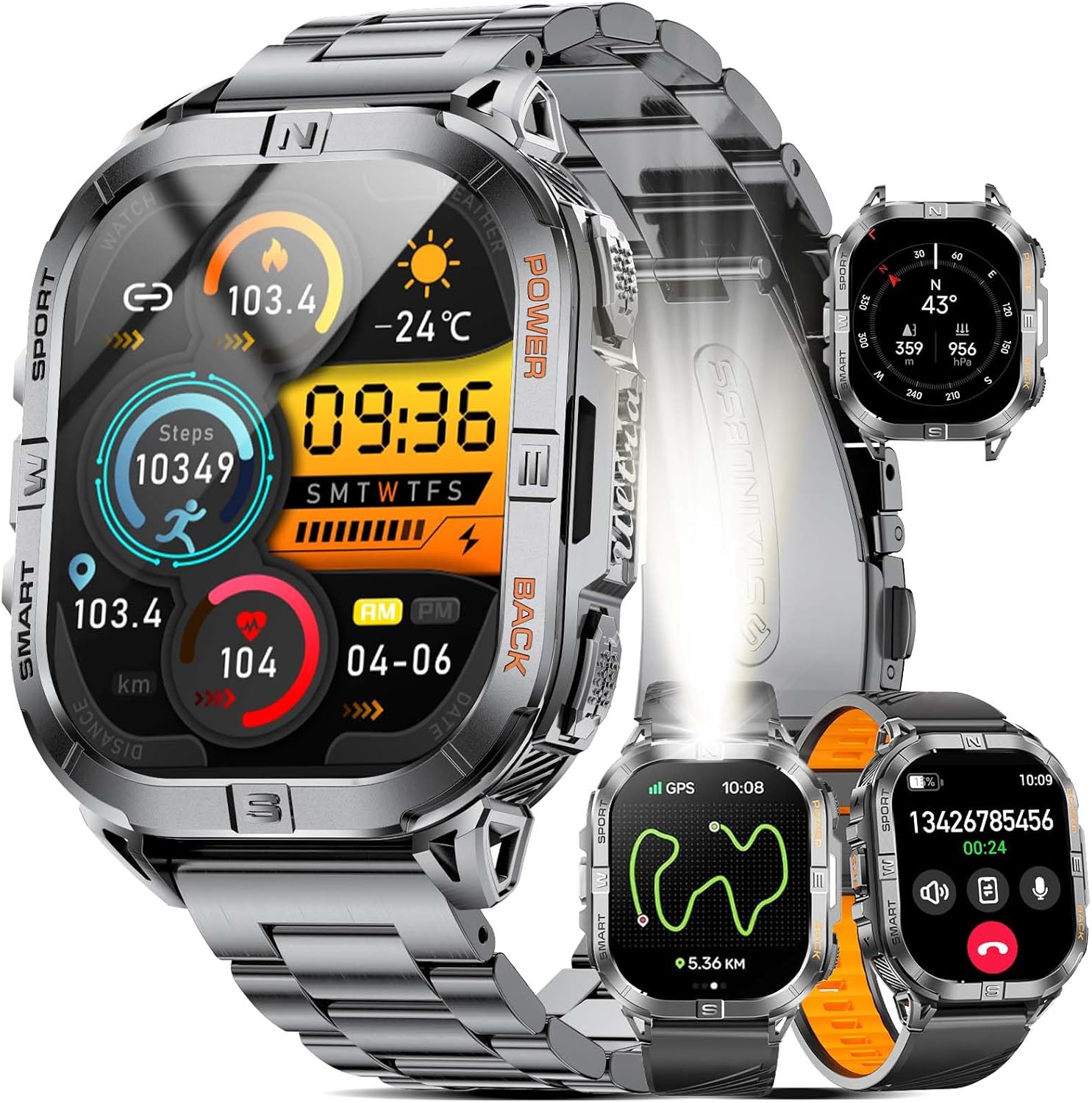
Image 1.1: LIGE DM6 Smartwatch showcasing its design and display capabilities.
2. Поставување
2.1. Распакување и компоненти
По отворањето на пакувањето, проверете дали се присутни сите следни компоненти:
- LIGE DM6 Smartwatch
- Ремен од не'рѓосувачки челик
- Силиконски ремен
- USB кабел за полнење
- Кабел за полнење Type-C
- Дополнителни алатки (за прилагодување на ременот)
- Упатство за употреба
2.2. Полнење на паметниот часовник
Before initial use, fully charge your LIGE DM6 smartwatch. Connect either the USB or Type-C charging cable to the charging port on the back of the watch and to a compatible power source (e.g., computer USB port, wall adapter). A full charge typically takes approximately 2.5 hours.

Image 2.1: Charging the LIGE DM6 Smartwatch using the provided USB and Type-C cables.
2.3. Инсталација на апликација и спарување
To unlock the full potential of your LIGE DM6, download and install the companion application on your smartphone. The app is compatible with iOS 11.0 and above (iOS 13+ for calls) and Android 5.0 and above.
- Scan the QR code in the included manual or search for the app name (usually specified in the manual) in your phone's app store.
- Инсталирајте ја апликацијата и креирајте сметка доколку е побарано.
- Овозможете Bluetooth на вашиот паметен телефон.
- Open the app, navigate to the device pairing section, and follow the on-screen instructions to connect your LIGE DM6 smartwatch.
- Grant all necessary permissions to the app for optimal functionality, including notifications and location services.
3. Упатства за работа
3.1. Основна навигација
The LIGE DM6 features a 2.13-inch AMOLED touchscreen and physical buttons for navigation:
- Екран на допир: Повлечете нагоре, надолу, лево или десно за пристап до различни менија, известувања и брзи поставки. Допрете за да изберете ставки.
- Физички копчиња: Typically, one button serves as a power/back button, while others may provide quick access to sports modes or other functions. Refer to the specific button layout in your manual for exact functions.
3.2. Display Features and Watch Faces
The 2.13-inch AMOLED HD display offers a resolution of 410x502 pixels. You can customize your watch face through the companion app or directly on the watch to suit your style and display preferred information.

Image 3.1: Customizable watch faces and app interface on the LIGE DM6 AMOLED display.
3.3. Bluetooth повици и известувања
With Bluetooth 5.3, the LIGE DM6 allows for stable and fast connections, enabling you to make and receive calls directly from your wrist. It also displays smart notifications from your connected smartphone.
- Остварување повици: Пристапете до бирачот или листата со контакти на вашиот часовник за да започнете повик.
- Примање повици: Кога ќе добиете повик, можете да одговорите или да го одбиете директно од екранот на часовникот.
- Известувања: Incoming messages and alerts from various applications will be displayed on your watch. Swipe down from the top of the screen to view вашата историја на известувања.
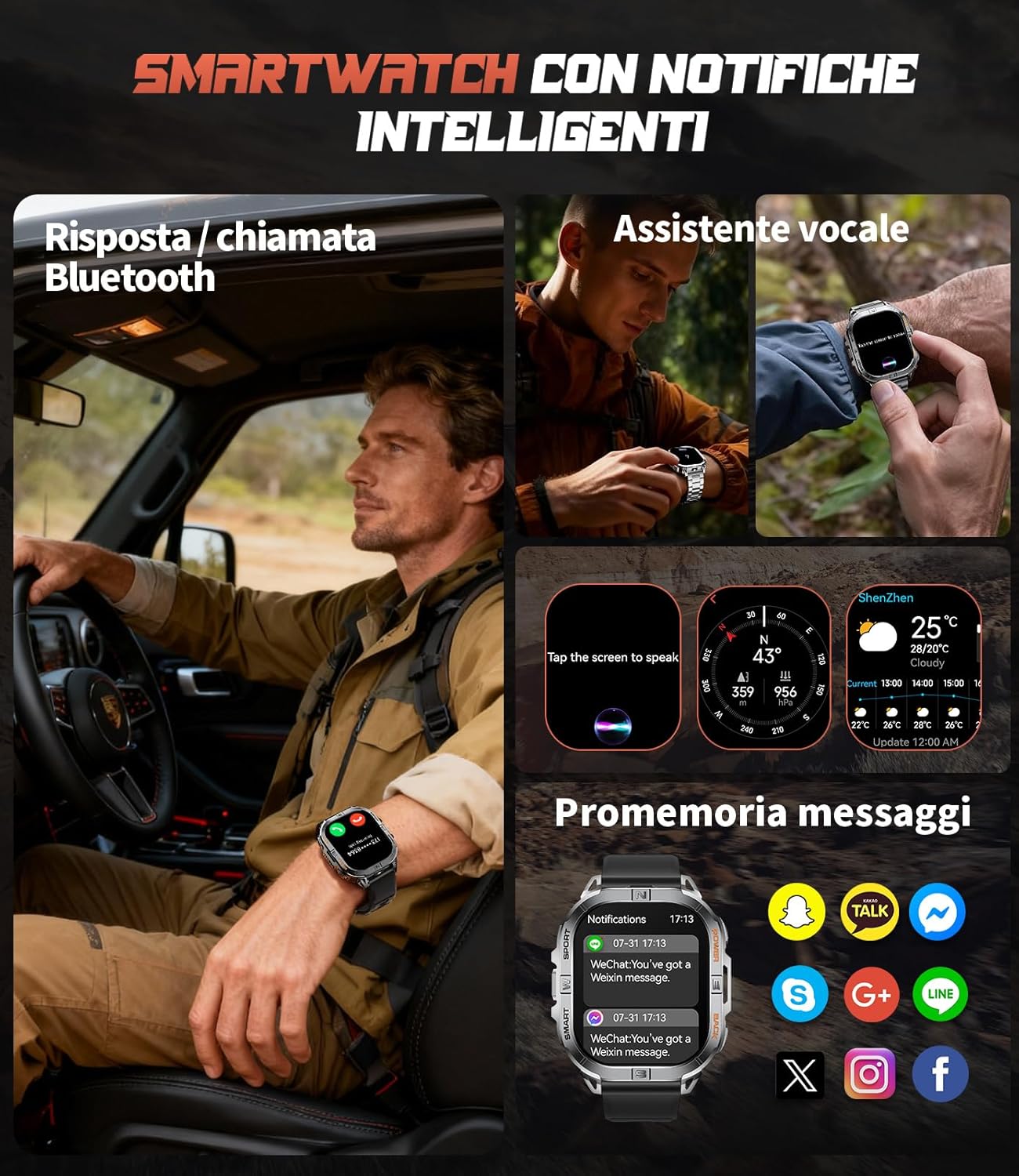
Image 3.2: Bluetooth calling and smart notification features in use.
3.4. GPS and Electronic Compass
The integrated GPS provides accurate positioning for outdoor activities, while the electronic compass helps you maintain direction. These features are particularly useful for trail running, hiking, and other adventures.
- СЛЕДЕЕ ГПС: When starting an outdoor sport mode, the watch will automatically activate GPS to record your route, distance, and pace.
- Компас: Access the compass function from the main menu to view your current heading.
- Barometer & Altimeter: The watch also includes a barometer to track atmospheric pressure changes and an altimeter to measure current altitude, providing comprehensive outdoor data.

Image 3.3: GPS tracking and compass functionality for outdoor activities.

Image 3.4: Outdoor assistant features including compass, altimeter, and barometer.
3.5. LED светилка
The LIGE DM6 includes a built-in LED flashlight for convenience in low-light conditions. To activate, press and hold the designated button (refer to your specific manual for button assignment) for approximately 3 seconds. This feature is useful during night runs, campИНГ, или напојувањеtagес.
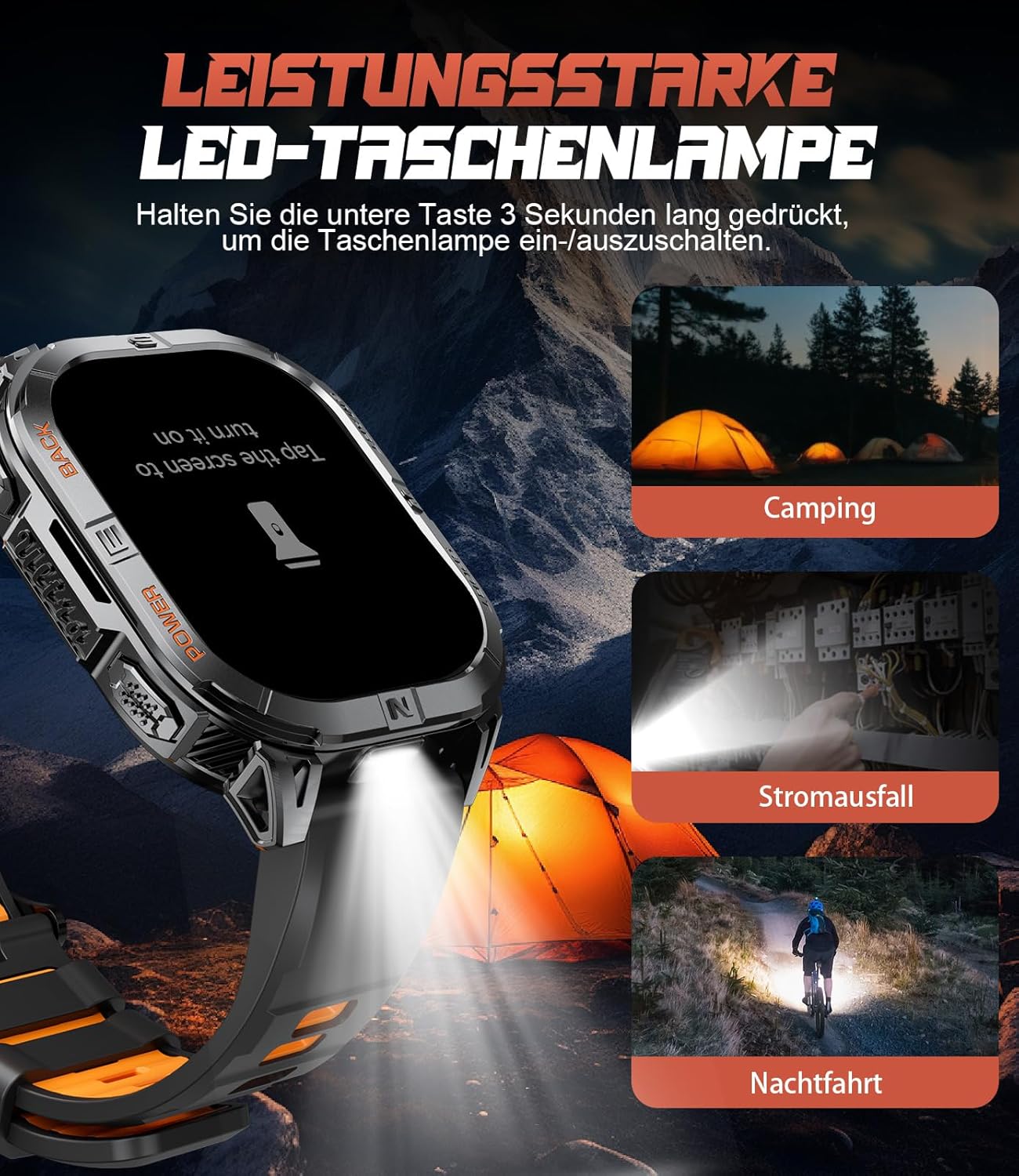
Image 3.5: The integrated LED flashlight in action.
3.6. Спортски режими
The smartwatch supports over 170 sports modes, allowing you to accurately track various activities. Data such as steps, distance, calories burned, and heart rate are recorded and can be reviewед во придружната апликација.
- Активирање на спортски режим: Navigate to the sports menu on your watch, select your desired activity, and tap to start.
- Податоци Реview: After completing an activity, save the data. You can view detailed statistics on the watch or in the companion app.

Image 3.6: Tracking multiple sports activities with the LIGE DM6.
3.7. Мониторинг на здравјето
The LIGE DM6 provides continuous health monitoring features to help you stay informed about your well-being:
- Мониторинг на отчукувањата на срцето: Tracks your heart rate throughout the day and during workouts.
- Следење на спиење: Ги следи вашите навики на спиење, вклучувајќи длабок сон, лесен сон и време на будење.
- Следење на стресот: Дава информации за вашите нивоа на стрес.
- Кислород во крвта (SpO2): Ги мери нивоата на сатурација на кислород во крвта.
- Седентарен потсетник: Ве предупредува да се преместите ако сте биле неактивни предолго време.
- Drink Water Reminders: Ве поттикнува да останете хидрирани.

Image 3.7: Health and fitness management features of the smartwatch.
4. Одржување
4.1. Водоотпорност (IP68)
The LIGE DM6 smartwatch is IP68 waterproof, meaning it is resistant to dust and can withstand immersion in water up to 1.5 meters for up to 30 minutes. It is suitable for daily use, hand washing, and light rain. However, it is not recommended for hot showers, saunas, or diving, as steam and high water pressure can compromise the seals.
4.2. Чистење
To keep your smartwatch clean and functioning optimally:
- Избришете го екранот и куќиштето со мека, дamp, крпа без влакненца.
- Avoid using harsh chemicals, abrasive materials, or strong detergents.
- Редовно чистете ги контактите за полнење за да обезбедите правилно полнење.
4.3. Нега на батерии
За да го продолжите животниот век на вашата батерија од 600 mAh:
- Избегнувајте екстремни температури.
- Не дозволувајте батеријата целосно да се испразни подолг временски период.
- Полнете го часовникот редовно, дури и ако не е во постојана употреба.
5 Смена на проблеми
If you encounter issues with your LIGE DM6 smartwatch, refer to the following common solutions:
| Проблем | Можно решение |
|---|---|
| Гледајте да не се вклучува | Проверете дали часовникот е целосно наполнет. Притиснете го и задржете го копчето за вклучување неколку секунди. |
| Не може да се спари со телефонот | Ensure Bluetooth is enabled on your phone. Restart both the watch and phone. Check app permissions. |
| Известувањата не се појавуваат | Verify notification permissions in the app and your phone's settings. Ensure the watch is connected via Bluetooth. |
| Неточни GPS податоци | Осигурајте се дека сте на отворено место со чист простор view of the sky. Allow the watch to acquire a GPS signal before starting an activity. |
| Краток век на батеријата | Reduce screen brightness, disable unnecessary features (e.g., always-on display), and limit frequent GPS use. |
Доколку проблемот продолжи, контактирајте ја поддршката за корисници.
6. Спецификации
Key technical specifications for the LIGE DM6 Smartwatch:
| Карактеристика | Детал |
|---|---|
| Модел | DM6-A-FR |
| Приказ | 2.13-inch AMOLED Touch Screen (410x502 resolution) |
| Поврзување | Bluetooth 5.3 |
| GPS | Интегриран GPS |
| Капацитет на батеријата | Литиум полимер од 600 mAh |
| Типичен век на батеријата | До 5 дена |
| Време на полнење | Прибл. 2.5 часа |
| Отпорност на вода | IP68 |
| Меморија | 512 MB |
| Компатибилност | iOS 11.0+ (iOS 13+ for calls), Android 5.0+ |
| Тежина | 90 гр |
| Посебни карактеристики | LED Flashlight, Electronic Compass, Barometer, Altimeter, 170+ Sports Modes, Heart Rate, Sleep, Stress, SpO2 Monitoring, Bluetooth Calls, Smart Notifications, Find Phone, Alarm Clock, Camera Control, Calculator, Sedentary/Drink Reminders, Do Not Disturb Mode, Weather Forecast, Stopwatch, Pedometer, Timer, Music Control, Voice Assistant. |
7. Гаранција и поддршка
The LIGE DM6 smartwatch comes with a 24-месечна гаранција од датумот на купување. Оваа гаранција ги покрива производствените дефекти и проблемите што произлегуваат од нормална употреба.
For any questions regarding accessories, quality issues, operational problems, or charging concerns, please contact our customer support. We offer 24-hour online support and aim to provide a solution within 24 hours of your inquiry.
Please refer to the contact information provided in your product packaging or on the official LIGE webсајт за поддршка.