1. Производот завршиview
The AOSU T2 Ultra 4-Cam Kit is a comprehensive 4K solar security camera system designed for wireless outdoor home surveillance. It features TrueColor Night Vision, AI recognition, motion tracking, and 360-degree pan and tilt capabilities, ensuring extensive coverage and intelligent monitoring.
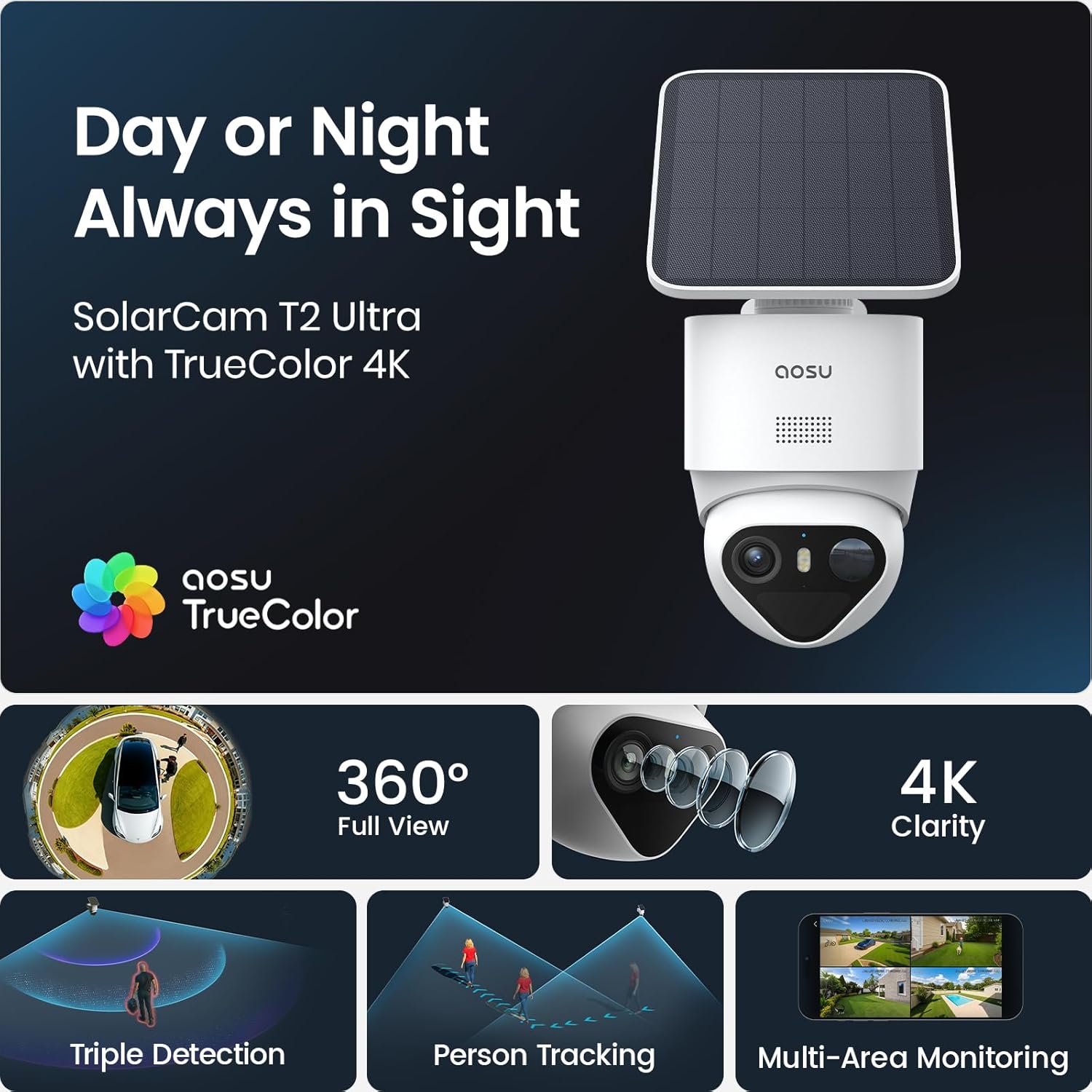
Image: AOSU T2 Ultra camera with solar panel, illustrating its 24/7 surveillance capability.
2. Што е вклучено
The AOSU T2 Ultra 4-Cam Kit includes the following components:
- 1 × AOSU SolarCam Max System 4-Cam Kit
- 1 × aosuCortex/Power Adapter/Ethernet
- 4 × Соларен панел
- 4 × Mounting Kit & Screw Packs
- 1 × Упатство за употреба
The system is designed for easy installation with all necessary hardware provided.
3. Поставување и инсталација
Follow these steps to set up and install your AOSU T2 Ultra 4-Cam Kit:
- Download the AOSU App: Download the "aosu" application from your device's App Store or Google Play.
- Креирај сметка: Open the app and create your user account by filling in the registration information.
- Додадете уреди: Click "Add devices" within the app.
- Скенирајте QR -код: Scan the QR code located on the camera to pair it with the app.
- Вклучување на камерата: Отворете го водоотпорниот приклучок на дното од камерата. Притиснете го и задржете го копчето за вклучување 5 секунди додека не слушнете „Здраво аосу“ и сината ламбичка не трепка.
- Reset Camera (if needed): Press and hold the RST button for 5 seconds until hearing a beep to reset the camera for pairing.
- Поврзете се на Wi-Fi: Select your 2.4GHz Wi-Fi network and enter the password. Wait for the camera to connect successfully.
- Изберете локација за инсталација: Select a location with strong Wi-Fi signal, 7-10 feet from the ground, and up to 30 feet from the motion detection zone. Ensure the solar panel has optimal sunlight exposure.
- Монтирање на соларни панели: Attach the positioning sticker for the solar panel, drill holes with a 16/64" (6mm) drill bit, insert anchors, and tighten screws. Connect the solar panel to its base.
- Монтирање камера: Attach the positioning sticker for the camera, drill holes, insert anchors, and secure the camera base with screws. Install the camera into the base.
- Connect Solar Panel to Camera: Plug the cord from the solar panel into the USB port of the camera.
За визуелен водич, погледнете го видеото за поставување подолу:
Video: Step-by-step guide on how to set up and install the AOSU SolarCam D1 Lite, demonstrating app connection and physical mounting.

Image: A woman easily installing an AOSU camera with a solar panel, highlighting the quick and easy DIY setup without messy wires or professional installers.
4. Работење со вашиот систем
The AOSU T2 Ultra system offers intuitive control via the AOSU app. Once connected, you can view live feeds, manage settings, and review снимени настани.
- Во живо View: Пристап до храна во реално времеtage from all connected cameras.
- Тава и навалување: Control the camera's 360-degree pan and tilt directly from the app.
- Двонасочен разговор: Комуницирајте со посетители или одвратете ги натрапниците користејќи го вградениот микрофон и звучник.
- Режими на ноќно гледање: Switch between black & white IR, full-color night vision (with spotlight activation), or turn night vision off.
- Откривање на движење: Customize sensitivity and detection zones to receive alerts only when necessary.

Image: A smartphone showing a multi-camera live view from the AOSU system, demonstrating simultaneous monitoring of different areas.
5. Клучни карактеристики
- 4K ноќно гледање во боја: The F/1.0 ultra-wide aperture and large 1/1.8'' starlight sensor capture full-color footage even in total darkness without a floodlight.
- 90-Day Local Storage: Store up to 90 days of footage with built-in 32GB memory, expandable to 16TB via an external drive, with no subscription fees.
- 360° Coverage + Auto Patrol: Pan 355° and tilt 90° for wide-area monitoring. Tap-to-view and app-based patrol functions allow instant angle checks. Supports up to 4 cameras for full property coverage.
- Triple Smart Detection: PIR, radar, and on-device AI accurately detect human activity, filtering out false alarms from trees, pets, or vehicles.
- Соларна енергија + енергија од батерии: Stay powered all year long with just 90 minutes of direct sunlight daily. The large-capacity battery ensures reliable operation during cloudy days, and the detachable solar panel allows optimal mounting.
- Multi-Camera Tracking: The system links clips from multiple cameras into one video for a complete event context, sending a single alert for comprehensive understanding.
- AI-Powered aosuCortex: Enjoy disguise detection, smart event tracking, and multi-camera live view for clearer event understanding.
- Optional AI Features: Customize surveillance with pay-as-you-go features via the aosu App, including Smart Search, Daily Security Reports, and Abnormal Behavior Analysis (subscription-based).

Image: A clear demonstration of AOSU's TrueColor Night Vision, showing vivid, natural colors in low-light conditions without a spotlight.

Image: The aosuCortex hub with an external hard drive, emphasizing the private and expandable local storage solution.
6. Спецификации
| Атрибут | Вредност |
|---|---|
| Тип на монтирање | Монтирање на ѕид |
| Резолуција за снимање видео | 2160p, 4k |
| Боја | Бело |
| Број на артикли | 4 |
| Технологија за безжична комуникација | Bluetooth, WiFi |
| Форма фактор | Купола |
| Viewинголен агол | 360 степени |
| Опсег на ноќно гледање | 32.8 стапки |
| Стапка на рамка | 15 кадри во секунда |
| Ниво на отпорност на вода | Водоотпорен |
| Батерии | 2 9V batteries required. (included) |
| Посебни карактеристики | 32G Local Recording, Face Recognition, True Color Vision in Darkness, aosuCortex AI With Behavior Detection |
| Препорачана употреба за производот | Обезбедување на отворено |
| Технологија за поврзување | Безжичен |
| Компатибилни уреди | Паметен телефон |
| Извор на енергија | Напојува со соларна енергија |
| Тип на контролер | Amazon Alexa, Apple HomeKit, Google Assistant |
7. Одржување
To ensure optimal performance and longevity of your AOSU T2 Ultra 4-Cam Kit, regular maintenance is recommended:
- Чисти леќи: Periodically wipe camera lenses with a soft, damp крпа за отстранување на прашина и остатоци.
- Проверете ги соларни панели: Ensure solar panels are free from obstructions (leaves, dirt) to maximize charging efficiency.
- Ажурирања на фирмверот: Keep your camera firmware updated through the AOSU app for the latest features and security enhancements.
- Здравје на батеријата: Monitor battery levels via the app and ensure consistent solar charging.
8 Смена на проблеми
If you encounter issues with your AOSU T2 Ultra 4-Cam Kit, consider the following troubleshooting steps:
- Нема конекција: Verify your Wi-Fi network is 2.4GHz and the password is correct. Ensure the camera is within Wi-Fi range.
- Лош квалитет на видеото: Check your Wi-Fi signal strength. Ensure camera lenses are clean and free from obstructions.
- Лажни аларми: Adjust motion detection sensitivity and detection zones in the AOSU app to minimize unwanted alerts.
- Батеријата не се полни: Ensure solar panels are receiving direct sunlight for at least 90 minutes daily and are free from obstructions.
- Проблеми со апликацијата: Ensure your AOSU app is updated to the latest version. Try restarting the app or your smartphone.
Ако проблемите продолжат, контактирајте со поддршката за корисници.
9. Гаранција и поддршка
The AOSU T2 Ultra 4-Cam Kit comes with a 1-годишна гаранција. For any questions or assistance, AOSU provides responsive customer support.
You can find support and additional resources through the AOSU app or by visiting the official AOSU webсајт.


