Вовед
This manual provides detailed instructions for setting up, operating, maintaining, and troubleshooting your GEEKOM GeekBook X14 Pro laptop. Please read this manual thoroughly before using your device to ensure proper functionality and longevity. Keep this manual for future reference.
Што има во кутијата
Upon unboxing your GEEKOM GeekBook X14 Pro, verify that all the following items are included:
- GEEKOM GeekBook X14 Pro Laptop
- GEEKOM GeekBook X14 Pro Premium Packaging
- 65W PD GaN Fast Charger
- Кабел USB-C на USB-C
- Докинг станица
- Упатство за употреба

Производот завршиview
The GEEKOM GeekBook X14 Pro is an ultra-light and thin laptop designed for professionals. It features a magnesium alloy unibody chassis, weighing only 999g and tapering to 6mm at its thinnest point.

Клучни карактеристики:
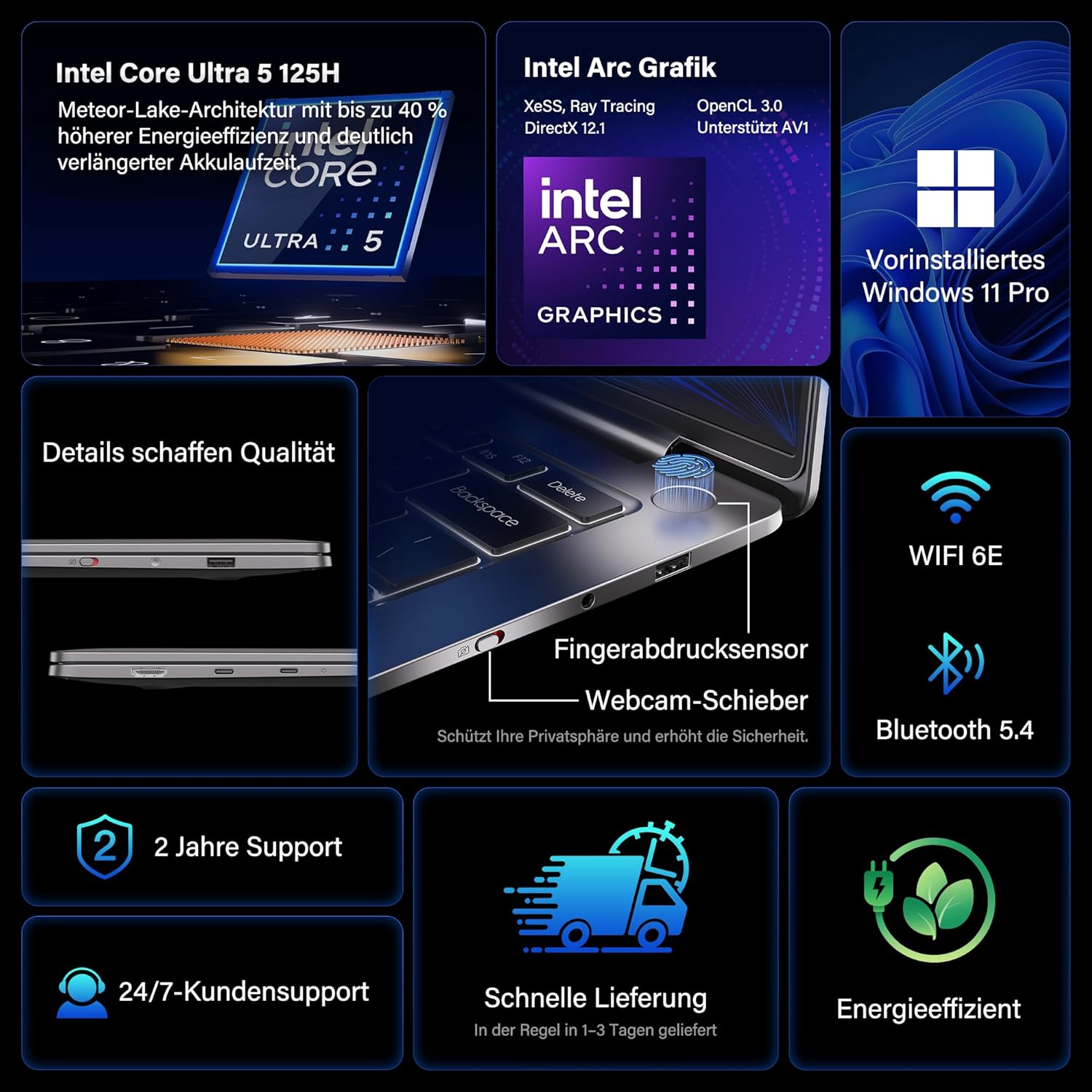
- Процесор: Intel Core Ultra 5 125H (14 cores, 18 threads, up to 4.5 GHz)
- Графика: Intel Arc Graphics with Xe-LPG architecture
- Прикажи: 14-inch 2.8K OLED (2880 x 1800) with 120Hz refresh rate, 100% DCI-P3, up to 450 nits brightness
- Меморија: 32GB LPDDR5x RAM (7500 MT/s)
- Складирање: 1TB PCIe 4.0 NVMe SSD
- Оперативен систем: Pre-installed Windows 11 Pro
- Поврзување: 2x USB4 (40 Gbps), 1x USB 3.2 Gen 1 Type-A (5 Gbps), HDMI 2.0, Wi-Fi 6E, Bluetooth 5.4
- Безбедност: Fingerprint sensor in power button, physical webcam slider
- Аудио: DTS:X Ултра Аудио
- Батерија: 72 Wh, up to 16 hours battery life, 65W USB-C fast charging
- Ладење: GEEKOM IceBlade 2.0 cooling system with adjustable fan profiles

Пристаништа и конектори:
- 2x USB4 (40 Gbps)
- 1x USB 3.2 Gen 1 Type-A (5 Gbps)
- 1x HDMI 2.0
- 1 x 3.5 мм аудио приклучок
- Power Input (via USB-C)

Поставување
1. Првично вклучување и полнење
- Connect the 65W PD GaN Fast Charger to a power outlet and then to one of the USB-C ports on your laptop.
- Оставете го лаптопот да се полни најмалку 30 минути пред првата употреба или додека индикаторот за батеријата не покаже доволно полнење.
- Press the power button (integrated with the fingerprint sensor) to turn on the laptop.
2. Поставување на Windows 11 Pro
Follow the on-screen prompts to complete the initial Windows 11 Pro setup. This includes:
- Избирање на вашиот регион и распоред на тастатурата.
- Поврзување со Wi-Fi мрежа.
- Најавување со сметка на Microsoft или креирање локална сметка.
- Поставување поставки за приватност.
3. Поставување на сензор за отпечатоци од прсти
For enhanced security and quick login, set up the fingerprint sensor:
- Одете на Поставки > Сметки > Опции за најавување.
- Under "Ways to sign in," select Препознавање отпечаток од прст (Windows Hello) и следете ги упатствата за да ги регистрирате вашите отпечатоци од прсти.
Упатства за работа
Карактеристики на прикажување
The 14-inch 2.8K OLED display offers vibrant colors and sharp details. With a 120Hz refresh rate, scrolling and animations are smooth. The display covers 100% DCI-P3 color gamut and reaches up to 450 nits brightness, ensuring clear visibility in various lighting conditions.

Изведба
Equipped with an Intel Core Ultra 5 125H processor, 32GB LPDDR5x RAM, and a 1TB PCIe 4.0 NVMe SSD, the GeekBook X14 Pro delivers efficient performance for demanding tasks, quick application launches, and seamless multitasking.

Поврзување
The laptop supports Wi-Fi 6E for fast and stable wireless internet connections and Bluetooth 5.4 for connecting peripherals. The two USB4 ports offer high-speed data transfer (40 Gbps) and support up to three 4K external displays simultaneously via the included mini docking station or direct connection.
Аудио
Experience clear and spatial audio with DTS:X Ultra technology, enhancing your video calls, movies, and music playback.
Cooling System (GEEKOM IceBlade 2.0)
The GEEKOM IceBlade 2.0 cooling system ensures optimal performance even under sustained load. It features a quiet fan and a dual-heatpipe design to efficiently dissipate heat. You can switch between three intelligent fan profiles (Silent, Standard, Performance) by pressing Fn + P to balance noise and cooling efficiency.

Батерија и полнење
The 72 Wh battery provides up to 16 hours of usage. The included 65W USB-C PD GaN fast charger can charge the battery up to 80% in approximately one hour, allowing for quick power-ups on the go.

Webcam Privacy Slider
For enhanced privacy, the laptop includes a physical slider to cover the webкамера кога не се користи.
Одржување
Чистење
- Користете мека крпа што не остава влакненца за чистење на екранот и куќиштето.
- За тврдокорни дамки, лесно протријтеampИзмијте ја крпата со вода или раствор за чистење безбеден за екрани.
- Избегнувајте употреба на груби хемикалии, абразивни материјали или прекумерна влага.
- Пред чистење, проверете дали лаптопот е исклучен од струја и изваден од струја.
Софтверски ажурирања
Regularly check for and install Windows updates and driver updates to ensure optimal performance, security, and compatibility. You can check for Windows updates via Поставки > Windows Update.
Решавање проблеми
Laptop Does Not Power On
- Ensure the charger is securely connected to both the laptop and a working power outlet.
- Allow the laptop to charge for at least 30 minutes.
- Try a different power outlet or USB-C port if available.
Прикажи прашања
- If the screen is black, ensure the laptop is powered on and not in sleep mode. Press any key or the power button briefly.
- Check display settings in Windows if external monitors are not detected or showing incorrect resolution.
Бавни перформанси
- Затворете ги непотребните апликации што работат во позадина.
- Осигурајте се дека Windows и драјверите се ажурирани.
- Check for sufficient free storage space on the SSD.
- Monitor CPU/RAM usage in Task Manager to identify resource-intensive processes.
Проблеми со поврзување
- Wi-Fi: Restart your router and the laptop. Ensure Wi-Fi is enabled in Windows settings.
- Bluetooth: Ensure Bluetooth is enabled and devices are in pairing mode. Remove and re-pair devices if issues persist.
- USB/HDMI: Ensure cables are securely connected. Test with different cables or ports if possible.
За понатамошна помош, погледнете го делот за Гаранција и поддршка.
Спецификации
| Карактеристика | Детал |
|---|---|
| Бренд | GEEKOM |
| Име на моделот | GeekBook X14 Pro |
| Број на модел | NX14CM |
| Боја | Титаниум сива боја |
| Форма фактор | Ultra-portable and Ultra-light Notebook |
| Големина на екранот | 14 инчи |
| Резолуција на екранот | 2.8K (2880 x 1800 pixels, 16:10) |
| Тип на процесор | Intel Core Ultra 5 125H |
| Брзина на процесорот | До 4.5 GHz |
| Големина на RAM меморија | 32 GB |
| RAM технологија | LPDDR5x |
| Брзина на мемориски часовник | 7500 MHz |
| Големина на хард дискот | 1 ТБ |
| Тип на хард диск | SSD (PCIe x4) |
| Графички копроцесор | Intel Arc Graphics |
| Безжичен тип | 802.11ax (Wi-Fi 6E), Bluetooth 5.4 |
| USB порти | 2x USB4, 1x USB 3.2 Gen 1 Type-A |
| HDMI порти | 1 (HDMI 2.0) |
| Оперативен систем | Windows 11 Pro |
| Просечен век на траење на батеријата | Up to 16 Hours (72 Wh) |
| Тежина на ставката | 999g (Laptop only) |
| Посебни карактеристики | Fingerprint sensor, Webcam privacy slider, DTS:X Ultra Audio, GEEKOM IceBlade 2.0 cooling, Mini docking station included |
Гаранција и поддршка
The GEEKOM GeekBook X14 Pro comes with a 2 година гаранција. GEEKOM provides 24/7 корисничка поддршка for any technical assistance or inquiries you may have.
За поддршка, посетете ја официјалната страница на GEEKOM webстраницата или директно контактирајте ја нивната служба за корисници. Чувајте ја сметката за купување и серискиот број на производот при рака кога контактирате со поддршката.
The product undergoes extensive reliability testing, including thermal shock, vibration, humidity, and impact tests, to ensure durability and high quality.


