1. Вовед
The ATTACK SHARK G800 is a versatile wireless RGB gaming headset designed for an immersive audio experience across multiple platforms. It features tri-mode connectivity (2.4Ghz wireless, Bluetooth, and wired), 7.1 virtual surround sound, 50mm drivers, and a detachable AI noise-canceling microphone. This manual provides instructions for setup, operation, and maintenance to ensure optimal performance.
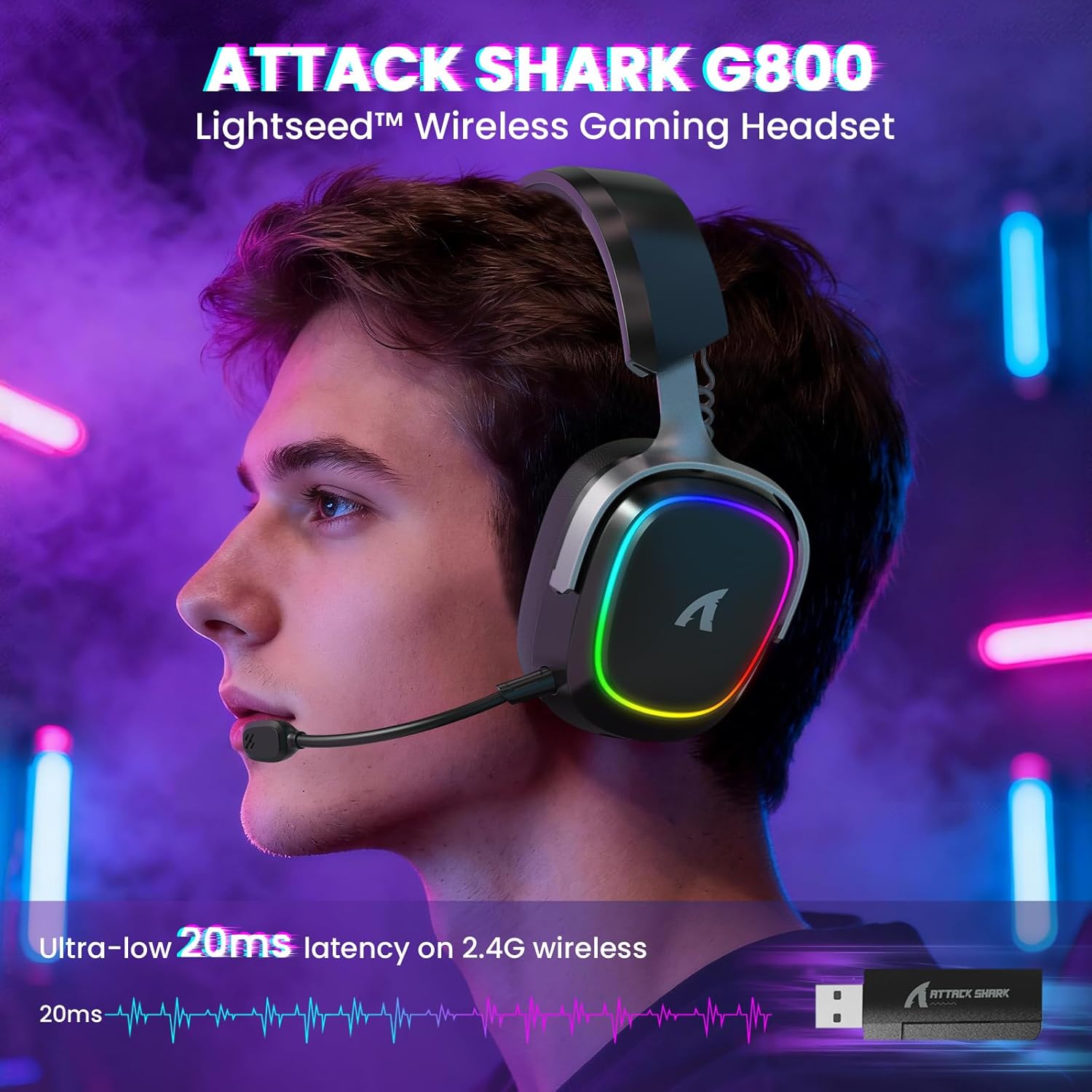
Image: The G800 headset in use, highlighting its RGB lighting and comfortable fit.
2. Што има во кутијата
- ATTACK SHARK G800 Wireless RGB Gaming Headset
- Detachable AI Noise-Canceling Microphone
- 2.4Ghz Wireless USB-A + Type-C Dual-Head Receiver
- Кабел за полнење USB-A до USB-C
- USB-C до USB-C аудио кабел
- Упатство за употреба (овој документ)
3. Производот завршиviewКонтроли и порти
Familiarize yourself with the various controls and ports on your G800 headset for seamless operation.
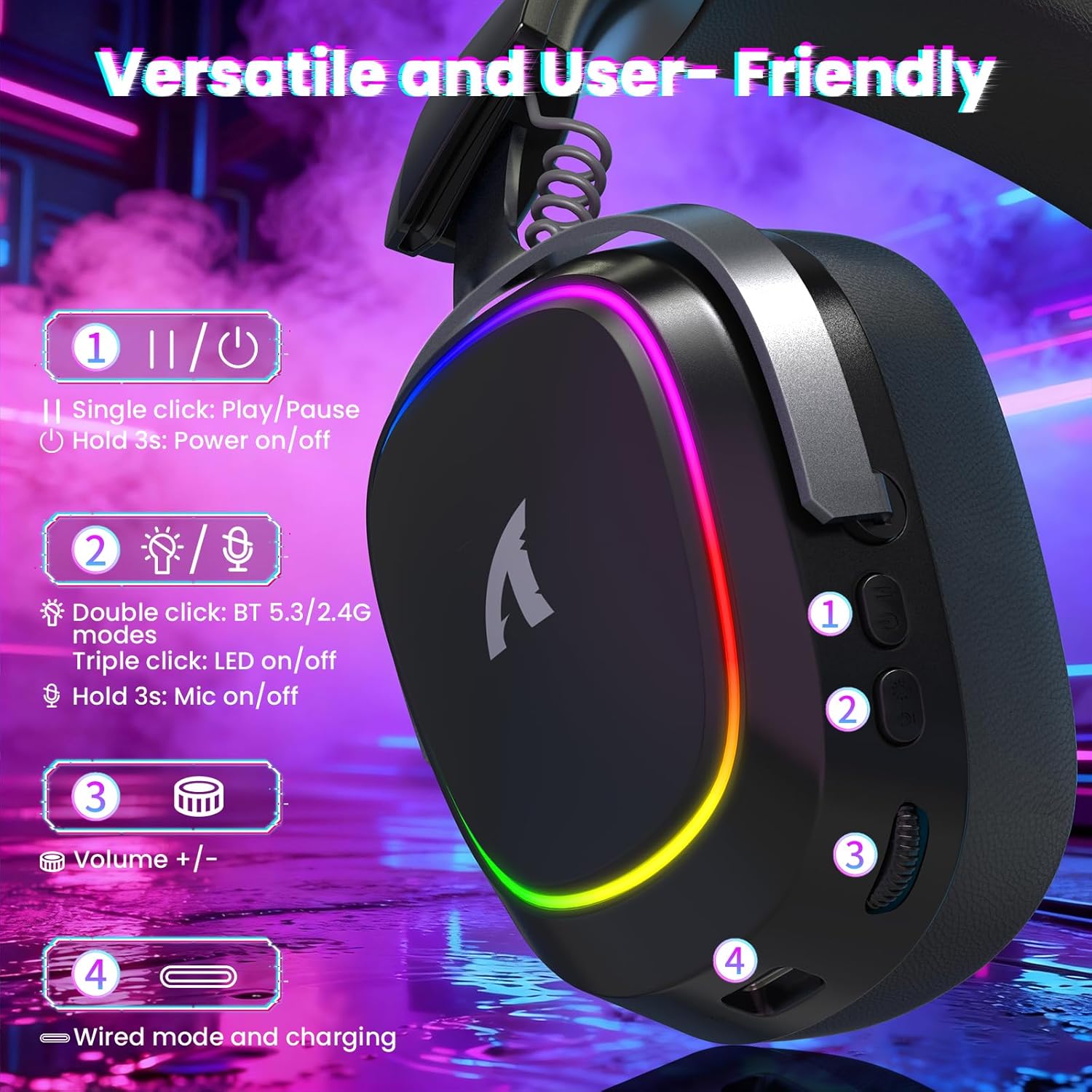
Слика: Детална view of the headset's left earcup with numbered controls and their functions.
- Play/Pause & Power Button: Single click for play/pause. Hold for 3 seconds to power on/off.
- Mode Switch & LED/Mic Control: Double click to switch between Bluetooth (BT 5.3) and 2.4Ghz wireless modes. Triple click to toggle RGB LED on/off. Hold for 3 seconds to toggle microphone on/off.
- Волуменско тркало: Rotate to adjust audio volume up or down.
- Wired Mode & Charging Port: USB-C port for wired connection and charging.
- Jackек за микрофон: Порт за поврзување на одвојлив микрофон.
4. Поставување и поврзување
The G800 headset offers three connection methods: 2.4Ghz wireless, Bluetooth, and wired.
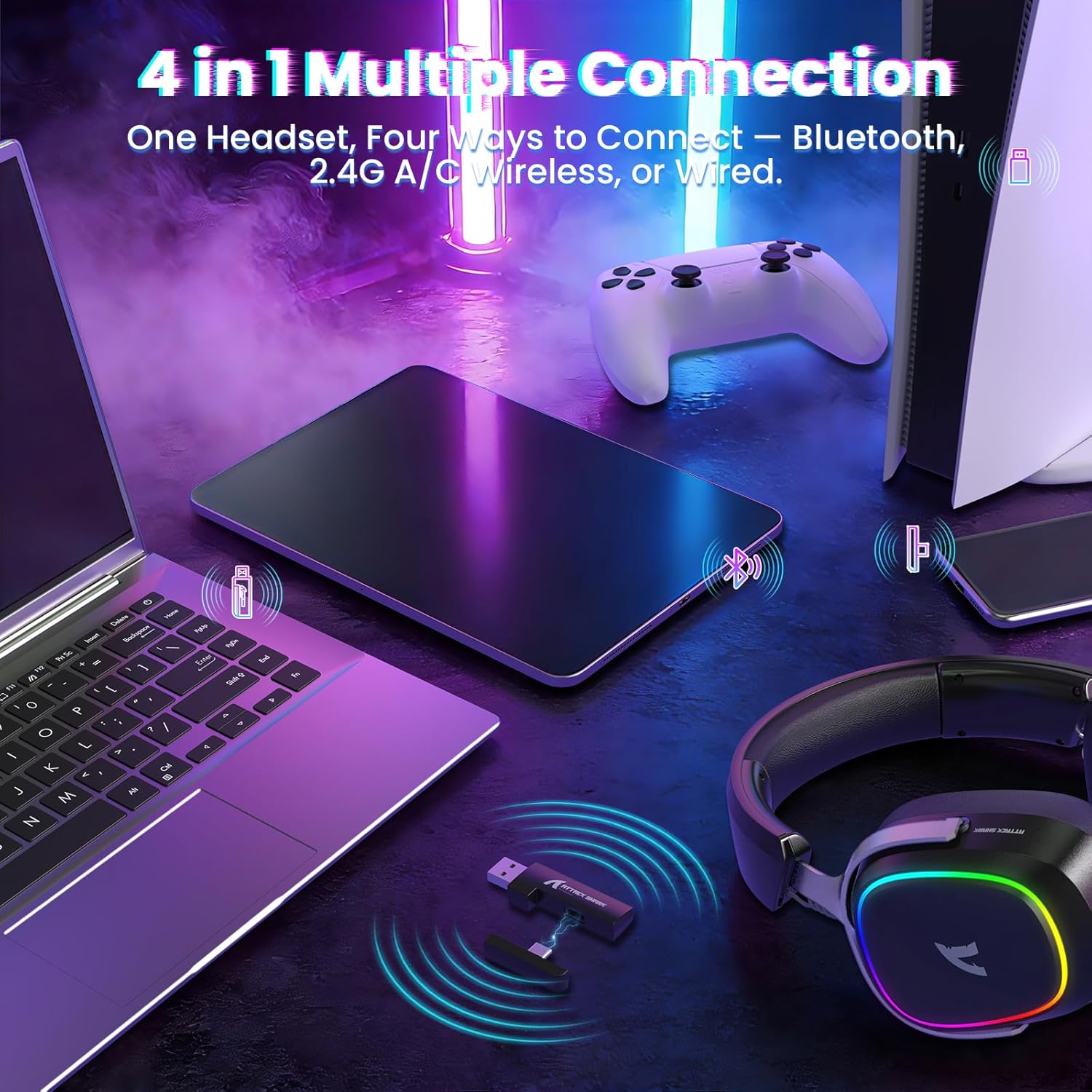
Image: The headset demonstrating its multi-platform connectivity options.
4.1. Безжична конекција од 2.4 GHz
- Insert the 2.4Ghz USB-A or Type-C dual-head receiver into an available USB port on your PC, laptop, or PS5.
- Power on the G800 headset by holding the Power Button (1) for 3 seconds.
- Double click the Mode Switch (2) until the headset indicates 2.4Ghz mode (usually via an LED indicator or voice prompt).
- The headset should automatically connect to the receiver. If not, ensure the receiver is properly inserted and the headset is in 2.4Ghz mode.
4.2. Поврзување со Bluetooth
- Power on the G800 headset by holding the Power Button (1) for 3 seconds.
- Double click the Mode Switch (2) until the headset indicates Bluetooth mode (usually via an LED indicator or voice prompt). The headset will enter pairing mode.
- On your device (e.g., mobile phone, tablet, PC), go to Bluetooth settings and search for available devices.
- Select "ATTACK SHARK G800" from the list to pair.
4.3. Жична врска
- Connect one end of the USB-C audio cable to the Wired Mode & Charging Port (4) on the headset.
- Connect the other end of the USB-C audio cable to your device's compatible port.
- Слушалките автоматски ќе се префрлат во жичен режим.
4.4. Полнење на слушалките
The G800 headset is equipped with a 1000mAh battery for extended use.

Image: Visual representation of the headset's 1000mAh battery capacity.
- Connect the USB-A to USB-C charging cable to the Wired Mode & Charging Port (4) on the headset and to a USB power source (e.g., computer USB port, wall adapter).
- LED индикаторот на слушалките ќе го покаже статусот на полнење.
- The headset includes charging over-voltage protection for safety.
- An auto-shutdown function activates after 5 minutes of inactivity to conserve power.
5. Упатства за работа
5.1. Аудио искуство
The G800 features 50mm large-aperture biological diaphragm drivers and virtual 7.1 surround sound for an immersive audio experience.

Image: The 50mm audio drivers, responsible for high-fidelity sound.

Image: Demonstrating the 7.1 surround sound capability for precise audio positioning.
5.2. Употреба на микрофон
The detachable 360° AI Noise-Canceling Microphone ensures clear voice communication by filtering out background noise.
- Insert the detachable microphone into the dedicated microphone jack on the headset.
- Hold the Mode Switch (2) for 3 seconds to toggle the microphone on or off.
5.3. RGB контрола на осветлувањето
The headset features customizable RGB lighting.
- Triple click the Mode Switch (2) to toggle the RGB LED lighting on or off.
5.4. Прилагодување на софтверот
Enhance your audio experience with the dedicated driver software.
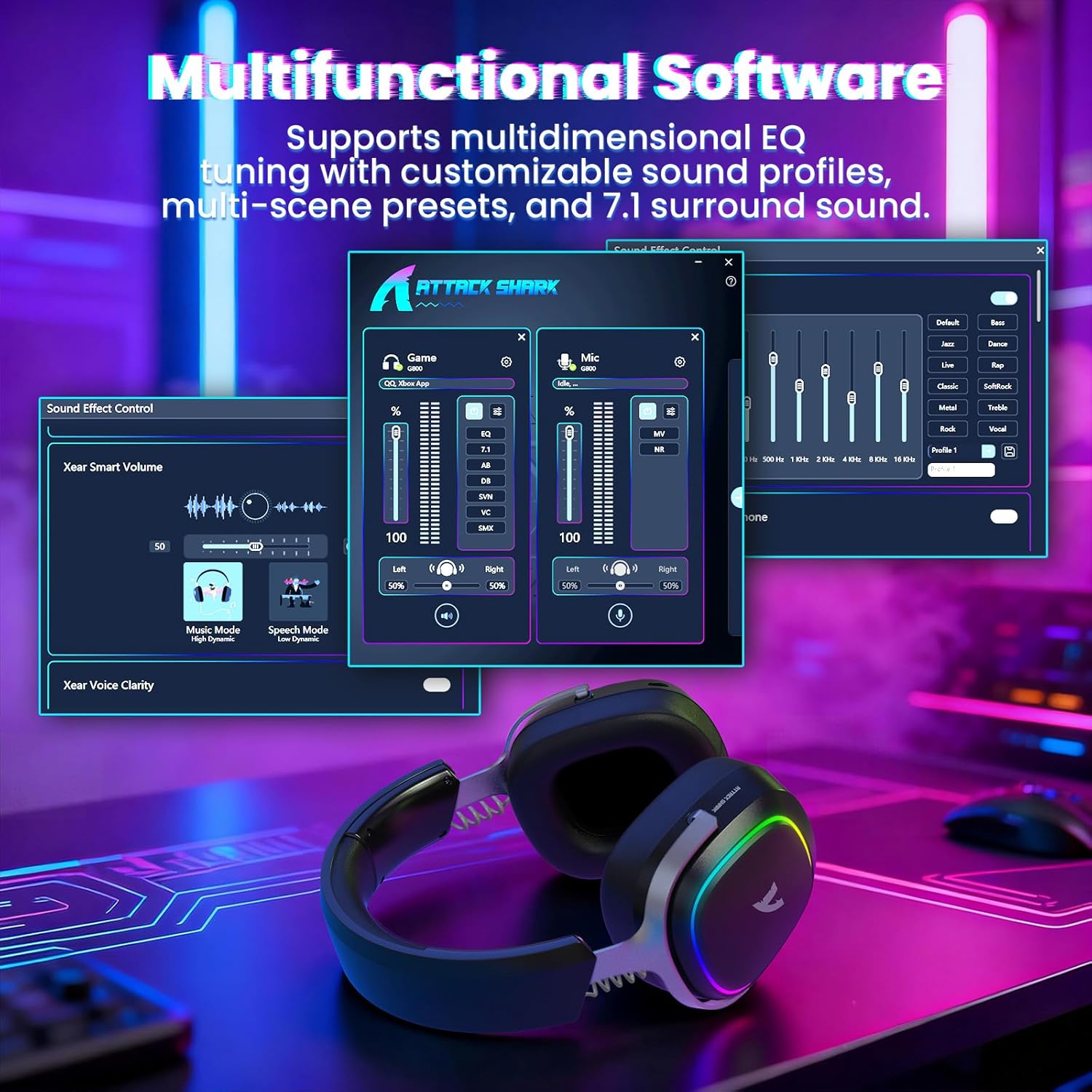
Image: The software interface for customizing audio settings.
- Download the official ATTACK SHARK G800 driver software from the manufacturer's webсајт.
- The software allows you to create custom EQ sound profiles and fine-tune 7.1 surround sound settings to match your preferences and game types.
6. Одржување
Proper maintenance ensures the longevity and performance of your G800 headset.
- Чистење: Use a soft, dry cloth to clean the headset. Avoid liquid cleaners or abrasive materials.
- Складирање: Чувајте ги слушалките на ладно и суво место, подалеку од директна сончева светлина и екстремни температури.
- Ушни влошки: The ear cushions are replaceable. Refer to the manufacturer's website for replacement parts and instructions.

Image: Components of the headset, including replaceable ear cushions.
7 Смена на проблеми
- Нема звук:
- Проверете ги нивоата на јачина на звук и на слушалките и на поврзаниот уред.
- Ensure the correct audio output device is selected in your device's sound settings.
- Verify the headset is properly connected (2.4Ghz receiver, Bluetooth paired, or wired cable).
- Reboot the headset and your device.
- Микрофонот не работи:
- Осигурајте се дека микрофонот е безбедно прикачен на слушалките.
- Check if the microphone is muted (hold Mode Switch (2) for 3 seconds to toggle).
- Проверете дали е избран точниот влезен уред за микрофон во поставките за звук на вашиот уред.
- Test the microphone on another device if possible.
- Проблеми со поврзувањето:
- For 2.4Ghz, ensure the receiver is fully inserted and the headset is in 2.4Ghz mode.
- For Bluetooth, ensure the headset is in pairing mode and within range of your device. Try unpairing and re-pairing.
- For wired, ensure the cable is securely connected to both the headset and your device.
- Avoid sources of interference (e.g., other wireless devices, microwaves).
- RGB светлата не работат:
- Triple click the Mode Switch (2) to toggle the RGB LED on/off.
- Ensure the headset has sufficient battery charge.
8. Спецификации
| Карактеристика | Спецификација |
|---|---|
| Име на моделот | G800 |
| Технологија за поврзување | Wired, Bluetooth (BT 5.3), 2.4Ghz Wireless |
| Тип на драјвер за аудио | Динамички драјвер (50 мм) |
| Сараунд звук | Virtual 7.1 Spatial Audio |
| Микрофон | Detachable 360° AI Noise-Canceling |
| Wireless Latency (2.4Ghz) | 20ms (Lightseed Wireless Technology) |
| Wireless Range (2.4Ghz) | До 10м / 32.8 стапки |
| Опсег на Bluetooth | До 30м / 98.4 стапки |
| Капацитет на батеријата | 1000 mAh |
| Поставување на увото | Над уво |
| Материјал | Aluminum Alloy, Protein Leather, Memory Foam |
| Тежина | 1.1 фунти (приближно) |
| Компатибилни уреди | PC, Laptops, PS5, Mobile Devices |
9. Информации за безбедност
- Избегнувајте продолжено слушање со голема јачина на звук за да спречите оштетување на слухот.
- Do not expose the headset to extreme temperatures, humidity, or liquids.
- Да се чува подалеку од дофат на деца.
- Не обидувајте се да ги расклопите или модифицирате слушалките. Ова ќе ја поништи гаранцијата.
- Отстранете го производот одговорно во согласност со локалните прописи.
10. Официјално видео за производот
Видео: Официјална видео презентација на производотasing the ATTACK SHARK G800 Wireless Tri Mode RGB Gaming Headset's features and design. This video is provided by the seller, UrWorthLtd US.
11. Гаранција и поддршка
For warranty information, technical support, or customer service, please refer to the documentation included with your purchase or visit the official ATTACK SHARK webстраница. Зачувајте го доказот за купување за гаранциски побарувања.