1. Вовед
Thank you for choosing the SANSCO M8-NEW Wireless Solar Security Camera. This manual provides essential information for the proper installation, operation, and maintenance of your security camera system. Please read this manual thoroughly before use and retain it for future reference.
The SANSCO M8-NEW is a 4MP outdoor WiFi camera featuring solar power, color night vision, PIR human detection, and two-way audio communication. It supports both 2.4GHz and 5GHz Wi-Fi networks for flexible connectivity.
2. Содржина на пакетот
Please check the package contents upon receipt. If any items are missing or damaged, contact SANSCO customer support.
- SANSCO M8-NEW Wireless Solar Security Camera
- Соларен панел
- Држач за монтирање и завртки
- USB кабел за полнење
- Упатство за употреба
3. Производот завршиview
Familiarize yourself with the components of your SANSCO M8-NEW camera.
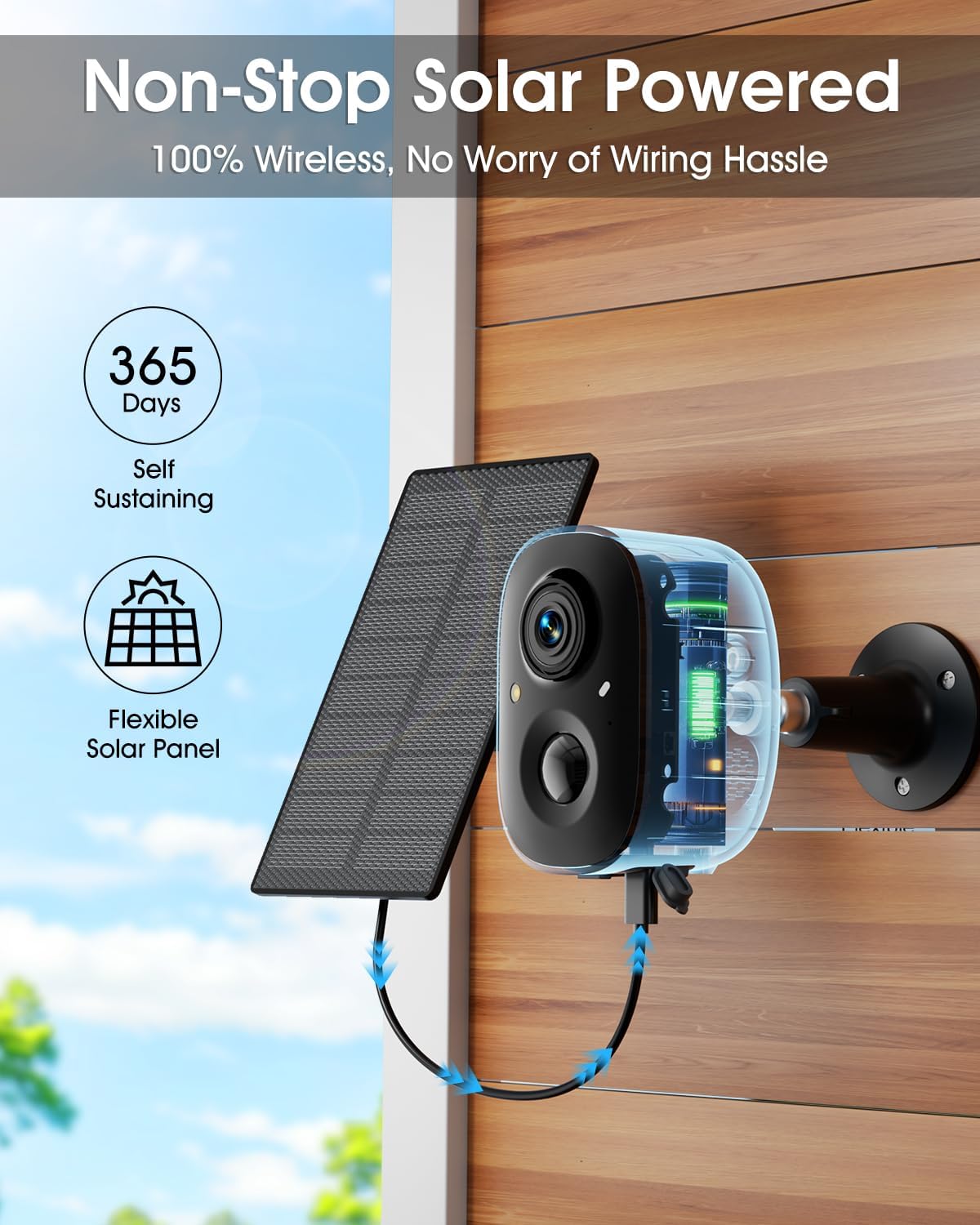
Image: SANSCO M8-NEW Wireless Solar Security Camera with its accompanying solar panel.
Клучни карактеристики:
- 4MP HD Video: Captures clear 2560x1440 resolution footage.
- 100% Wireless & Solar-Powered: Operates without power cords, utilizing a built-in rechargeable battery and solar panel.
- Ноќно гледање во боја: Provides vivid color images even in low-light conditions.
- PIR детекција на луѓе: Advanced algorithms detect human movement, reducing false alarms.
- Двонасочно аудио: Вграден микрофон и звучник за комуникација во реално време.
- Wi-Fi со двоен опсег: Supports both 2.4 GHz and 5 GHz Wi-Fi for stable connectivity.
- IP66 Водоотпорност: Дизајниран да издржи различни надворешни временски услови.
- Флексибилно складирање: Supports local SD card (up to 128GB) and optional cloud storage.
4. Водич за поставување
4.1 Почетно полнење
Before initial use, fully charge the camera's built-in battery using the provided USB cable and a standard 5V/2A USB power adapter (not included). A full charge ensures optimal performance, especially before solar charging takes over.
4.2 Инсталација на апликација
Преземете го EseeCloud app from the App Store (iOS 9+) or Google Play Store (Android 5+). Follow the on-screen instructions to create an account and log in.
4.3 Монтирање на камерата и соларниот панел
Proper placement is crucial for effective monitoring and continuous solar charging.

Image: The SANSCO M8-NEW camera and its solar panel are mounted on an exterior wall, illustrating the wireless and solar-powered setup.
- Optimal Solar Panel Location: Position the solar panel facing direct sunlight for at least 3 hours daily. It should be within a 6.6-ft (2m) radius of the camera.
- Camera Mounting Height: Install the camera at a height of 8-10 ft (2.5-3m) for optimal detection range.
- Растојание за откривање: The camera can detect motion up to 30 ft (9m).
- Avoid Direct Facing: Do not install the camera directly facing the monitoring area. Instead, maintain an angle to avoid potential blind spots and improve detection accuracy.

Image: A diagram illustrating the recommended mounting height (8-10ft) and detection distance (up to 30ft) for the camera, emphasizing an angled installation to avoid blind spots.
4.4 мрежно поврзување
The camera and monitor are pre-paired for local plug-and-play operation. For remote access and app features, connect the monitor to your router via Ethernet cable or Wi-Fi (2.4GHz/5GHz).

Image: A four-step visual guide showing the setup process: 1. Powering the WiFi Camera, 2. Powering the NVR Monitor, 3. Connecting the Monitor to a Router (via Ethernet or 2.4G/5G WiFi), and 4. Downloading the EseeCloud app.
5. Упатства за работа
5.1 Во живо View и мониторинг со повеќе камери
Access the EseeCloud app or the NVR monitor to view живеј фаоtage from your camera. The system supports viewing up to 4 areas simultaneously on one screen, eliminating potential blind spots.
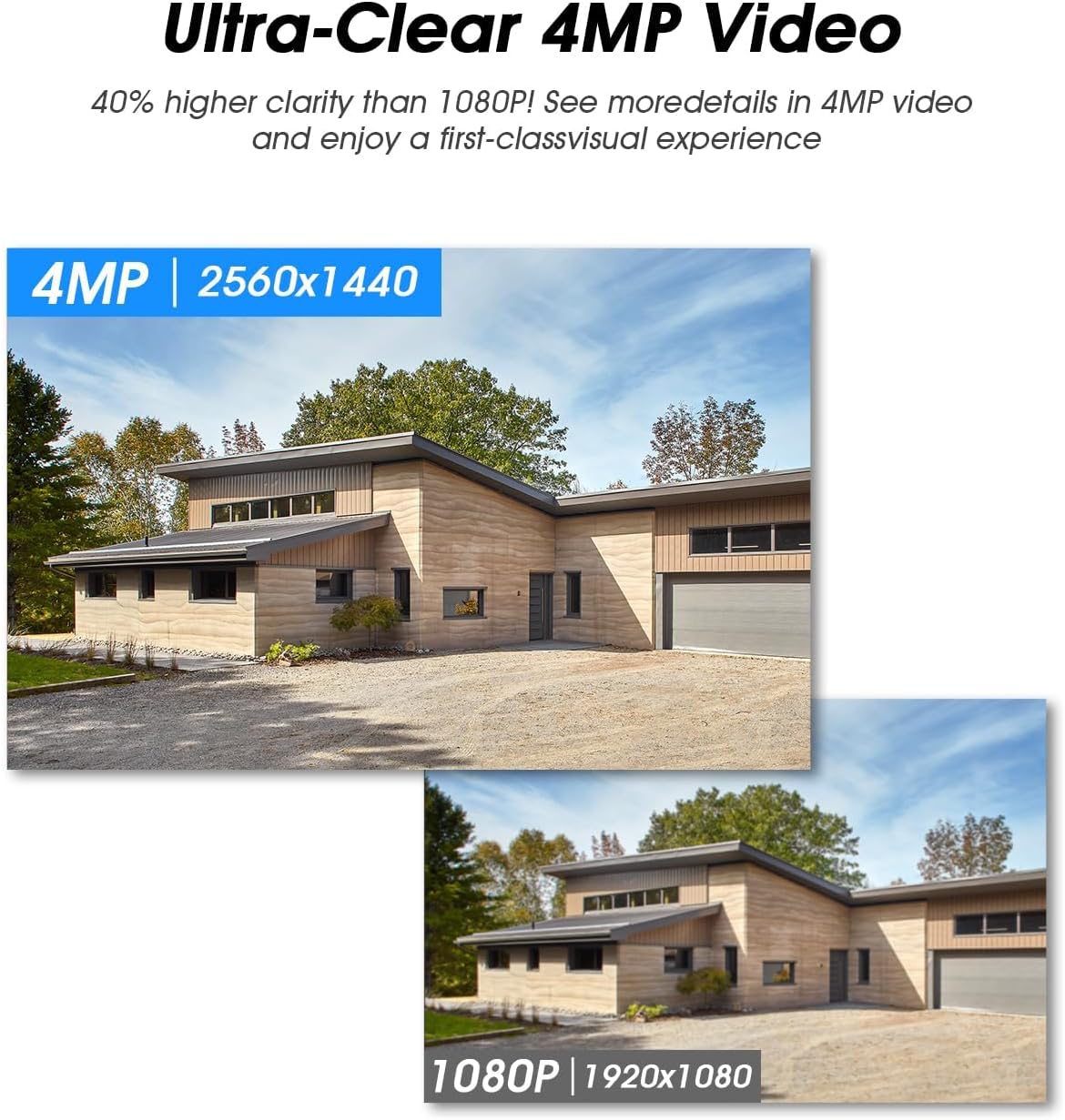
Image: A smartphone screen displaying a grid of four live camera feeds, demonstrating the multi-camera monitoring capability.
5.2 Smart PIR Human Detection & Alerts
The camera's PIR sensor detects heat changes from human movement within a 5-8 meter range and 100° detection angle. When human motion is detected, the camera can trigger a spotlight, siren, and send instant push notifications to your EseeCloud app.

Image: A security camera detecting an individual at night, activating a spotlight and siren, while a smartphone displays an instant motion detection alert from the EseeCloud app.
5.3 Двонасочно аудио
Use the built-in microphone and speaker via the EseeCloud app to communicate with individuals near the camera. This feature allows you to greet visitors or deter unwanted guests.

Image: Two children in a yard, with speech bubbles indicating a conversation with someone through the camera, demonstrating the two-way audio function.
5.4 4MP HD Video & Color Night Vision
The camera records in 2560x1440 resolution, providing 40% higher clarity than 1080P. In low-light conditions, the camera automatically switches to color night vision mode, offering clear and vibrant images.

Image: A comparison showing the camera's full color night vision providing vivid, detailed images at night versus a standard infrared night vision view.
5.5 Снимање и складирање
The camera supports both local storage via an SD card (up to 128GB) and optional cloud storage. You can configure the camera for 24/7 continuous recording or motion-detection-triggered recording to optimize storage space.
5.6 Заштита на приватноста
Customize blocking areas within the camera's field of view to protect sensitive or private spaces from being recorded.

Image: A visual representation of a customizable blocking area (red striped zone) within the camera's view, allowing users to protect personal space and privacy.
5.7 Интеграција на гласовна контрола
The SANSCO M8-NEW camera is compatible with Amazon Alexa, allowing you to manage your security system using voice commands.

Image: A woman interacting with an Amazon Alexa smart speaker, with a speech bubble indicating a command like "Hey Alexa, show me the courtyard," demonstrating voice control compatibility.
6. Одржување
6.1 Чистење
Редовно чистете го објективот на камерата и соларниот панел со мека, дamp крпа за да се обезбеди јасен квалитет на сликата и ефикасно полнење со сончева светлина. Избегнувајте употреба на груби хемикалии или абразивни материјали.
6.2 Грижа за батерии
The camera's built-in rechargeable battery is designed for long-term use with solar power. Ensure the solar panel receives adequate direct sunlight to maintain battery charge. In prolonged periods of low sunlight, you may need to manually charge the camera via USB.
6.3 Отпорност на временски услови
The camera is IP66 weatherproof, designed to operate reliably in temperatures ranging from -10°C to 45°C (14°F to 113°F) and withstand rain, snow, and sun.

Image: The SANSCO M8-NEW camera and its solar panel mounted on an exterior wall during rainy weather, highlighting its IP66 waterproof rating and operational temperature range.
7 Смена на проблеми
- Камерата не се вклучува: Ensure the battery is charged. Connect the camera to a USB power source for initial charging. Verify the solar panel is connected and receiving direct sunlight.
- Нема видео довод: Check Wi-Fi connectivity for both the camera and the NVR monitor. Ensure the camera is within range of your Wi-Fi router. Restart the camera and NVR monitor.
- Лош квалитет на сликата: Исчистете го објективот на камерата. Уверете се дека нема пречки во полето на камерата. view. Check your network bandwidth.
- Предупредувања за лажно движење: Adjust the PIR detection sensitivity in the EseeCloud app. Configure privacy zones to exclude areas with frequent non-human movement (e.g., trees, busy roads).
- Двонасочниот аудио сигнал не работи: Check microphone and speaker settings in the EseeCloud app. Ensure your mobile device's volume is up.
- Соларниот панел не се полни: Ensure the solar panel is positioned to receive maximum direct sunlight. Clean any dirt or debris from the panel surface.
8. Спецификации
| Карактеристика | Спецификација |
|---|---|
| Име на моделот | M8-NEW |
| Резолуција за снимање видео | 2K (2560x1440) |
| Технологија за поврзување | Wireless (2.4GHz & 5GHz Wi-Fi) |
| Извор на енергија | Solar Powered, Battery (3.7V Nonstandard Battery included) |
| Специјална карактеристика | Human Detection, Color Night Vision, Two-Way Audio |
| Внатрешна/надворешна употреба | Затворен, Надворешен |
| Тип на монтирање | Монтирање на ѕид |
| Тип на контролер | Амазон Алекса |
| Опции за складирање | SD Card (max 128GB), Cloud Storage |
| Работна температура | -10°C до 45°C (14°F до 113°F) |
| Оценка за отпорност на атмосферски влијанија | IP66 |
| Димензии на производот | 0.1 x 0.1 x 0.1 инчи |
| Тежина на ставката | 0.16 унци |
9. Гаранција и поддршка
SANSCO products come with a standard manufacturer's warranty. For specific warranty details, please refer to the warranty card included with your product or visit the official SANSCO website. If you encounter any issues or have questions regarding your SANSCO M8-NEW camera, please contact SANSCO customer support for assistance.
Поддршка за корисници: Please refer to the contact information provided on the SANSCO official website or within the EseeCloud app for technical support and service inquiries.


