Вовед
The aosu T2 Pro Solar Security Camera is a wireless outdoor surveillance device designed to provide comprehensive home security. Featuring a unique dual-lens system, it combines a 170° fixed wide-angle lens with a 360° Pan-Tilt-Zoom (PTZ) camera to eliminate blind spots. Equipped with 3K resolution, AI-powered human and vehicle tracking, full-color night vision, and solar charging capabilities, this camera offers reliable and efficient monitoring. This manual provides essential information for setting up, operating, and maintaining your aosu T2 Pro camera.
Содржина на пакетот
Пред да продолжите со инсталацијата, проверете дали сите елементи се присутни:
- aosu T2 Pro Solar Security Camera
- Држач за монтирање
- Кабел за полнење
- Штрафови за проширување
- Налепници за позиционирање
Производот завршиview
The aosu T2 Pro integrates advanced features for superior surveillance:
- Dual Camera Technology: Combines a 170° wide-angle fixed lens with a 360° PTZ lens for complete coverage without blind spots.
- 3K резолуција: Both lenses capture ultra-clear 3K video, supporting up to 8x digital zoom for detailed viewинг.
- Ноќно гледање во боја во целост: Enhanced IR-assisted full color night vision ensures clear evidence day and night.
- AI Human & Vehicle Tracking: On-device AI detects people and vehicles, automatically tracking movement with the PTZ camera.
- Двонасочен разговор и сирена: Communicate with visitors or deter intruders using two-way audio, lights, and siren.
- Напојува со соларна енергија: A high-efficiency solar panel and 9,200mAh battery provide year-round power.
- IP65 отпорност на временски услови: Built to withstand sun, rain, heat, and snow for reliable outdoor performance.
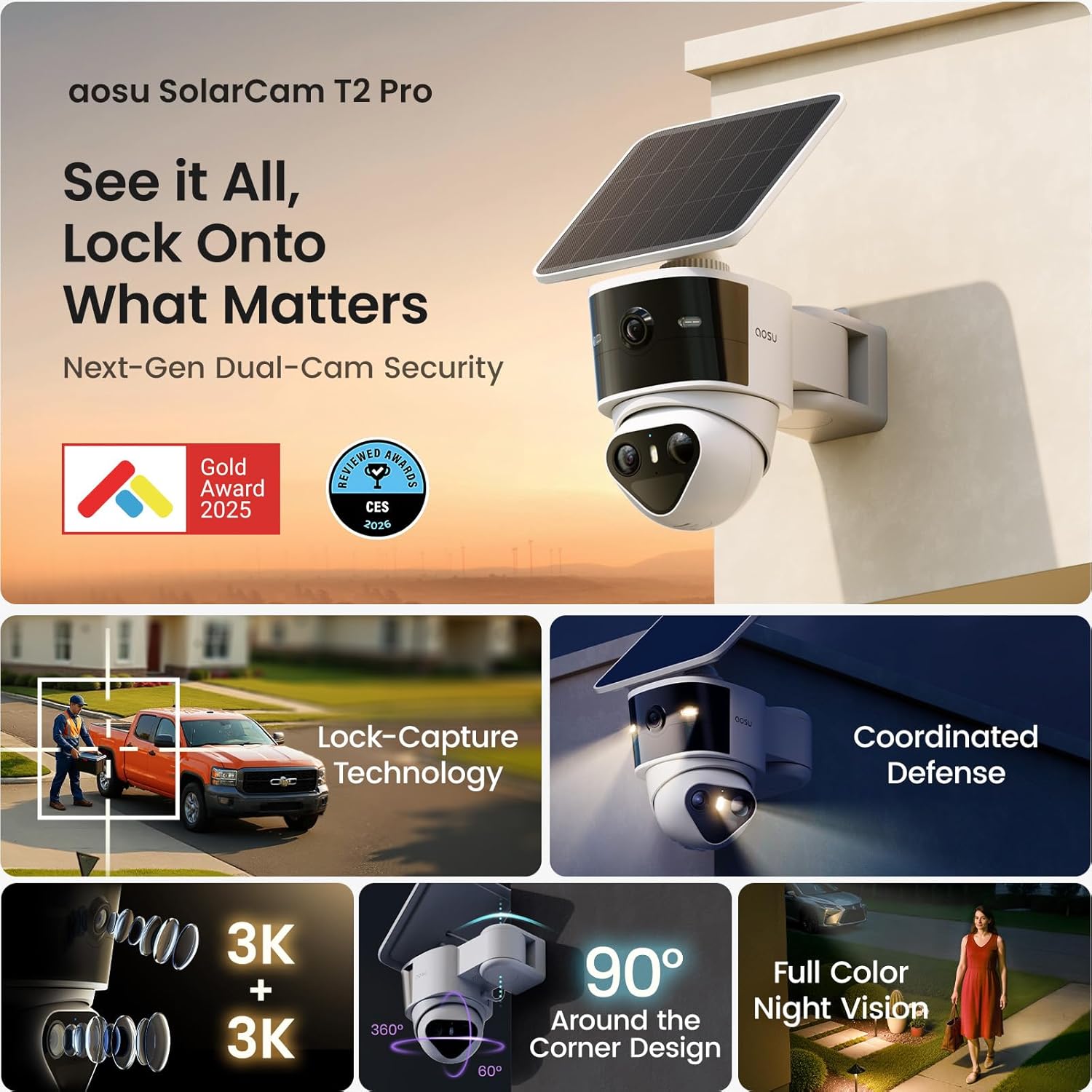
Image: The aosu T2 Pro camera featuring its dual lenses and integrated solar panel for continuous power.
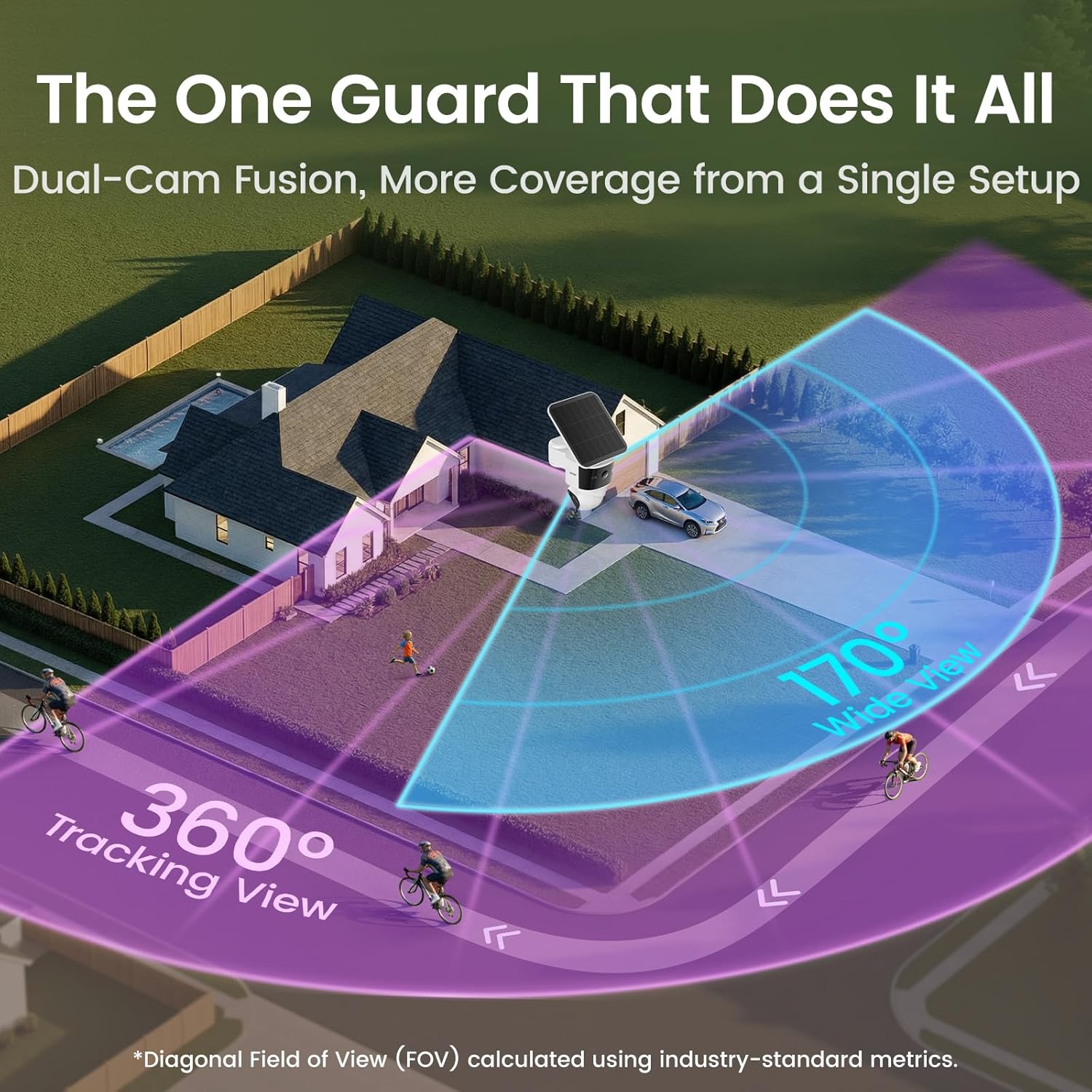
Image: Illustration of the camera's 170-degree wide view and 360-degree tracking view covering a property.
Поставување
The aosu T2 Pro is designed for a simple 3-step wireless installation:
- Монтирајте го држачот: Choose an optimal outdoor location, ideally a corner or elevated position for maximum coverage and sunlight exposure for the solar panel. Use the positioning stickers and expansion screws to securely attach the mounting bracket.
- Прикачете ја камерата: Slide the aosu T2 Pro camera onto the mounted bracket. Ensure it clicks securely into place.
- Поврзете се со апликацијата: Download the aosu app on your Android or iOS smartphone. Follow the in-app instructions to connect your camera to your Wi-Fi network using the QR code scan.

Image: The aosu T2 Pro camera mounted on an exterior wall, showcasing its solar panel positioning.
Упатства за работа
Utilize the aosu app to control and monitor your camera:
- Во живо View: Access real-time video streams from both the wide-angle and PTZ cameras.
- Контрола на PTZ: Manually pan and tilt the 360° camera directly from the app. Tap anywhere on the wide-angle view to instantly direct the PTZ camera to that spot.
- AI Detection & Tracking: Customize detection zones and set alerts for human and vehicle activity. The Lock-Capture technology ensures continuous recording of events.
- Двонасочен разговор: Use the built-in microphone and speaker for two-way communication.
- Siren & Lights: Activate the integrated siren and spotlights to deter unwanted activity.
- Режими на ноќно гледање: Switch between enhanced IR-assisted full color night vision and standard black & white night vision as needed.
Video: Official product video demonstrating the aosu T2 Pro Solar Security Camera's features and operation.
Опции за складирање
The aosu T2 Pro offers flexible and secure storage solutions:
- Локално складирање: Supports encrypted local storage and playback with zero subscription fees. Expand storage up to 256GB using a microSD card (sold separately).
- Складирање во облак: Optional cloud storage is available via in-app purchase for automatic backup and remote access.
- aosuBase / aosuCortex: Connect to an aosuBase or aosuCortex (available in March) to scale into a multi-camera home security system and enable cross-camera tracking.

Image: Close-up of the aosu T2 Pro camera showing the microSD card slot for local storage.
Управување со енергија
The camera is designed for continuous operation with minimal intervention:
- Соларно полнење: The high-efficiency solar panel keeps the 9,200mAh battery charged. Approximately 90 minutes of effective sunlight per day is sufficient for daily needs under typical usage (50 events/day, 20 seconds each).
- Траење на батеријата: The large battery capacity ensures operation even during periods of low sunlight or overcast weather, with the solar panel providing supplemental power.
- Полнење USB-C: A USB-C port is available for manual charging if needed, especially in prolonged periods without sufficient sunlight.
Карактеристики на апликацијата
The aosu app provides a user-friendly interface for managing your camera:
- Паметна репродукција: Директно view important clips on a timeline for a daily overview.
- Известувања во реално време: Receive fast, accurate alerts with a synced overview to take quick action.
- Гласовни известувања: Customize pre-recorded voice messages to play automatically or manually.
- Интеграција на паметен дом: Compatible with Amazon Alexa and Google Assistant for voice control and integration into your smart home ecosystem.
- Семејно споделување: Grant role-based access to family and friends, allowing them to view footage while maintaining control.
Спецификации
| Карактеристика | Детал |
|---|---|
| Број на модел | C9P |
| Видео резолуција | 3K |
| Viewинголен агол | 170° Wide (fixed), 360° PTZ |
| Дигитален зум | 8x |
| Опсег на ноќни визии | 10 метри |
| Капацитет на батеријата | 9,200 mAh |
| Отпорност на вода | IP65 |
| Локално складирање | Up to 256GB microSD (sold separately) |
| Поврзување | Wi-Fi, Bluetooth |
| Компатибилни уреди | Android, iOS, Amazon Alexa, Google Assistant |
| Димензии (Д x Ш x В) | 8.2 x 5.01 x 6.48 инчи |
| Тежина на ставката | 3.3 фунти |
Решавање проблеми
If you encounter issues with your aosu T2 Pro camera, try the following:
- Проблеми со поврзувањето: Ensure your camera is within Wi-Fi range and the signal is strong. Restart your router and the camera.
- Проблеми со полнење: Verify the solar panel is receiving direct sunlight for at least 90 minutes daily. Check the USB-C connection if charging manually.
- Лажни предупредувања: Adjust AI detection settings, customize detection zones, and refine sensitivity levels in the aosu app to minimize irrelevant motion triggers.
- No Audible Notifications: Check app notification settings and ensure your phone's volume is up. Verify the camera's microphone and speaker are enabled.
Гаранција и поддршка
For warranty information, technical assistance, or customer support, please refer to the official aosu website or contact their customer service directly. Online support resources and FAQs are available to help with setup and operation.


