1. Вовед
Ви благодарам за купувањетоasing the AIWA LPS-25BK Turntable. This device is designed to provide high-quality audio playback from vinyl records, as well as offering modern connectivity options such as Bluetooth, USB, and FM radio. Please read this manual carefully before using the product to ensure proper operation and to maximize its lifespan.
2. Инструкции за безбедност
- Извор на енергија: Use only the provided AC adapter. Ensure the voltage одговара на барањата наведени на адаптерот.
- Вода и влага: Не го изложувајте уредот на дожд, влага или течности. Не ставајте предмети полни со течности, како што се вазни, врз уредот.
- Топлина: Не го поставувајте уредот во близина на извори на топлина како што се радијатори, грејни тела, шпорети или други апарати (вклучувајќи ampлајфикатори) кои произведуваат топлина.
- Вентилација: Обезбедете соодветна вентилација. Не блокирајте ги отворите за вентилација.
- Чистење: Исклучете го уредот од штекерот пред чистење. Користете мека, сува крпа. Не користете течни средства за чистење или аеросолни средства за чистење.
- Сервисирање: Не обидувајте се сами да го сервисирате овој производ. Пренесете ги сите сервиси на квалификуван сервисен персонал.
- Поставување: Поставете го уредот на стабилна, рамна површина за да спречите оштетување од паѓање.
3. Содржина на пакетот
Проверете дали сите артикли се присутни во пакетот:
- AIWA LPS-25BK Turntable Unit
- Адаптер за напојување со наизменична струја
- Упатство за употреба (овој документ)
- Покривка за прашина
- Послужавник мат
4. Производот завршиview
Familiarize yourself with the components of your AIWA LPS-25BK Turntable.
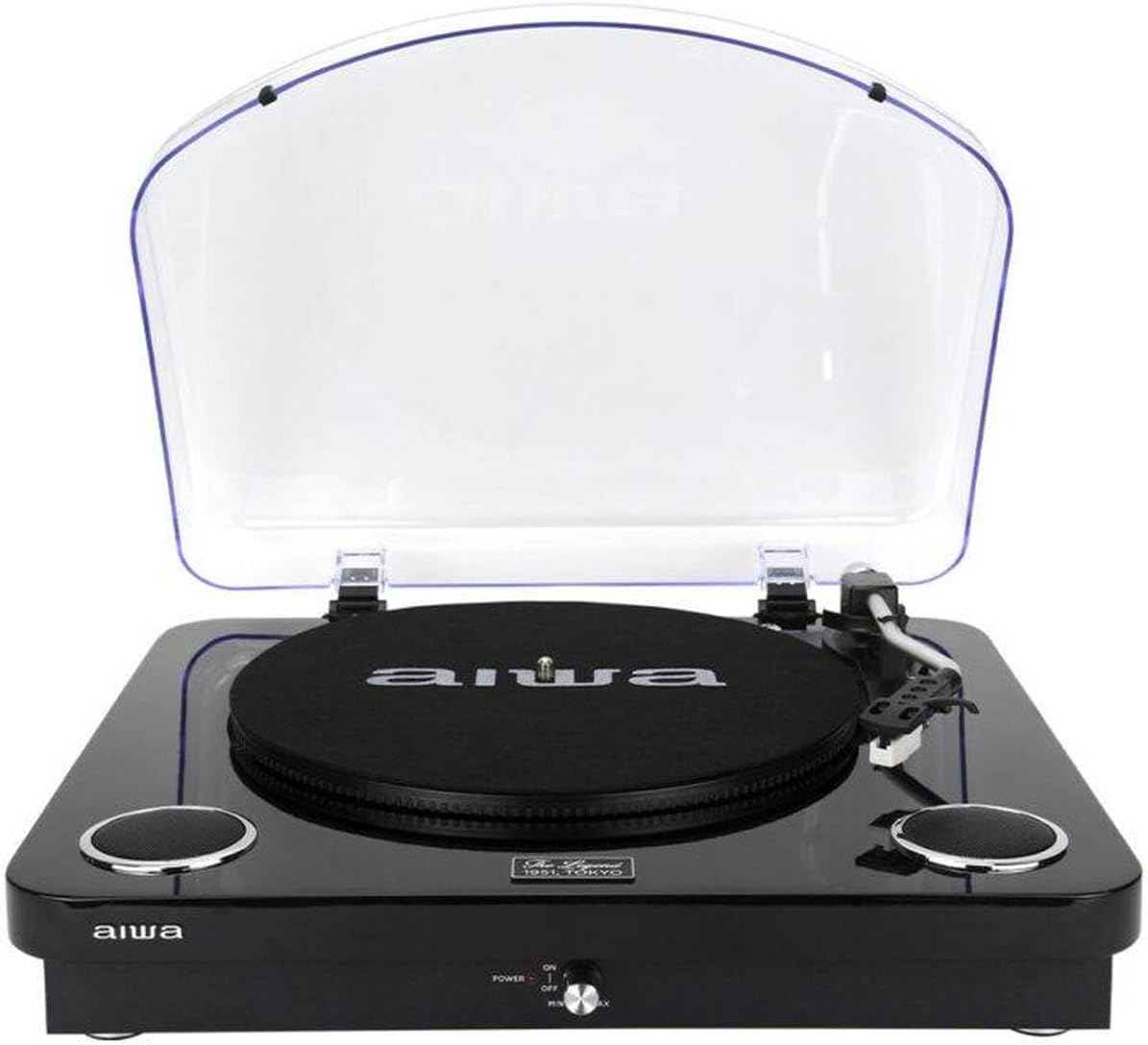
Слика 4.1: Предна страна view of the AIWA LPS-25BK Turntable with the dust cover open, revealing the record platter, tonearm assembly, and integrated speakers on either side.

Слика 4.2: Предна страна view of the AIWA LPS-25BK Turntable with the transparent dust cover closed, protecting the internal components.

Слика 4.3: Страна view of the AIWA LPS-25BK Turntable, highlighting the USB port, SD card slot, and playback control buttons.
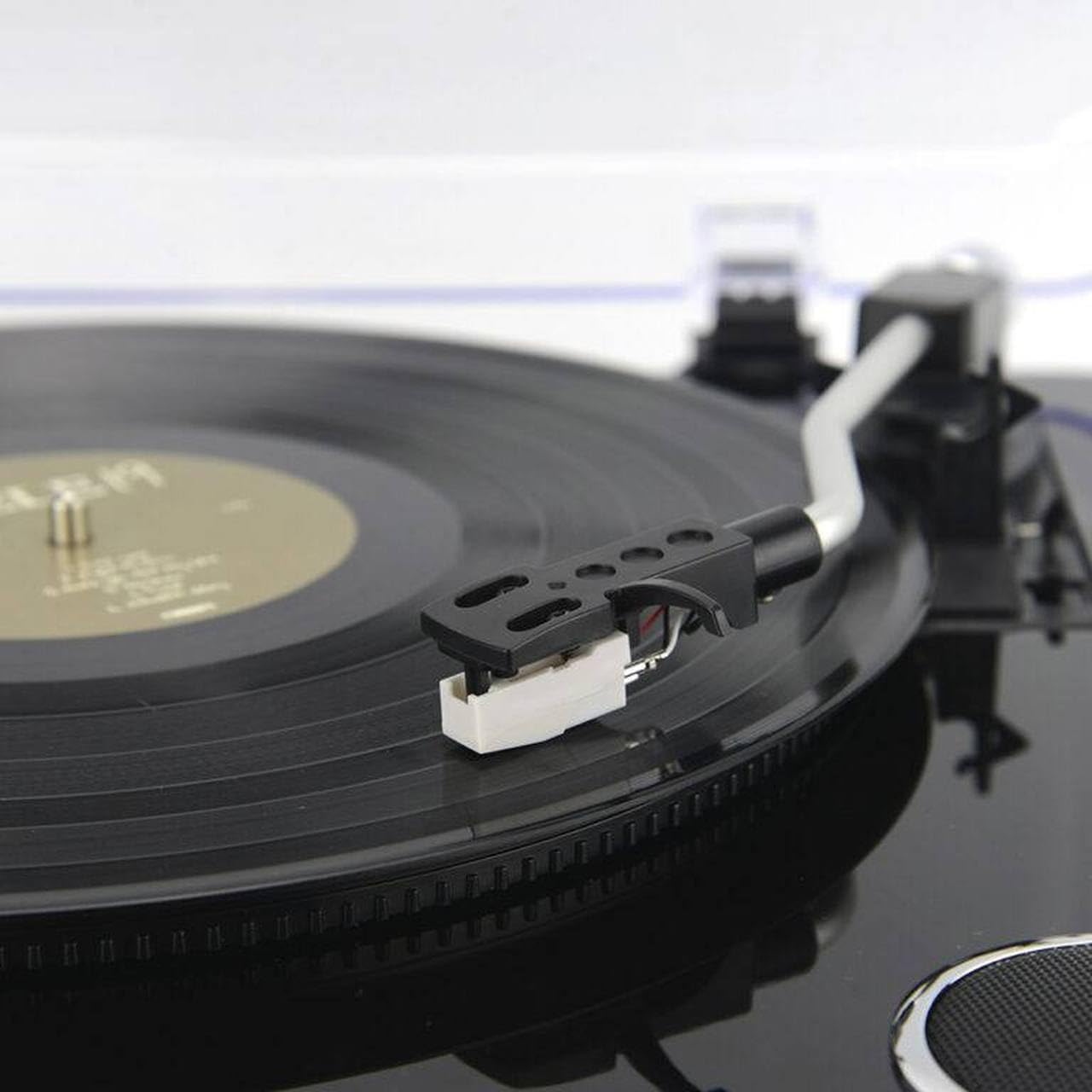
Слика 4.4: Детално view of the tonearm and cartridge with the stylus, positioned over a vinyl record on the platter.
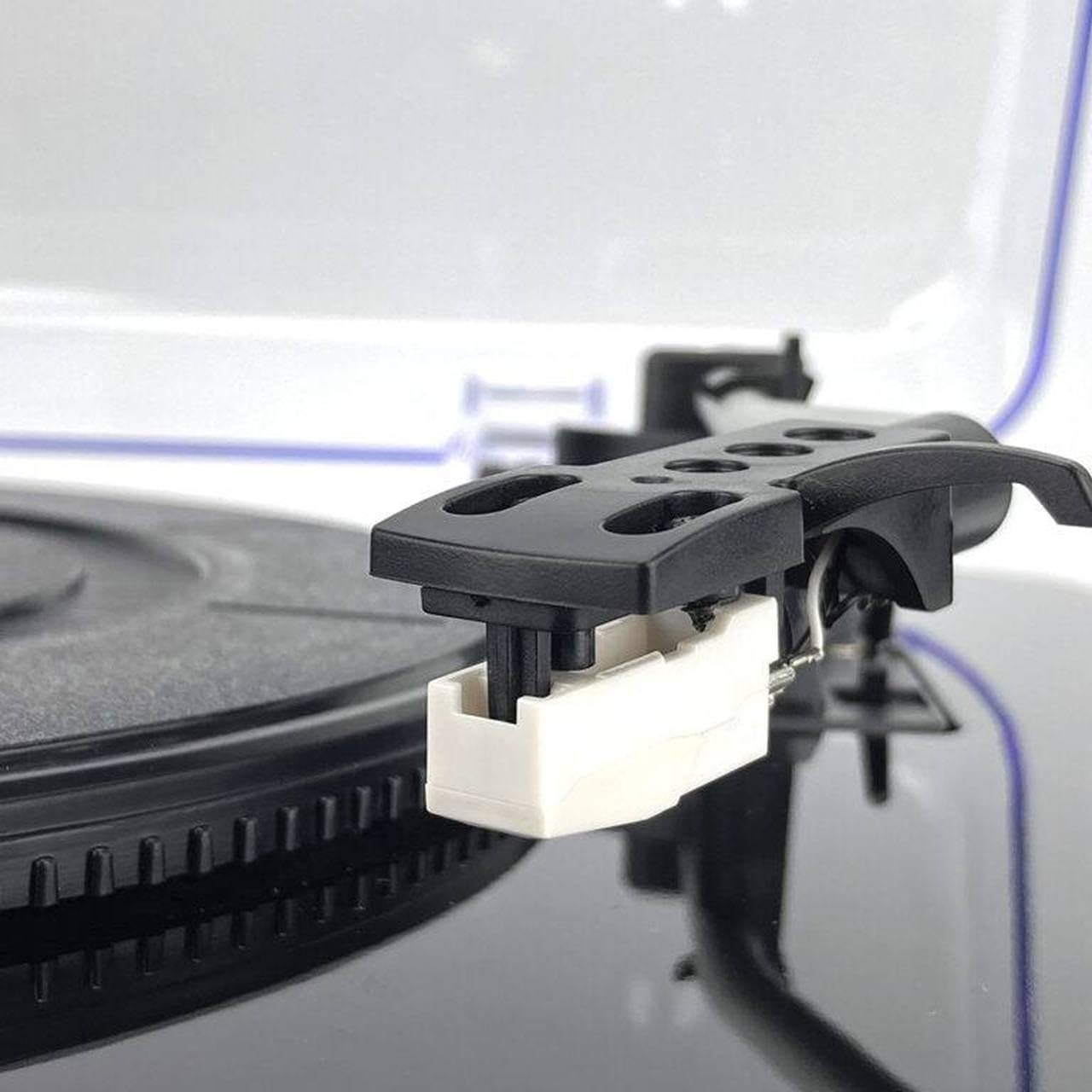
Слика 4.5: Close-up of the white stylus (needle) attached to the cartridge, ready to play a record.

Слика 4.6: Detail of the power switch and volume control knob, labeled 'POWER ON/OFF' and 'MIN/MAX', with a red indicator light.

Слика 4.7: Детално view of the USB port, SD card slot, and control buttons including SCAN, K/DEL (Previous/Delete), M/REC (Next/Mode/Record).
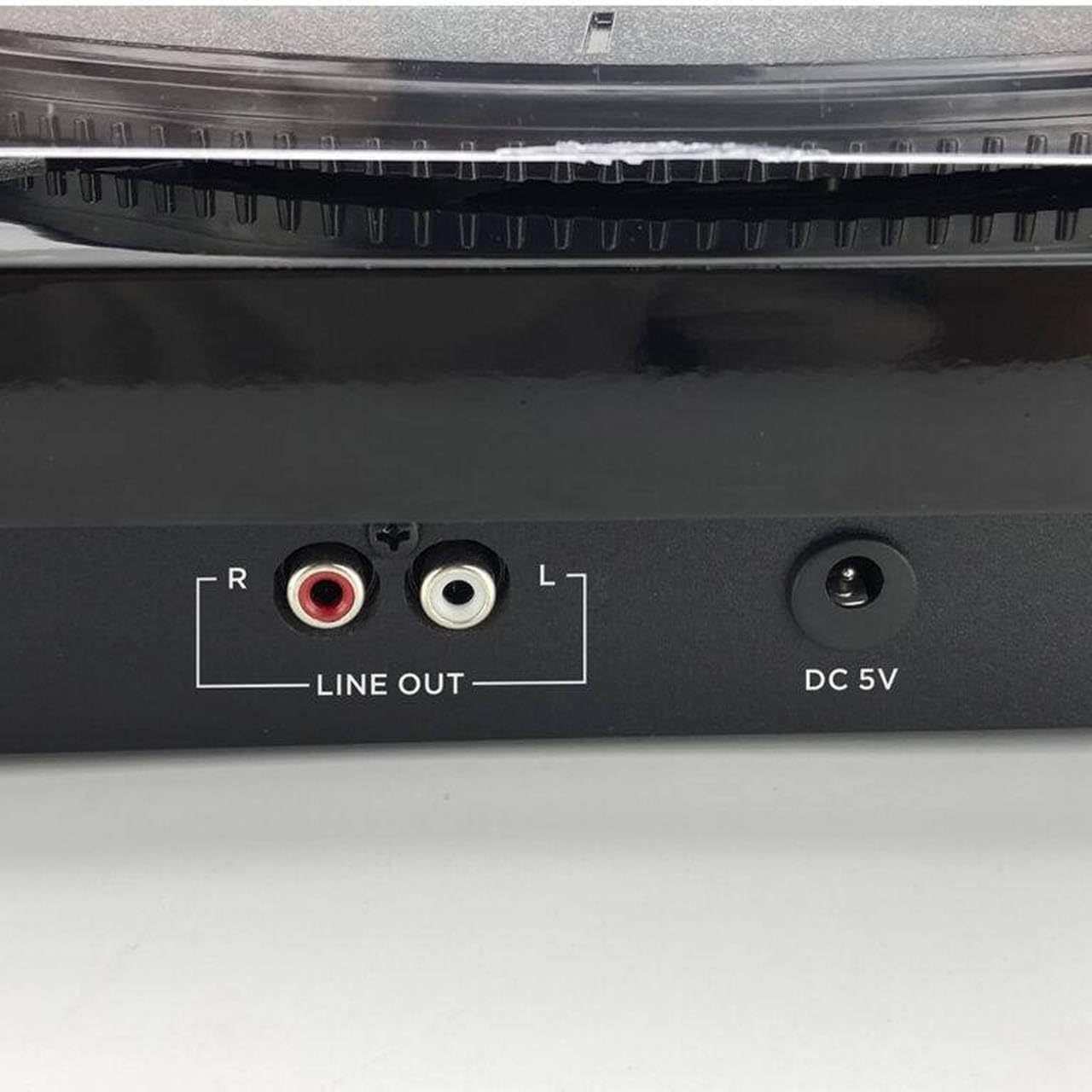
Слика 4.8: Rear panel connections, showing the red and white RCA 'LINE OUT' ports for external audio connection and the 'DC 5V' power input jack.
5. Поставување
- Отпакувајте ја единицата: Внимателно извадете го грамофонот од пакувањето. Зачувајте го пакувањето за иден транспорт или складирање.
- Поставете ја подлогата за чинијата: Place the felt platter mat onto the turntable platter.
- Инсталирајте го капакот за прашина: Insert the hinges of the dust cover into the slots at the back of the turntable unit.
- Поврзете напојување: Insert the DC plug of the AC adapter into the 'DC 5V' input jack on the back of the turntable. Plug the AC adapter into a wall outlet.
- Отстранете го заштитникот за пенкало: Before playing a record, carefully remove the clear plastic stylus protector from the cartridge.
6. Упатства за работа
6.1 Свирење плочи
- Вклучување: Turn the 'POWER' knob clockwise to the 'ON' position. The power indicator light will illuminate.
- Изберете брзина: Set the speed selector switch (usually located near the tonearm base) to the appropriate speed for your record (33, 45, or 78 RPM). For 45 RPM records, you may need to use a 45 RPM adapter (not included).
- Запис за место: Place a vinyl record on the platter, centered on the spindle.
- Подигнете ја рачката за подигнување: Нежно подигнете ја тонераната рака користејќи ја рачката за покажување.
- Позиција на тонераторот: Поместете ја тонерачката рака преку посакуваниот почетен жлеб на плочата.
- Долна рачка на носот: Slowly lower the tonearm using the cueing lever. The stylus will make contact with the record, and playback will begin through the integrated speakers.
- Прилагодете ја јачината на звукот: Adjust the volume using the 'POWER/VOLUME' knob.
- Автоматско враќање: At the end of the record, the tonearm will automatically return to its rest position.
6.2 режим на Bluetooth
- Вклучување: Turn the 'POWER' knob clockwise to the 'ON' position.
- Изберете режим: Press the 'MODE/REC' button repeatedly until the Bluetooth indicator light flashes, indicating pairing mode.
- Спари уред: On your Bluetooth-enabled device (e.g., smartphone, tablet), search for available Bluetooth devices and select 'AIWA LPS-25BK'.
- Репродукција: Once paired, the Bluetooth indicator will stop flashing and remain solid. You can now stream audio from your device to the turntable's integrated speakers.
6.3 USB репродукција и снимање
- Вметнете USB-уред: Insert a USB flash drive into the USB port on the side of the unit.
- Изберете режим: Press the 'MODE/REC' button to switch to USB mode.
- Репродукција: Use the 'K/DEL' (Previous) and 'M/REC' (Next) buttons to navigate tracks. Press the 'K/DEL' button to play/pause.
- Recording (from Vinyl/FM): While playing a record or listening to FM radio, press and hold the 'M/REC' button to start recording to the USB drive. Press it again to stop recording. Recorded files will be saved in MP3 format.
6.4 FM радио
- Вклучување: Turn the 'POWER' knob clockwise to the 'ON' position.
- Изберете режим: Press the 'MODE/REC' button repeatedly until FM radio mode is selected.
- Скенирање станици: Press the 'SCAN' button to automatically scan and save available FM radio stations.
- Намести станици: Use the 'K/DEL' and 'M/REC' buttons to cycle through the saved stations.
6.5 RCA аудио излез
To connect the turntable to an external amplifier or powered speakers:
- Connect an RCA audio cable (not included) to the 'LINE OUT' ports (red for right, white for left) on the back of the turntable.
- Connect the other end of the RCA cable to the corresponding audio input on your ampзајакнувач или звучници со напојување.
- Ensure your external audio system is set to the correct input source.
7. Одржување
- Чистење на пенкалото: Gently clean the stylus regularly using a soft brush designed for stylus cleaning, brushing from back to front. Avoid touching the stylus with your fingers.
- Чистење на единицата: Wipe the turntable unit with a soft, dry, lint-free cloth. Do not use abrasive cleaners, waxes, or solvents.
- Покривка за прашина: Keep the dust cover closed when not in use to protect the platter and tonearm from dust. Clean the dust cover with a soft, damp крпа.
- Грижа за картоните: Keep your records clean and free of dust to ensure optimal sound quality and to prolong stylus life.
8 Смена на проблеми
If you encounter issues with your AIWA LPS-25BK Turntable, please refer to the following common problems and solutions:
| Проблем | Можна причина | Решение |
|---|---|---|
| Нема моќ | Power adapter not connected; Power outlet not working; Power knob off. | Ensure AC adapter is securely connected to the unit and a working power outlet. Turn the power knob to 'ON'. |
| Нема звук од звучници | Volume too low; Incorrect mode selected; Stylus protector still on. | Increase volume. Ensure correct mode (Phono, Bluetooth, USB, FM) is selected. Remove stylus protector. |
| Прескокнување на записи | Record is dirty or scratched; Turntable not on a stable surface; Stylus is dirty or worn. | Исчистете ја плочата. Поставете го грамофонот на стабилна, рамна површина. Исчистете го или заменете го пенкалото. |
| Bluetooth не се поврзува | Turntable not in pairing mode; Device too far; Incorrect device selected. | Ensure turntable is in Bluetooth pairing mode (flashing indicator). Move device closer. Select 'AIWA LPS-25BK' from your device's Bluetooth list. |
| Лош FM прием | Weak signal; Unit placement. | Adjust the position of the unit to improve reception. |
9. Спецификации
- Име на модел: LPS-25BK
- Бренд: Аива
- Брзини на ротација: 33 1/3, 45, 78 вртежи во минута
- Максимална брзина на ротација: 78 вртежи во минута
- Bluetooth верзија: 5.4
- Интегрирани звучници: 2 x 5 W RMS
- Поврзување: Bluetooth, USB, RCA Line Out
- Дополнителни карактеристики: FM Radio, Automatic Tonearm Return, USB Playback/Recording
- Влез на енергија: DC 5V (via AC Adapter)
- Материјал: Метал (компоненти на шасијата)
- Тежина на производот: 4 килограми
- Боја: Црното
- Компатибилни уреди: Amplifier, Speakers, Personal Computer, Bluetooth Speaker
10. Гаранција и поддршка
The AIWA LPS-25BK Turntable comes with a standard manufacturer's warranty. Please refer to the warranty card included in your package or contact your retailer for specific warranty terms and conditions. For technical support or service inquiries, please contact the AIWA customer service department or your authorized dealer.


