📘 Прирачници за Rapoo • Бесплатни PDF-датотеки онлајн
Лого на Рапу

Прирачници и упатства за користење на Rapoo

„Рапу“ е светски лидер во безжичната периферна технологија, произведувајќи високо-перформансни глувци, тастатури и додатоци за игри.

Совет: вклучете го целиот број на моделот отпечатен на вашата етикета на Rapoo за најдобро совпаѓање.

About Rapoo manuals on Manuals.plus

Shenzhen Rapoo Technology Co., Ltd., operating globally as Рапу, is a prominent manufacturer of computer peripherals and accessories. Established in 2002, the company is dedicated to developing high-quality wireless technologies, including their signature Multi-Mode Wireless connection which allows devices to switch seamlessly between Bluetooth and 2.4 GHz modes. Rapoo's product lineup encompasses ergonomic office mice and keyboards, ultra-slim combos, high-fidelity gaming headsets, and mobile accessories.

With a philosophy centered on "Wireless Your Life," Rapoo designs products that cater to both professional productivity and gaming performance (V-Series). Their devices are known for long battery life, precision tracking sensors, and cross-platform compatibility across Windows, macOS, iOS, and Android systems. The brand distributes its products in over 80 countries, maintaining a strong presence in both European and Asian markets.

Прирачници за Рапу

Најнови прирачници од manuals+ курирано за овој бренд.

rapoo 8810ME Multi Mode Wireless Optical Combo Set Упатство за употреба

12 март 2025 година
rapoo 8810ME Мулти-режим безжичен оптички комбо сет Карактеристики Мулти-режим безжична врска Инстант префрлување помеѓу повеќе уреди Прилагодлив HD сензор од 1600 DPI До 9 месеци траење на батеријата Производ надview Овој…

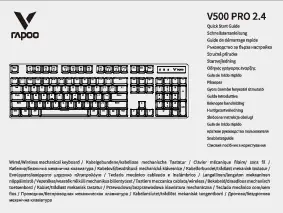
Rapoo V500 PRO 2.4 Quick Start Guide

Водич за брз почеток
This document provides a quick start guide for the Rapoo V500 PRO 2.4 wired and wireless mechanical keyboard, detailing setup, features, indicators, function key combinations, warranty, compliance, and disposal information.

Rapoo N500 Silent Optical Mouse Водич за брз почеток и информации за усогласеност

Водич за брз почеток
Водич за брз почеток, гаранција, системски барања и информации за усогласеност за оптичкиот глушец Rapoo N500 Silent. Дознајте повеќе за поставувањето на производот, законската усогласеност и одговорното отстранување.

Ултратенка тастатура Rapoo UCK-6001 v1.0 со 8-во-1 USB-C мултипортен хаб - брз водич за почеток

Водич за брз почеток
Брз водич за почеток за Rapoo UCK-6001 v1.0 Ultraslim тастатура со 8-во-1 USB-C Multiport Hub, со детали за системските барања, поврзувањето, јазичните режими, описите на портите и информациите за отстранување.

Прирачници за Rapoo од онлајн продавници

Rapoo VT9PRO 4K Wireless Gaming Mouse User Manual

VT9PRO 4K • February 10, 2026
Comprehensive user manual for the Rapoo VT9PRO 4K Wireless Gaming Mouse, featuring PAW 3398 Sensor, 26000 DPI, 4KHz Polling Rate, and 10 programmable buttons. Includes setup, operation, maintenance,…

Rapoo P3 Wireless Charging Pack Instruction Manual

P3 • February 2, 2026
Instruction manual for the Rapoo P3 Wireless Charging Pack, detailing setup, operation, specifications, and compatibility with Rapoo VT9 Pro, VT3, VT7, MT760, and MT760 PRO mice.

Rapoo VT7 Wireless Gaming Mouse Instruction Manual

VT7 • 30 јануари 2026 година
Official instruction manual for the Rapoo VT7 Wireless Gaming Mouse. Learn about its 8K wireless polling rate, 53g lightweight design, 750-hour battery life, 10 programmable buttons, and advanced…

RAPOO N100 Wired Optical Mouse User Manual

N100 • 29 јануари 2026 година
Comprehensive user manual for the RAPOO N100 Wired Optical Mouse, covering installation, usage, care, and technical specifications for optimal performance on Windows, Mac, and Linux systems.

Rapoo EV310M Wireless Vertical Mouse User Manual

EV310M • January 26, 2026
This manual provides detailed instructions for setting up, operating, and maintaining your Rapoo EV310M Wireless Vertical Mouse, including connection modes, DPI adjustment, and troubleshooting.

Rapoo VT7/VT7 MAX Wireless Gaming Mouse User Manual

VT7 / VT7 MAX • February 11, 2026
Comprehensive user manual for the Rapoo VT7 and VT7 MAX wireless gaming mice, covering setup, operation, customization, specifications, and troubleshooting for optimal performance.

Rapoo E1050 2.4G Wireless Keyboard User Manual

E1050 • February 5, 2026
Comprehensive user manual for the Rapoo E1050 2.4G wireless keyboard, covering setup, operation, maintenance, troubleshooting, and specifications for desktop and laptop use.

Rapoo VT3s / VT3s Max Wireless Gaming Mouse User Manual

VT3s / VT3s Max • February 4, 2026
This manual provides comprehensive instructions for the Rapoo VT3s and VT3s Max Wireless Gaming Mice, covering setup, operation, maintenance, and specifications. Learn how to optimize your gaming experience…

Rapoo VT2 Wireless Gaming Mouse User Manual

VT2 Wireless Gaming Mouse • January 30, 2026
Comprehensive instruction manual for the Rapoo VT2 Wireless Gaming Mouse, covering setup, operation, maintenance, specifications, and troubleshooting for optimal performance with its 8K wireless polling rate, 26000 DPI…

Rapoo 1680 Wireless Mouse User Manual

1680 • 29 јануари 2026 година
Comprehensive instruction manual for the Rapoo 1680 Wireless Mouse, covering setup, operation, maintenance, troubleshooting, specifications, and user tips.

Rapoo video guides

Погледнете видеа за поставување, инсталација и решавање проблеми за овој бренд.

Rapoo support FAQ

Често поставувани прашања во врска со упатствата, регистрацијата и поддршката за овој бренд.

  • How do I pair my Rapoo wireless mouse via Bluetooth?

    Turn on your mouse and press the Bluetooth button for at least 3 seconds until the status light flashes slowly. Open the Bluetooth settings on your computer or tablet, and select 'Rapoo 3.0MS' or 'Rapoo 5.0MS' from the list of available devices to pair.

  • How do I switch between connected devices on a Multi-Mode Rapoo keyboard?

    For most Multi-Mode keyboards, press the key combination FN+1, FN+2, or FN+3 to switch between paired Bluetooth devices, or FN+4 to switch to the 2.4 GHz USB receiver connection.

  • What does a flashing red light mean on my Rapoo mouse?

    A rapidly flashing red indicator light usually indicates a low battery. You should recharge the built-in battery using the provided USB cable or replace the alkaline batteries if your model uses them.

  • Where is the USB receiver located for my Rapoo mouse?

    The 2.4 GHz Nano receiver is typically stored in a dedicated storage compartment inside the battery cover or on the bottom of the mouse.

  • Is my Rapoo keyboard compatible with Mac and Windows?

    Yes, many Rapoo keyboards support both operating systems. You can often toggle between layouts using shortcuts like FN+Q for Mac mode and FN+W for Windows mode.